
Quick Summary
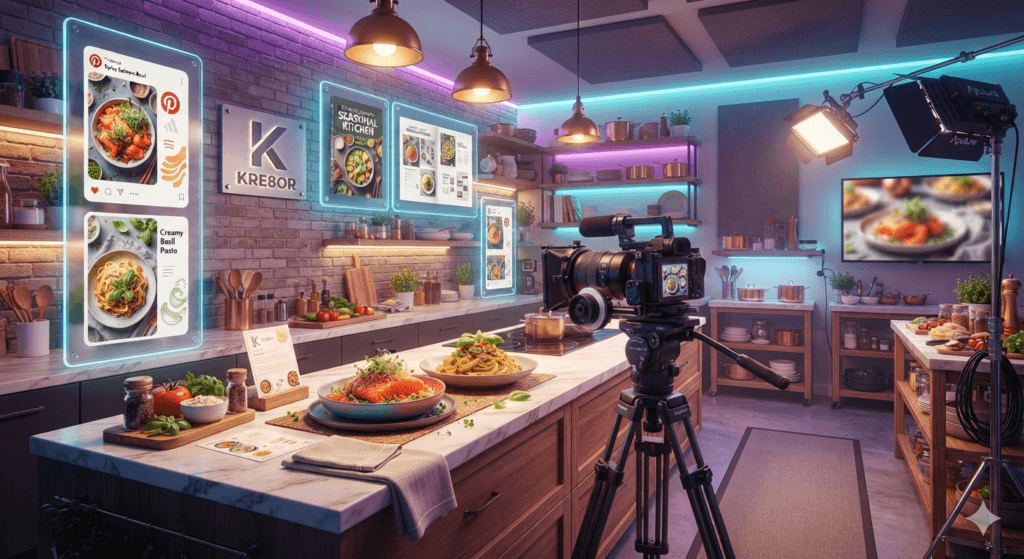
Food creators can use Kre8or to plan recipe visuals, build seasonal campaigns, create Pinterest graphics, and maintain a recognizable editorial style across every channel.
Kre8or AI for Food Bloggers & Recipe Creators
Food content succeeds when it makes readers hungry, curious, and confident enough to try the recipe. The finished dish matters, but so do the colors, props, lighting, background, and visual story surrounding it.
Kre8or AI can help food bloggers and recipe creators develop that story before a camera ever comes out. It is useful for planning hero-image concepts, creating campaign artwork, designing seasonal graphics, exploring cookbook directions, and building a consistent visual identity across a blog, Pinterest, Instagram, YouTube, and email.
Real food photography remains the strongest choice when a recipe image must accurately represent the final dish. Kre8or is best used alongside original photography—for ideation, mood boards, supporting illustrations, backgrounds, promotional assets, and branded content that extends the life of every recipe.
Why Food Creators Need More Than One Photo
A single recipe can support weeks of content. The same dish may appear as a wide blog hero, a vertical Pinterest pin, an Instagram carousel, a newsletter header, a YouTube thumbnail, and a seasonal roundup graphic.
Without a visual system, those assets can feel disconnected. Kre8or makes it easier to define a repeatable mood, color palette, prop style, lighting direction, and level of realism before producing the entire campaign.
- Recipe hero images and supporting scenes
- Pinterest pins and vertical graphics
- Seasonal collection artwork
- Cookbook and ebook cover concepts
- Newsletter headers
- YouTube and video thumbnails
- Ingredient illustrations
- Restaurant or food-brand promotions
Create a Recognizable Food Brand
Successful food blogs often have a visual signature. Some use bright natural light and white backgrounds. Others favor rustic wood, moody shadows, colorful linens, or minimal editorial styling. The goal is not to make every image identical; it is to make them feel related.
Write a short brand description you can reuse in prompts. Include your preferred lighting, surface, props, camera angle, colors, and emotional tone. That description becomes the foundation for recipe collections, holiday campaigns, and social content.
For example, a healthy breakfast creator might consistently use soft daylight, pale stone surfaces, fresh ingredients, and clean overhead compositions. A baking brand might prefer warm kitchen light, textured linen, vintage tools, and close-up detail.
Copy-and-Paste Food Prompts
Rustic pasta
Breakfast recipe
Luxury dessert
Healthy recipe
Holiday baking
A Practical Content Workflow
Pinterest and Social Media Strategy
Pinterest rewards clear vertical graphics that immediately communicate the recipe. Leave room for a readable title, avoid cluttered backgrounds, and create several variations with different crops or seasonal hooks.
For Instagram and short-form video, use Kre8or to develop cover concepts, ingredient spotlights, recipe-series branding, and carousel backgrounds. Keep the actual recipe result accurate and use editable text for titles, measurements, and calls to action.
A good system might include one wide hero, two vertical pin concepts, one square social post, and one email header for every major recipe. This turns a single article into a coordinated campaign instead of an isolated post.
Cookbooks, Ebooks, and Digital Products
Food creators often expand into meal plans, printable guides, digital cookbooks, and membership content. Kre8or can help explore cover directions, chapter-divider artwork, themed ingredient illustrations, and promotional scenes.
The final design should still be assembled in an editor so typography, page numbers, measurements, and legal information remain accurate. Use AI as the visual-development layer, not as the final typesetting tool.
Common Mistakes to Avoid
- Publishing an AI image that does not match the actual recipe
- Using unrealistic textures or impossible ingredients
- Letting every post use a different visual style
- Generating text inside the image instead of adding it later
- Overloading the scene with props
- Ignoring mobile crops and Pinterest dimensions
Trust is crucial in food publishing. Readers should understand whether an image shows the real finished dish, an illustration, or a promotional concept. Clear labeling and authentic recipe photography protect that trust.
Frequently Asked Questions
Can Kre8or replace food photography?
It should not replace authentic images when readers need to see the actual result of a recipe. It is most useful for planning, supporting graphics, campaign artwork, backgrounds, and promotional concepts.
Is Kre8or useful for Pinterest?
Yes. It can help create vertical visual concepts, seasonal backgrounds, and branded pin variations. Add final titles and calls to action in an editor for maximum clarity.
Can I create cookbook covers?
Kre8or can help you explore cover concepts and visual directions. Final typography, subtitles, author names, and print specifications should be completed in professional layout software.
How can restaurants use it?
Restaurants can develop campaign concepts for specials, events, seasonal menus, catering, email promotions, and social media while continuing to use real food photography for accurate menu representation.
How do I keep my food blog consistent?
Reuse the same lighting language, props, surfaces, camera angles, and color palette. Save a master prompt and change only the dish, season, or campaign objective.
Related Guides
Ready to Create Better Visual Content?
Use Kre8or to create original branded graphics, campaign concepts, and reusable visual workflows for your business.
Try Kre8or Free