
Kre8or Studio Explained: The Complete Guide to AI Image Creation
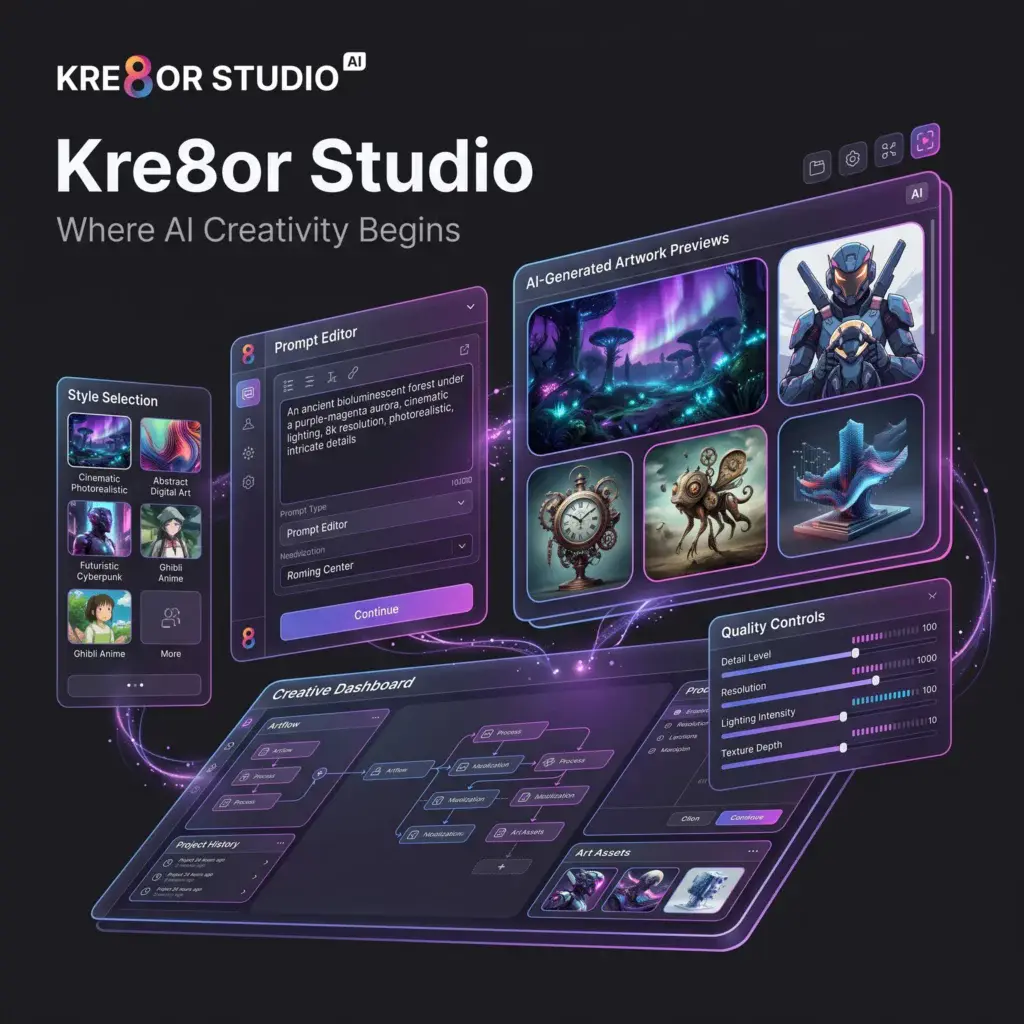
Every AI image generator needs a place where creativity begins.
For Kre8or, that place is Studio.
While many AI tools rely on a simple chat interface, Kre8or Studio provides a dedicated creative workspace where you can build, refine, and manage your AI-generated artwork.
Whether you’re creating your first AI image or producing visuals for professional projects, Studio is the heart of the Kre8or experience.
If you’re ready to explore it yourself,👉 you can create a free account here:
In this guide, we’ll explore every major part of Kre8or Studio and explain how it helps creators produce high-quality AI artwork more efficiently.
What Is Kre8or Studio?
Kre8or Studio is the main workspace where users generate AI images and manage their creative projects.
Instead of typing prompts into a chatbot, Studio provides a structured environment designed specifically for visual creation.
Inside Studio you can:
- Write image prompts
- Select artistic styles
- Choose aspect ratios
- Generate high-quality images
- Organize your creations
- Launch Workshops
- Prepare artwork for publishing
Unlike many AI image generators, Studio feels more like professional creative software than a conversation with an AI assistant.
Related Guide: Kre8or AI Review
Getting Started with Studio

Creating your first image is simple.
Step 1 – Enter Your Prompt
Describe the image you’d like to create.
For example:
“A futuristic cyberpunk city at sunset with neon reflections on wet streets.”
Need inspiration?
Read our 100 Amazing Kre8or Prompts You Can Copy Today.
Step 2 – Choose Your Style
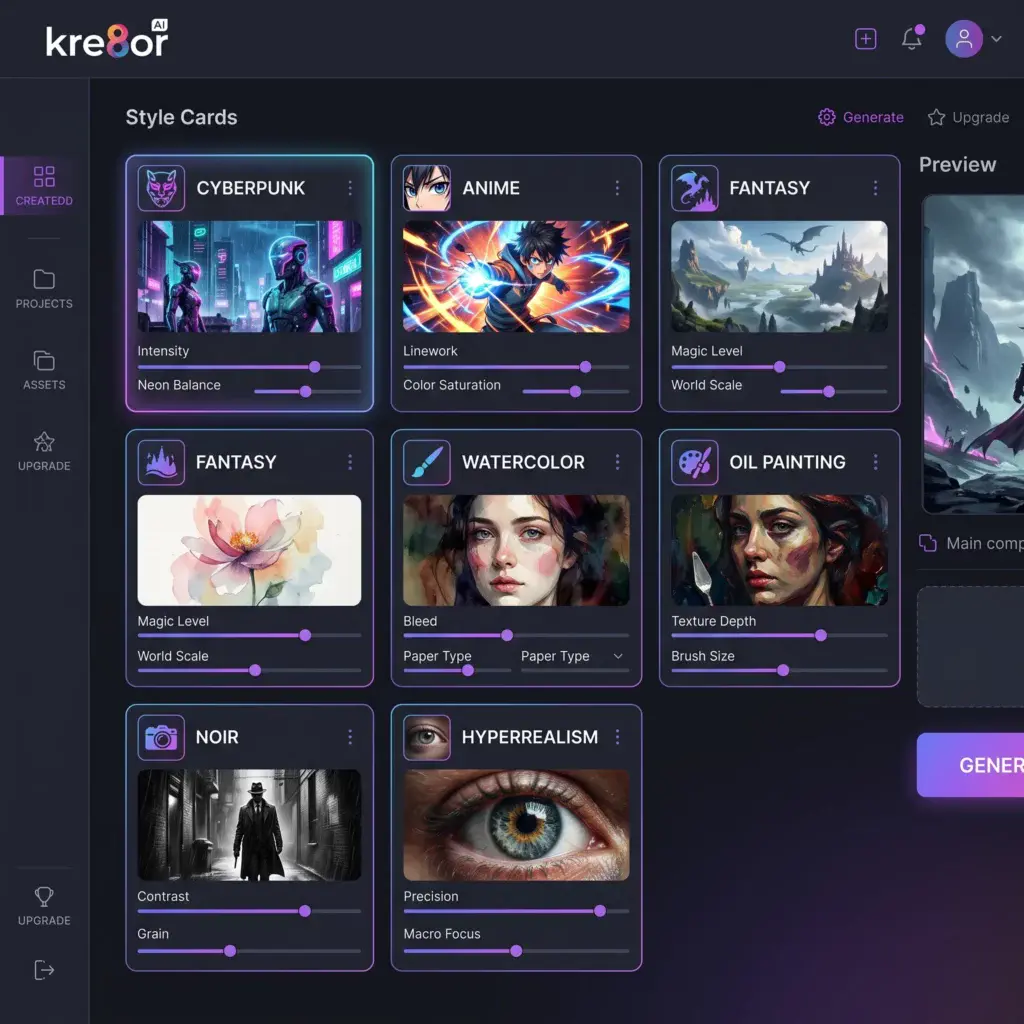
Kre8or offers a wide range of artistic styles that instantly change the appearance of your artwork.
Popular styles include:
- Hyperrealism
- Anime
- Fantasy
- Cyberpunk
- Watercolor
- Oil Painting
- Noir
- Minimalist
- Comic Book
- Retro
Choosing the right style helps create more consistent results without requiring complex prompt engineering.
Step 3 – Generate Your Image
Once your prompt and style are ready, Studio generates your artwork using Kre8or’s AI engine.
Depending on your subscription, you can create images in Standard, 2K, or 4K quality.
For more details, read our Kre8or Pricing Explained guide.
The Studio Interface
The Studio dashboard is designed to keep the creative process organized.
Typical sections include:
Prompt Editor
Write and refine your image description.
Style Selector
Apply artistic styles with a single click.
Quality Settings
Choose between Standard, 2K, or 4K rendering depending on your plan.
Image History
Review previous generations and continue working on earlier ideas.
Creative Tools
Access additional features like Workshops and publishing options.
Creating Better Prompts
A good prompt usually includes:
- Subject
- Environment
- Lighting
- Camera angle
- Mood
- Artistic style
Instead of writing:
“A castle”
Try:
“An ancient fantasy castle on a snowy mountain during sunset, cinematic lighting, ultra detailed, hyperrealistic.”
The additional detail gives the AI more creative direction.
For even more ideas, visit our 100 Amazing Kre8or Prompts You Can Copy Today.
Character Creation Inside Studio
One of Studio’s strengths is helping users build consistent AI characters.
Whether you’re designing:
- Fantasy heroes
- Comic characters
- Brand mascots
- Storybook characters
- Game concepts
Studio provides the tools needed to maintain visual consistency across multiple generations.
Learn more in our Kre8or Character Creation guide.
Studio + Workshops
Studio and Workshops work together seamlessly.
A common workflow looks like this:
Create an image in Studio
↓
Open it in Workshops
↓
Receive intelligent improvement suggestions
↓
Apply one-click enhancements
↓
Generate a polished final result
This allows creators to refine images instead of constantly rewriting prompts.
Read our complete Kre8or Workshops Explained guide.
Publishing Your Work
Once you’re satisfied with your artwork, Studio allows you to share it with the Kre8or community.
Publishing your creations enables other users to:
- View your work
- Like your creations
- Follow your profile
- Remix your images
This transforms Studio from a simple image generator into the starting point of a larger creative ecosystem.
Learn more in our Kre8or Gallery Explained guide.
Entering Challenges
Images created inside Studio can also be submitted to community Challenges.
These competitions allow creators to:
- Showcase their best work
- Compete for prizes
- Build reputation
- Participate in community voting
Read our Kre8or Challenges Explained guide.
Tips for Better Results
To get the most from Studio:
- Use descriptive prompts
- Experiment with different styles
- Generate multiple variations
- Refine images using Workshops
- Publish your best creations
- Participate in Challenges
- Save your strongest prompts for future projects
You can also explore our 25 Kre8or Tips and Tricks Every Creator Should Know.
Common Beginner Mistakes
Many new users:
- Write prompts that are too short
- Ignore available styles
- Skip Workshops
- Forget to publish their work
- Never experiment with different compositions
Taking a few extra minutes to refine your workflow often leads to significantly better results.
Frequently Asked Questions
Is Kre8or Studio free?
Yes. New users can explore Studio using the free plan, although usage limits and available features depend on the current plan.
Can I create commercial images in Studio?
Commercial rights are available on eligible paid plans. Check our Kre8or Pricing Explained guide for details.
Does Studio require prompt engineering?
No. While better prompts improve results, Studio is designed to be approachable for beginners, and features like Workshops reduce the need for advanced prompt writing.
Can I edit existing images?
Yes. Images created in Studio can be enhanced using Kre8or Workshops for additional creative improvements.
Final Verdict

Kre8or Studio is more than just an image generator.
It serves as the central creative workspace where ideas begin, evolve, and become finished artwork.
Combined with Workshops, Gallery, Character Creation, and Challenges, Studio forms the foundation of Kre8or’s creator ecosystem.
Whether you’re producing AI art for fun, business, or content creation, Studio offers a structured and beginner-friendly environment that makes the creative process faster and more enjoyable.
🚀 Ready to Start Creating?
👉 Create your free Kre8or account today and explore everything Studio has to offer.