
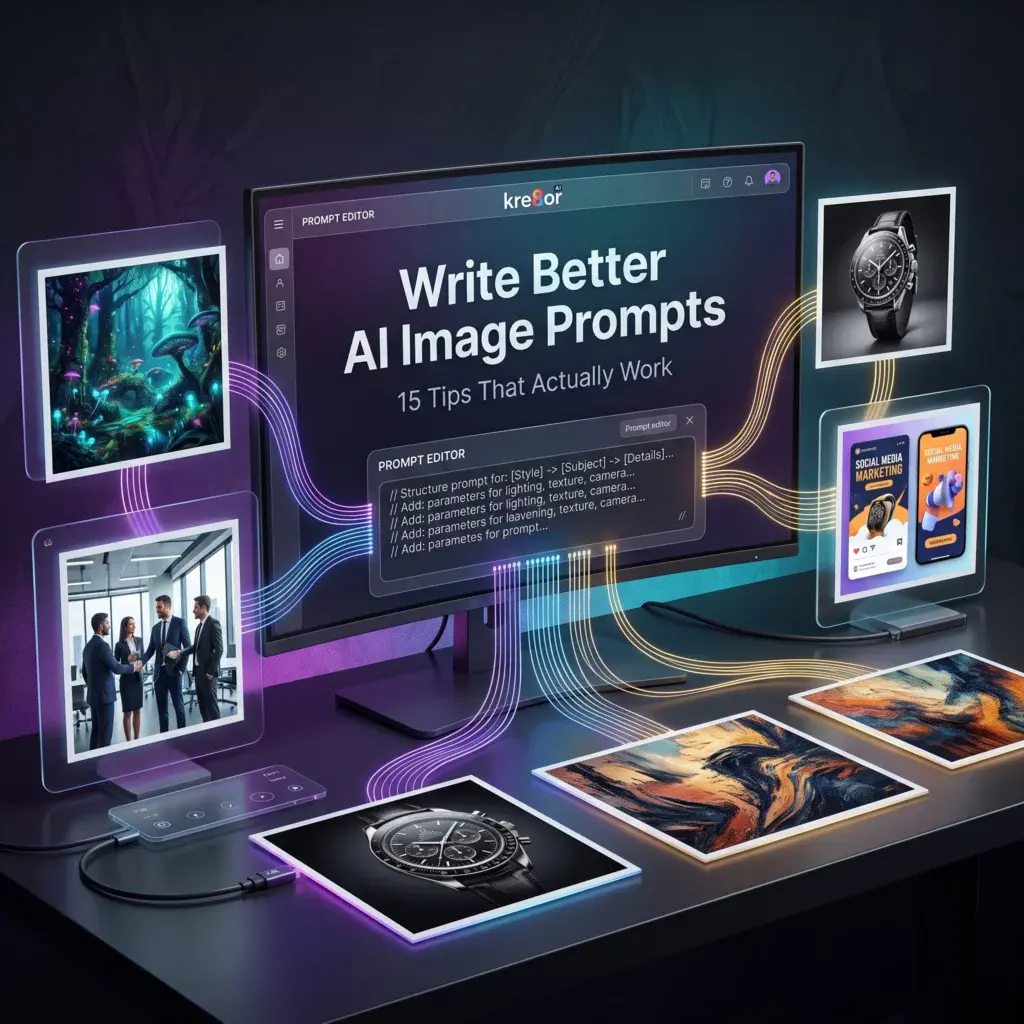
How to Write Better AI Image Prompts for Kre8or: 15 Tips That Actually Work
🚀 Why Most AI Images Miss the Mark
If you’ve ever generated an AI image and thought, “That’s not what I had in mind,” you’re not alone.
In many cases, the problem isn’t the AI—it’s the prompt.
Learning how to describe your ideas clearly can dramatically improve the results you get from Kre8or.
The good news?
You don’t need to become an expert prompt engineer.
A few simple techniques can help you create more consistent, detailed, and professional-looking images.
If you’re completely new to the platform, I recommend starting with my Kre8or AI Review, where I cover the platform’s features, pricing, and overall workflow before diving into prompt writing.
If you’d like to follow along, create a free Kre8or account and try these techniques yourself.
👉 Create Your Free Kre8or Account
Why Prompt Writing Matters
Think of a prompt as creative direction.
The more clearly you describe your vision, the easier it is for the AI to understand what you’re trying to create.
Good prompts don’t need complicated vocabulary.
They simply answer questions like:
- What is the subject?
- Where is it?
- What style should it use?
- What mood should it create?
- What lighting fits the scene?
Master these basics and your images will improve dramatically.
1. Start with the Main Subject
Always begin by describing the primary subject.
Instead of writing:
Beautiful artwork
Try something like:
Modern coffee shop interior with a person working on a laptop
The AI performs much better when it immediately understands the main focus.
2. Describe the Environment
Every subject exists somewhere.
Include the setting.
Examples include:
- Modern office
- Cozy living room
- Luxury kitchen
- Futuristic city
- Mountain landscape
- Beach at sunset
The environment helps establish context and atmosphere.
3. Think About Lighting
Lighting has one of the biggest impacts on the final image.
Examples:
- Golden hour
- Soft morning light
- Studio lighting
- Neon lighting
- Dramatic shadows
- Overcast daylight
Changing only the lighting can completely transform the mood.
4. Choose One Clear Style
Avoid combining too many artistic styles.
Instead, choose one or two.
Examples:
- Photorealistic
- Editorial photography
- Watercolor
- Oil painting
- Minimalist illustration
- Cinematic
Consistency usually produces stronger results.
5. Add Mood
The mood influences how people feel when they see the image.
Try words like:
- Calm
- Professional
- Cozy
- Futuristic
- Elegant
- Energetic
Even subtle mood descriptions can noticeably change the final output.
6. Be Specific
The more detail you provide, the better.
Instead of:
Nice office
Try:
Bright Scandinavian home office with oak desk, large windows, indoor plants, minimalist décor, soft natural morning light
Specific prompts almost always outperform vague ones.
7. Generate Multiple Versions
Don’t expect perfection on the first attempt.
Professional creators rarely stop after one generation.
Create several variations and compare them.
Often, one small change in wording produces a significantly better image.
If one version is close to what you’re looking for, you don’t necessarily need to start over.
My guide on Kre8or Workshops Explained shows how to refine existing images instead of generating completely new ones.
8. Save Your Best Prompts
Whenever you generate an image you really like, save the prompt.
Over time you’ll build a personal library that speeds up future projects.
If you’re looking for inspiration, you’ll also enjoy:
👉 100 Amazing Kre8or Prompts You Can Copy Today
9. Build Prompt Templates

Rather than writing every prompt from scratch, create reusable templates.
For example:
Subject
↓
Environment
↓
Lighting
↓
Style
↓
Mood
↓
Composition
This simple framework works well across many different projects.
If you’re creating images regularly for your business, you may also enjoy my guide:
👉 25 Ways to Use Kre8or for Business, Marketing & Content Creation
10. Leave Space for Text
If you’re creating:
- Blog featured images
- YouTube thumbnails
- Website banners
- Social media graphics
Ask the AI to leave negative space for headlines or branding.
Planning this in advance makes editing much easier later.
11. Match the Prompt to Its Purpose
Every image has a different job.
A Shopify banner requires a different composition than a Pinterest pin.
Think about the final destination before writing the prompt.
Here are some guides that can help:
- 📝 How Bloggers Can Use Kre8or to Create Better Featured Images
- 🎥 How YouTubers Can Create Better Thumbnails
- 📌 How to Use Kre8or for Pinterest Marketing
- 🛒 How to Use Kre8or for Shopify Stores
- 🛍️ How to Create AI Images for Etsy Listings
- 📱 How to Create Social Media Graphics with Kre8or
Each explains how prompt writing changes depending on where the image will be used.
12. Stay Consistent
Strong brands don’t create random images.
Reuse similar:
- Colors
- Lighting
- Composition
- Artistic style
Consistency helps people recognize your content immediately.
If branding is important to your business, I also recommend reading:
👉 How to Build a Consistent Brand with Kre8or
13. Learn from Every Generation
Even unsuccessful generations teach you something.
Pay attention to what changes when you modify:
- Lighting
- Subject
- Camera angle
- Style
- Background
Small experiments often lead to your best prompt formulas.
14. Experiment with Variations
Instead of changing everything, modify only one variable at a time.
For example:
- Change only the lighting.
- Change only the artistic style.
- Change only the background.
- Change only the mood.
This helps you understand exactly what influences the final result.
15. Refine Instead of Starting Over
When an image is close to perfect, don’t throw it away.
Use Workshops to improve:
- Lighting
- Composition
- Color balance
- Mood
- Details
Small refinements often produce the strongest final images.
You can also learn more in my complete How to Use Kre8or Studio tutorial, which explains how Studio and Workshops work together.
Common Prompt Writing Mistakes
Avoid these common mistakes:
- Being too vague.
- Mixing too many artistic styles.
- Forgetting to describe the environment.
- Ignoring lighting.
- Giving up after one generation.
- Not saving prompts that work well.
Prompt writing improves through experimentation.
📚 Continue Learning
If you found this guide helpful, these tutorials are a great next step:
🎨 100 Amazing Kre8or Prompts You Can Copy Today
🚫 25 Kre8or Mistakes Every Beginner Should Avoid
📖 25 Ways to Use Kre8or for Business, Marketing & Content Creation
Final Thoughts
Writing better prompts isn’t about using complicated words.
It’s about communicating your creative vision clearly.
The more intentional your prompts become, the more consistent your images will be.
Whether you’re creating blog graphics, marketing materials, product mockups, or social media content, better prompts will improve every part of your workflow.
Like any creative skill, prompt writing gets better with practice.
Keep experimenting, save your best prompts, and refine your ideas over time.
🚀 Ready to Create Better AI Images?
Now that you understand the fundamentals of prompt writing, it’s time to put them into practice.
Create your free Kre8or account and start experimenting with different prompts, styles, and creative ideas.