
Kre8or vs ChatGPT Image Generator: Which AI Tool Is Better?
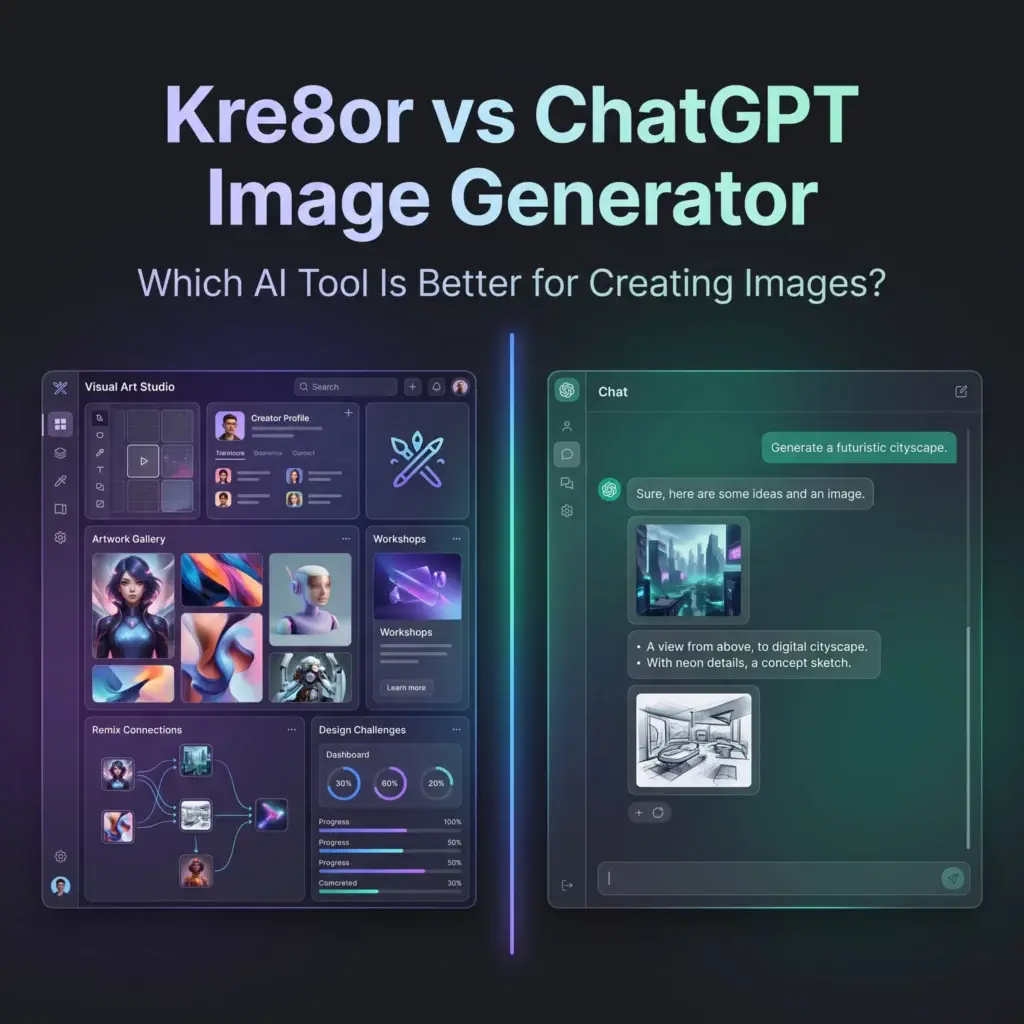
Introduction
Artificial intelligence has changed how people create images.
Today, anyone can describe an idea in a few words and generate artwork within seconds.
For many people, ChatGPT has become their first experience with AI image generation because it’s integrated into a conversational assistant they already use for writing, brainstorming, coding, and research.
Kre8or takes a very different approach.
Instead of being part of a general-purpose AI assistant, Kre8or is built specifically for creators who want to generate, refine, organize, publish, and grow their artwork through a dedicated creative platform.
If you’re still exploring what Kre8or offers, our Kre8or AI Review explains the platform’s features, creator ecosystem, and unique workflow in detail.
The real question isn’t:
Which AI can generate images?
Both can.
The better question is:
Which platform helps you create more effectively?
🚀 Want to Try Kre8or Yourself?
Reading comparisons is useful.
Creating with the platform is even better.
With a free account you can explore:
✅ Studio
✅ Workshops
✅ Public Gallery
✅ Creator Profiles
✅ Design Challenges
👉 Create Your Free Kre8or Account
📌 At a Glance
| Looking for… | Best Choice |
|---|---|
| AI conversations | ⭐ ChatGPT |
| Dedicated image creation | ⭐ Kre8or |
| Image editing through chat | ⭐ ChatGPT |
| Structured creative workflow | ⭐ Kre8or |
| Community features | ⭐ Kre8or |
| Public creator profile | ⭐ Kre8or |
| Guided image improvements | ⭐ Kre8or |
| General productivity | ⭐ ChatGPT |
| Creative ecosystem | ⭐ Kre8or |
| All-in-one AI assistant | ⭐ ChatGPT |
Quick Comparison
| Feature | Kre8or | ChatGPT |
|---|---|---|
| AI Image Generation | ✅ | ✅ |
| AI Chat Assistant | ❌ | ✅ |
| Structured Studio | ✅ | ❌ |
| Workshops | ✅ | ❌ |
| Public Gallery | ✅ | ❌ |
| Creator Profiles | ✅ | ❌ |
| Remix System | ✅ | ❌ |
| Design Challenges | ✅ | ❌ |
| Content Writing | ❌ | ✅ |
| Coding Assistance | ❌ | ✅ |
Philosophy: AI Assistant vs Creative Platform
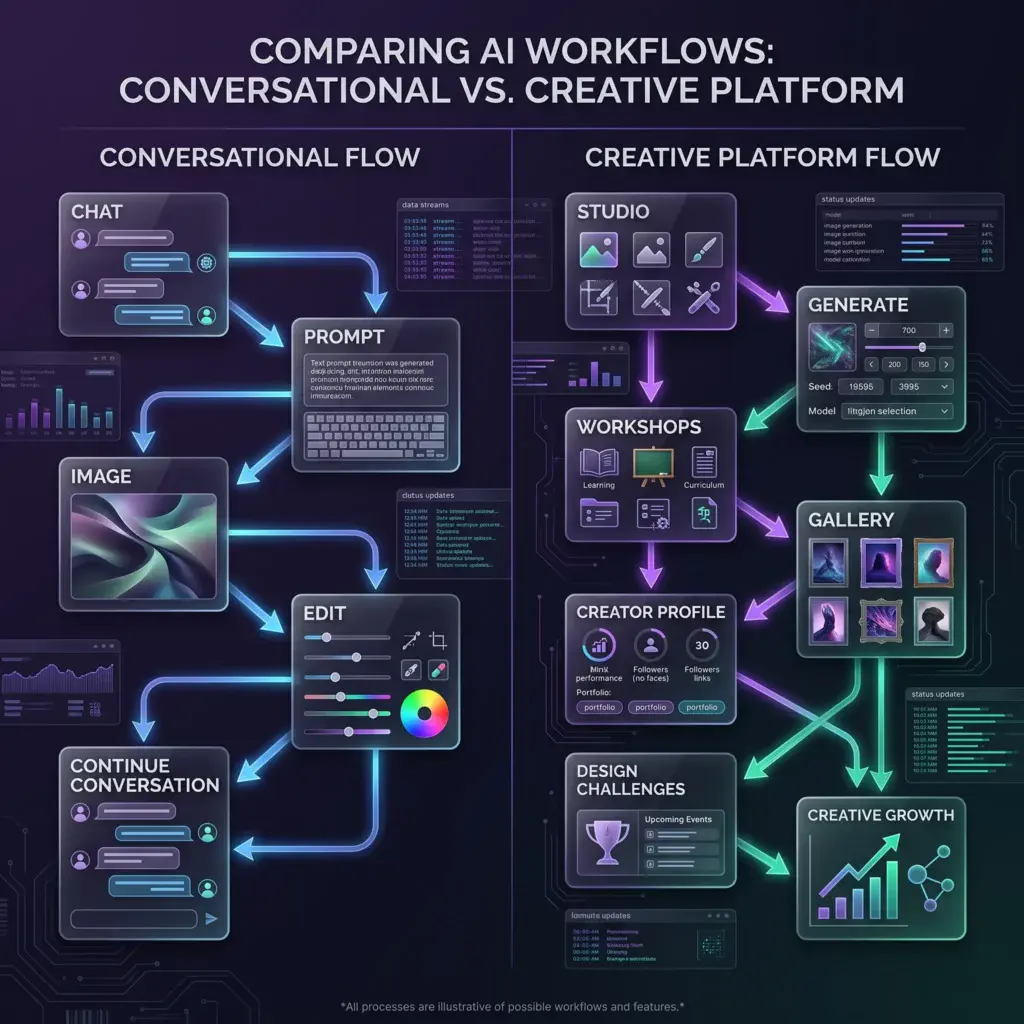
This comparison isn’t really about image quality.
It’s about purpose.
ChatGPT
ChatGPT is designed to be an all-purpose AI assistant.
It helps users:
- Write articles
- Brainstorm ideas
- Answer questions
- Generate code
- Analyze data
- Create images
- Edit images
- Solve problems
Image generation is just one capability among many.
For many users, that’s exactly what makes ChatGPT valuable.
Kre8or
Kre8or is designed around one goal:
Helping creators build better visual content.
Instead of combining dozens of AI capabilities, it focuses on improving every stage of image creation.
Creators can:
- Generate artwork
- Improve it with Workshops
- Share it publicly
- Build a creator profile
- Participate in Challenges
- Remix community creations
Rather than simply generating an image inside a conversation, Kre8or builds an entire workflow around visual creativity.
If you’d like to understand how that workflow operates, our How to Use Kre8or Studio guide explains the image creation process from start to finish.
Image Creation
Both platforms can generate AI artwork.
The experience, however, feels very different.
ChatGPT
Creating images in ChatGPT feels conversational.
You describe what you want.
The AI generates an image.
If you want changes, you continue talking naturally.
Examples:
Make the lighting warmer.
Remove the background.
Add mountains.
Change the camera angle.
This conversational workflow feels intuitive, especially for beginners.
Kre8or
Kre8or uses a dedicated Studio rather than a conversation.
Instead of continuously chatting with the AI, creators work inside an organized workspace where prompts, styles, composition, and rendering options are structured for creative projects.
After generating artwork, creators can continue refining it through Workshops, which analyze images and recommend improvements without requiring constant prompt rewriting.
Our Kre8or Workshops Explained guide demonstrates how these guided refinements work.
Winner
🤝 Tie
Both platforms make image generation approachable.
The difference lies in whether you prefer a conversation or a dedicated creative workspace.
Content Creation Workflow
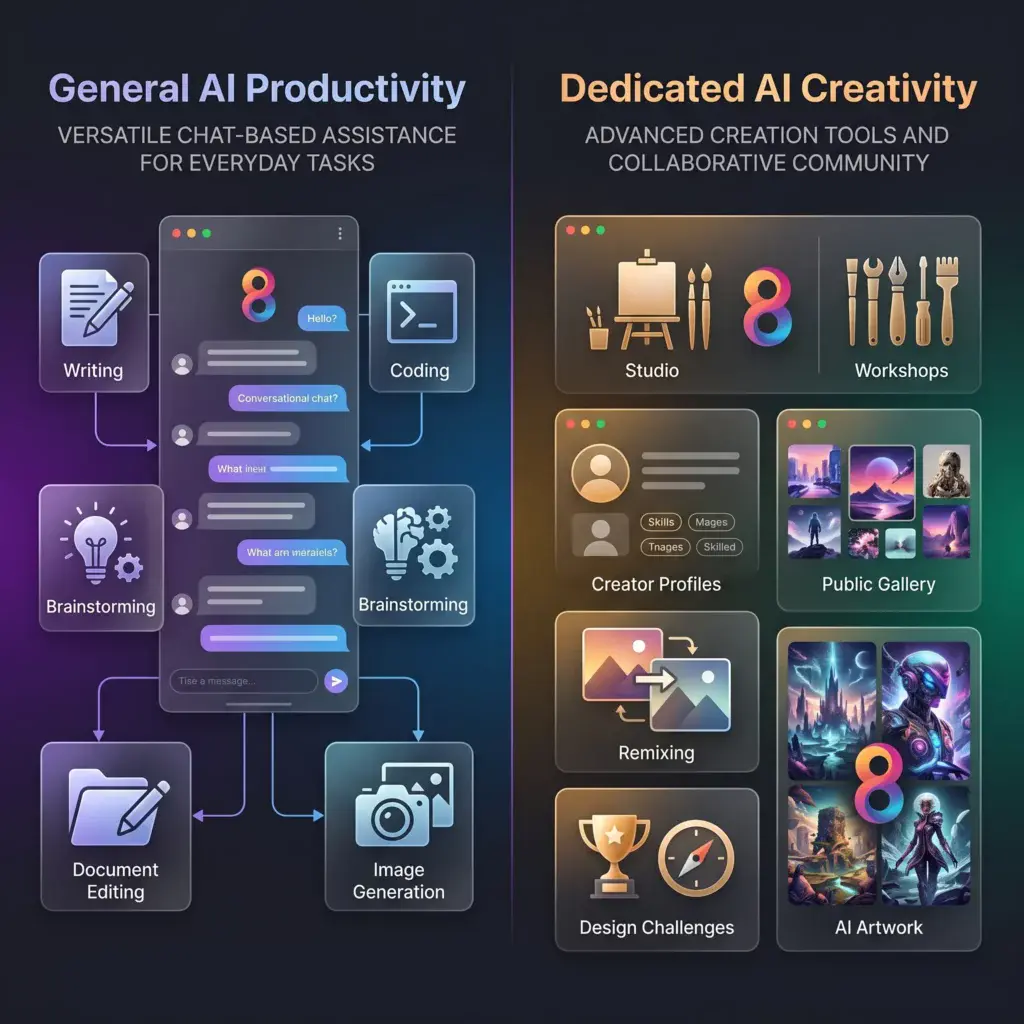
This is where the platforms begin separating.
ChatGPT
If you’re writing:
- Blog posts
- Emails
- Marketing copy
- Social media captions
ChatGPT can generate text and create accompanying images in the same conversation.
That makes it extremely convenient for general productivity.
Kre8or
Kre8or isn’t trying to replace a writing assistant.
Instead, it focuses entirely on helping creators produce stronger visual content through Studio, Workshops, creator profiles, remixing, and community participation.
For bloggers, YouTubers, and marketers who rely heavily on original visuals, this dedicated workflow can be a significant advantage.
Our guides for Kre8or for Bloggers, Kre8or for YouTube Creators, and Kre8or for Social Media Managers show how different creators use the platform in practice.
Winner
🏆 Depends on your workflow
If your priority is an all-in-one assistant, ChatGPT has the advantage.
If visual content is central to your work, Kre8or offers a more focused creative experience.
Editing & Refinement
Creating an image is only one part of the creative process.
The next question is:
How easy is it to improve that image?
ChatGPT
One of ChatGPT’s biggest strengths is conversational editing.
You don’t need to start over every time you want to make a change.
Instead, you simply describe what you’d like to adjust.
For example:
- Make the lighting softer.
- Change the background to a forest.
- Turn this into a watercolor painting.
- Remove the people.
- Add dramatic clouds.
The conversation continues naturally, making iterative editing feel intuitive.
For quick adjustments, this workflow is extremely convenient.
Kre8or
Kre8or takes a different approach.
Instead of relying entirely on conversational edits, it introduces Workshops.
Workshops analyze an existing image and recommend creative improvements based on elements such as:
- Lighting
- Composition
- Mood
- Background
- Style
- Overall visual impact
Rather than guessing the next prompt, creators choose from guided enhancement suggestions.
If you’d like to see how this works in practice, our Kre8or Workshops Explained guide walks through the complete workflow.
Winner
🤝 Depends on your preference
Choose ChatGPT if you enjoy conversational editing.
Choose Kre8or if you prefer structured, guided image refinement.
Community & Collaboration
This is where the platforms become dramatically different.
ChatGPT
ChatGPT is designed primarily as a personal AI assistant.
Images are created for you within your conversation.
Once the image is finished, the creative process usually ends.
There is no built-in system for:
- Public portfolios
- Community discovery
- Creator profiles
- Remixing
- Design competitions
The experience is intentionally private and conversation-focused.
Kre8or
Community sits at the center of the platform.
Creators can:
- Publish artwork publicly
- Build creator profiles
- Follow other artists
- Browse the Gallery
- Remix existing creations
- Participate in Design Challenges
Instead of creating images in isolation, every project has the opportunity to become part of a larger creative community.
If you’re curious how creators discover and interact with artwork, our Kre8or Gallery Explained guide explores the Gallery in detail.
You can also learn how collaborative creativity works in our Kre8or Remix System Explained guide.
Winner
🏆 Kre8or
Creative Growth
One interesting difference between these platforms is how they encourage creators to improve over time.
ChatGPT
Growth usually happens through:
- Better prompts
- Better conversations
- Experimentation
- Asking follow-up questions
The assistant adapts to your requests, but the learning process is largely self-directed.
Kre8or
Kre8or builds learning directly into the platform.
Creators improve through:
- Workshops
- Community inspiration
- Design Challenges
- Creator feedback
- Remixing
- Character Creation
- Public portfolios
The platform encourages continuous development instead of simply generating another image.
If you’re new to Kre8or, our 25 Kre8or Tips and Tricks Every Creator Should Know guide is an excellent place to accelerate your learning.
Winner
🏆 Kre8or
Mobile Experience
Many creators now work across multiple devices.
Being able to continue projects on a phone or tablet has become increasingly important.
ChatGPT
ChatGPT offers an excellent mobile experience.
Users can:
- Generate images
- Edit images
- Continue conversations
- Brainstorm ideas
- Write content
All within a single mobile application.
Kre8or
Kre8or’s mobile experience focuses on visual creativity.
Users can:
- Generate artwork
- Browse the Gallery
- Vote in Design Challenges
- View creator profiles
- Follow community activity
- Continue creative projects
Because the platform revolves around an active creator ecosystem, mobile access extends beyond image generation alone.
Winner
🤝 Tie
Both platforms provide strong mobile experiences, but they serve different purposes.
Commercial Use
Whether you’re creating:
- Marketing graphics
- Blog illustrations
- Social media posts
- Product images
- Client work
understanding commercial licensing is essential.
Both Kre8or and ChatGPT provide commercial usage options through eligible paid plans, although licensing terms may change over time.
Always review the latest terms before using AI-generated images commercially.
If you’re comparing Kre8or’s plans, our Kre8or Pricing Explained guide explains commercial rights, credits, storage, and subscription differences in detail.
Winner
🤝 Tie
Who Should Choose Each Platform?
Your choice depends less on image quality and more on how you work.
Choose ChatGPT if you:
✔ Want one AI tool for writing, research, coding, brainstorming, and image generation.
✔ Prefer conversational editing.
✔ Generate occasional images alongside other tasks.
✔ Value having everything inside one assistant.
✔ Need productivity as much as creativity.
Choose Kre8or if you:
✔ Create visual content regularly.
✔ Want a dedicated AI creative platform.
✔ Enjoy community interaction.
✔ Like structured workflows.
✔ Want public creator profiles.
✔ Prefer guided improvements over constant prompt rewriting.
✔ Want your artwork to evolve through remixing and collaboration.
Related Reading
If you’re interested in learning more about Kre8or’s creative workflow, these guides expand on the features discussed throughout this comparison:
- ⭐ Kre8or AI Review — A complete overview of the platform.
- 🛠️ How to Use Kre8or Studio — Learn the dedicated image creation workspace.
- ✨ Kre8or Workshops Explained — Discover guided image enhancements.
- 🖼️ Kre8or Gallery Explained — Explore the public creative community.
- 💳 Kre8or Pricing Explained — Compare plans, credits, and commercial rights.
- 📱 Kre8or for Social Media Managers — See how creators use Kre8or for ongoing visual content.
- 📝 Kre8or for Bloggers — Learn how bloggers can streamline image creation.
Pros & Cons
Both Kre8or and ChatGPT are powerful AI tools, but they’re built for different purposes.
One is a general-purpose AI assistant that includes image generation, while the other is a dedicated creative platform designed around visual content.
The best choice depends on your workflow.
Kre8or
Pros
✅ Dedicated AI Image Creation Platform
Kre8or is built specifically for creators who produce visual content regularly.
Rather than treating images as just another AI feature, the platform is designed around the entire creative process—from idea generation to publishing and community engagement.
✅ Structured Studio Workspace
Instead of working inside a chat conversation, creators use Studio, where prompts, styles, composition, and rendering settings are organized into a dedicated creative workspace.
This structured environment makes projects easier to manage, especially when creating multiple images.
✅ Workshops Simplify Image Refinement
One of Kre8or’s standout features is Workshops.
Rather than rewriting prompts repeatedly, Workshops analyze an image and recommend improvements to lighting, composition, mood, and overall presentation.
Our Kre8or Workshops Explained guide demonstrates how this guided workflow helps creators achieve stronger results with less trial and error.
✅ Built Around Community
Every public creation has the potential to become part of a larger creative ecosystem.
Creators can:
- Publish artwork
- Build creator profiles
- Participate in Design Challenges
- Receive engagement
- Inspire remixes
That ongoing interaction encourages long-term creativity rather than one-time image generation.
✅ Excellent for Content Creators
Whether you’re running a blog, YouTube channel, online business, or social media account, Kre8or provides a focused environment for creating consistent visual content.
Cons
❌ Focused on Images
Unlike ChatGPT, Kre8or isn’t designed for writing articles, coding, research, or answering general questions.
It’s intentionally specialized.
❌ Newer Ecosystem
As a newer platform, its community is still growing compared to long-established AI services.
❌ Learning the Ecosystem
Although Studio is beginner-friendly, understanding Galleries, Workshops, Challenges, Remixing, and Creator Profiles takes a little time.
Fortunately, our Kre8or AI Review and Kre8or FAQ cover these features in detail.
ChatGPT Image Generator
Pros
✅ All-in-One AI Assistant
ChatGPT combines writing, brainstorming, coding, research, image generation, and image editing into a single platform.
For many users, this convenience is its greatest strength.
✅ Natural Conversation
Instead of learning platform-specific workflows, users simply describe what they want.
The conversation continues naturally until the image matches their vision.
✅ Excellent Productivity Tool
Beyond image generation, ChatGPT can help with:
- Writing blog posts
- Creating marketing copy
- Summarizing documents
- Brainstorming ideas
- Coding assistance
- Planning projects
This versatility makes it valuable far beyond creative work.
✅ Strong Image Editing
Users can refine images conversationally by requesting changes instead of starting from scratch.
This makes quick edits fast and intuitive.
Cons
❌ Images Are Only One Feature
Image generation is part of a much larger assistant rather than the platform’s primary focus.
❌ No Creative Community
There are no built-in:
- Public galleries
- Creator profiles
- Remix systems
- Design Challenges
- Collaborative creative features
❌ Limited Long-Term Creative Workflow
Most conversations end once the image is complete.
There isn’t an integrated ecosystem that encourages creators to build portfolios or participate in ongoing creative activities.
Decision Scorecard

If you’re still deciding, here’s a quick recommendation based on your priorities.
| If your priority is… | Recommended Platform | Why |
|---|---|---|
| Writing and image creation together | ChatGPT | Combines text and images in one assistant. |
| AI conversations | ChatGPT | Natural language interaction is its biggest strength. |
| Blogging productivity | ChatGPT | Excellent for drafting, editing, and brainstorming. |
| Dedicated image creation | Kre8or | Built specifically for visual creativity. |
| Community interaction | Kre8or | Gallery, creator profiles, and engagement. |
| Guided image refinement | Kre8or | Workshops provide structured creative improvements. |
| Public creative portfolio | Kre8or | Showcase your work and build a creator identity. |
| Design Challenges | Kre8or | Participate in competitions and creative events. |
| Long-term visual workflow | Kre8or | Designed around ongoing creative growth. |
| General AI productivity | ChatGPT | Handles many different tasks beyond image generation. |
Best Platform by User Type
Your ideal platform depends on how you use AI every day.
✍️ Writers
Winner: ChatGPT
If writing, editing, and research are your primary activities, ChatGPT provides everything in one place.
📝 Bloggers
Winner: Kre8or + ChatGPT
This is one case where using both platforms together makes a lot of sense.
Use ChatGPT for research, outlines, and writing.
Use Kre8or to create original featured images, illustrations, and branded visuals.
If you’re building a content-driven website, our Kre8or for Bloggers guide explains this workflow in detail.
📺 YouTube Creators
Winner: Kre8or
Creators producing thumbnails, branding, and promotional artwork may benefit from Kre8or’s dedicated visual workflow.
Our Kre8or for YouTube Creators guide explores these use cases further.
📱 Social Media Managers
Winner: Kre8or
Maintaining a consistent visual identity across multiple campaigns is easier with Studio, Workshops, and reusable creative assets.
💼 Small Businesses
Winner: Kre8or
Businesses creating marketing graphics, website visuals, and promotional content can benefit from a platform built specifically around visual creativity.
👨💻 General AI Users
Winner: ChatGPT
If you want one AI tool capable of handling almost everything, ChatGPT remains one of the most versatile options available.
Frequently Asked Questions
Can ChatGPT replace Kre8or?
For occasional image generation, ChatGPT may be enough.
However, creators who regularly produce visual content may appreciate Kre8or’s dedicated Studio, Workshops, Gallery, and creator-focused ecosystem.
Is Kre8or better than ChatGPT for images?
Not necessarily.
ChatGPT excels at conversational image generation and editing.
Kre8or excels at providing a complete creative workflow built around image creation.
Which platform is better for content creators?
For creators whose work depends heavily on original visuals, Kre8or offers features that extend beyond image generation, including Workshops, creator profiles, and community participation.
Should bloggers use both?
Many bloggers will benefit from combining the strengths of both platforms.
Use ChatGPT for writing and planning.
Use Kre8or for creating distinctive visuals that reinforce your brand.
Can I edit AI images in both platforms?
Yes.
ChatGPT uses conversational editing, while Kre8or emphasizes structured refinement through Workshops and creative tools.
Which platform is easier for beginners?
Both are beginner-friendly.
If you’re comfortable chatting with AI, ChatGPT feels very natural.
If you prefer an organized creative workspace with dedicated image tools, Kre8or offers a structured experience that’s easy to learn.
Final Recommendation
After comparing both platforms, it’s clear that Kre8or and ChatGPT aren’t trying to solve the same problem.
Both can generate impressive AI images, but they’re designed for very different workflows.
ChatGPT is an all-purpose AI assistant that happens to create images.
Kre8or is a dedicated creative platform built around helping people produce, improve, share, and grow visual content.
If your goal is having one AI tool that can answer questions, write articles, brainstorm ideas, generate code, and occasionally create images, ChatGPT is an outstanding choice.
If your goal is building a long-term visual workflow where image creation is at the center of your creative process, Kre8or offers a much more specialized experience.
When Using Both Makes Sense
One thing many creators overlook is that you don’t necessarily have to choose one platform over the other.
For many workflows, using both together provides the best results.
For example:
Bloggers
Use ChatGPT to:
- Research topics
- Create outlines
- Draft articles
- Improve headlines
- Generate meta descriptions
Use Kre8or to:
- Create featured images
- Design illustrations
- Produce branded graphics
- Build a consistent visual identity
Our Kre8or for Bloggers guide explains how this workflow can help create more engaging content.
YouTube Creators
Use ChatGPT for:
- Video scripts
- Titles
- Descriptions
- Content planning
Use Kre8or for:
- Custom thumbnails
- Channel branding
- Promotional artwork
- Visual storytelling
Learn more in our Kre8or for YouTube Creators guide.
Small Businesses
Use ChatGPT for:
- Marketing copy
- Product descriptions
- Email campaigns
- Customer communication
Use Kre8or for:
- Social media graphics
- Website visuals
- Promotional images
- Brand assets
See our Kre8or for Small Businesses guide for practical examples.
Why Kre8or Feels Different
Most AI assistants generate an image as part of a conversation.
Once the image is complete, the conversation usually moves on.
Kre8or approaches creativity differently.
Instead of treating image generation as the final step, it encourages creators to continue developing their work.
Images can become:
- Gallery creations
- Workshop projects
- Design Challenge entries
- Public portfolio pieces
- Remix starting points
- Part of your creator identity
That shift—from creating an image to building as a creator—is what makes Kre8or stand out.
Final Verdict
ChatGPT remains one of the most versatile AI tools available today.
Its ability to combine writing, research, coding, brainstorming, image generation, and image editing inside one conversational interface makes it incredibly useful for everyday productivity.
Kre8or, however, isn’t trying to compete as an all-purpose assistant.
Instead, it focuses on delivering a complete creative environment where AI-generated images become part of an ongoing creative journey.
Studio, Workshops, Gallery, Creator Profiles, Remixing, and Design Challenges work together to provide an experience that extends far beyond simply generating an image.
If you want one AI assistant that can do almost everything, ChatGPT is difficult to beat.
If you want a platform dedicated to helping you grow as a visual creator, Kre8or offers a unique approach that few AI image generators currently provide.
🏆 Overall Winner by Category
| Category | Winner |
|---|---|
| General AI Assistant | 🏆 ChatGPT |
| Writing & Productivity | 🏆 ChatGPT |
| Research & Brainstorming | 🏆 ChatGPT |
| Conversational Image Editing | 🏆 ChatGPT |
| Dedicated Image Creation | 🏆 Kre8or |
| Guided Creative Workflow | 🏆 Kre8or |
| Community Features | 🏆 Kre8or |
| Public Creator Profiles | 🏆 Kre8or |
| Design Challenges | 🏆 Kre8or |
| Long-Term Creator Ecosystem | 🏆 Kre8or |
🚀 Ready to Explore Kre8or?
The best way to understand Kre8or’s creative workflow is to experience it for yourself.
With a free account, you can:
✅ Generate AI artwork in Studio
✅ Refine images using Workshops
✅ Browse the public Gallery
✅ Build your creator profile
✅ Participate in Design Challenges
Whether you’re a blogger, YouTuber, marketer, designer, or business owner, spending a few minutes inside the platform will quickly show how Kre8or differs from general-purpose AI assistants.
👉 Create Your Free Kre8or Account Today
Continue Comparing AI Tools
Still exploring your options? These guides may also help:
- ⭐ Kre8or vs Midjourney
- ⭐ Kre8or vs Leonardo AI
- ⭐ Kre8or vs Canva AI
- ⭐ Kre8or vs Ideogram
- ⭐ Kre8or vs Adobe Firefly
Learn More About Kre8or
If you’ve decided to explore Kre8or further, these guides cover every major feature of the platform:
- ⭐ Kre8or AI Review — A complete overview of the platform.
- 🛠️ How to Use Kre8or Studio — Learn the core creation workspace.
- ✨ Kre8or Workshops Explained — Discover guided image improvements.
- 🖼️ Kre8or Gallery Explained — See how creators share and discover artwork.
- 🔄 Kre8or Remix System Explained — Learn how collaborative creativity works.
- 👤 Kre8or Character Creation — Build consistent AI characters.
- 🏆 Kre8or Challenges Explained — Compete in themed design competitions.
- 💳 Kre8or Pricing Explained — Compare plans, credits, and commercial rights.
- 💎 How Kre8or Credits Work — Understand the reward system.
- 💰 How to Make Money with Kre8or — Explore monetization opportunities.
- ❓ Kre8or FAQ — Answers to the most common questions.