
How to Use Kre8or for Blogging: Create Stunning AI Images for Your Posts

Every successful blog has one thing in common—great visuals.
Images help break up long articles, keep readers engaged, improve social sharing, and strengthen your brand. But finding high-quality visuals can be expensive, and generic stock photos often fail to make your content stand out.
That’s where Kre8or comes in.
Kre8or allows bloggers to create unique AI-generated images for virtually every type of content, from featured images and illustrations to Pinterest graphics and promotional banners.
Whether you’re building a personal blog or managing multiple websites, Kre8or can help you create professional visuals in minutes.
👉 Create your free Kre8or account here:
Why Bloggers Need Custom Images
Search engines and readers both appreciate content that provides a good user experience.
Adding original visuals can help you:
- Improve reader engagement
- Strengthen your website’s branding
- Reduce reliance on stock photography
- Create unique content for every article
- Produce eye-catching social media graphics
Instead of using the same stock images as thousands of other websites, you can create visuals tailored specifically to your content.
Related Guide: Kre8or AI Review
What Can You Create with Kre8or?
Kre8or isn’t limited to artistic AI images.
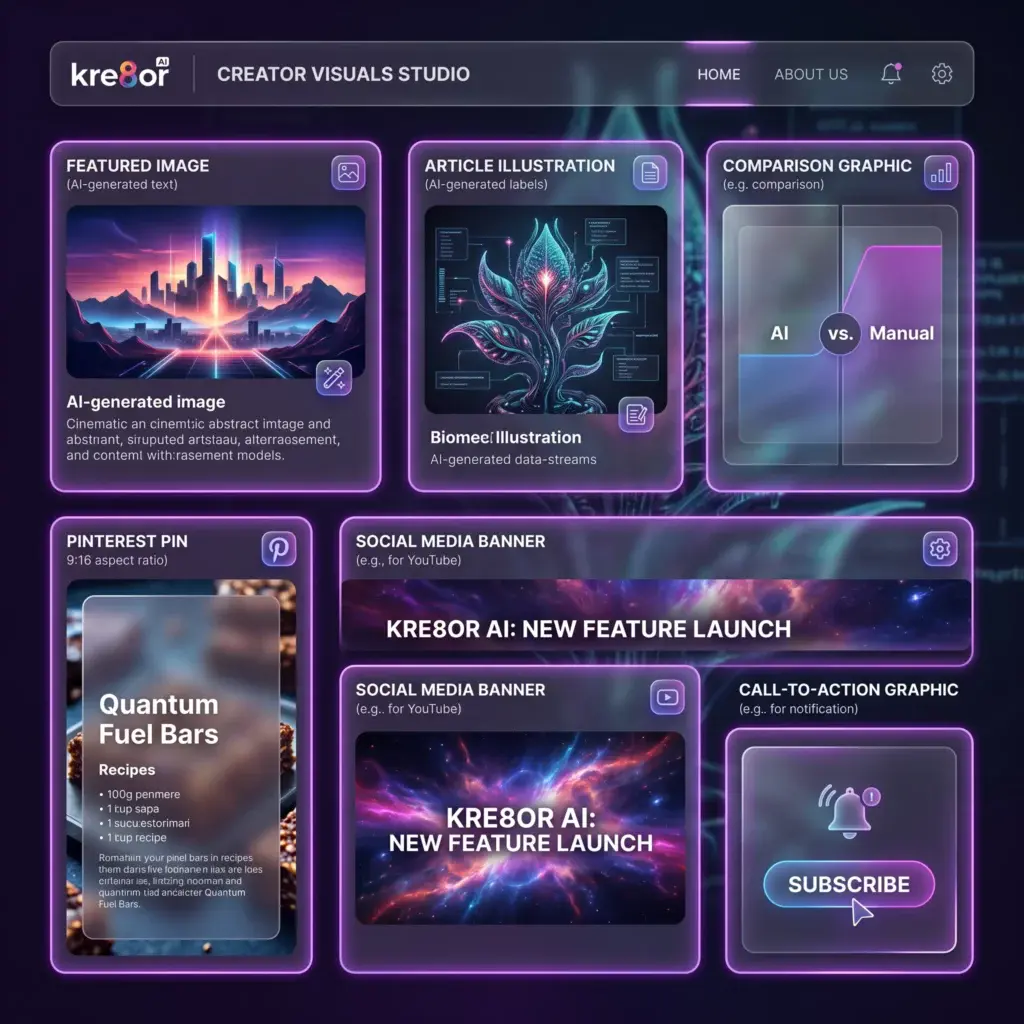
Bloggers can create:
Featured Images
Eye-catching hero images for every blog post.
Article Illustrations
Visuals that explain ideas and make long articles easier to read.
Comparison Graphics
Perfect for product reviews and comparison articles.
Pinterest Pins
Create vertical graphics designed to attract clicks from Pinterest users.
Social Media Images
Generate visuals for LinkedIn, Facebook, X, and Instagram that match your content.
Call-to-Action Banners
Design custom graphics encouraging readers to subscribe, download a guide, or explore a product.
Step-by-Step: Creating Blog Images in Kre8or
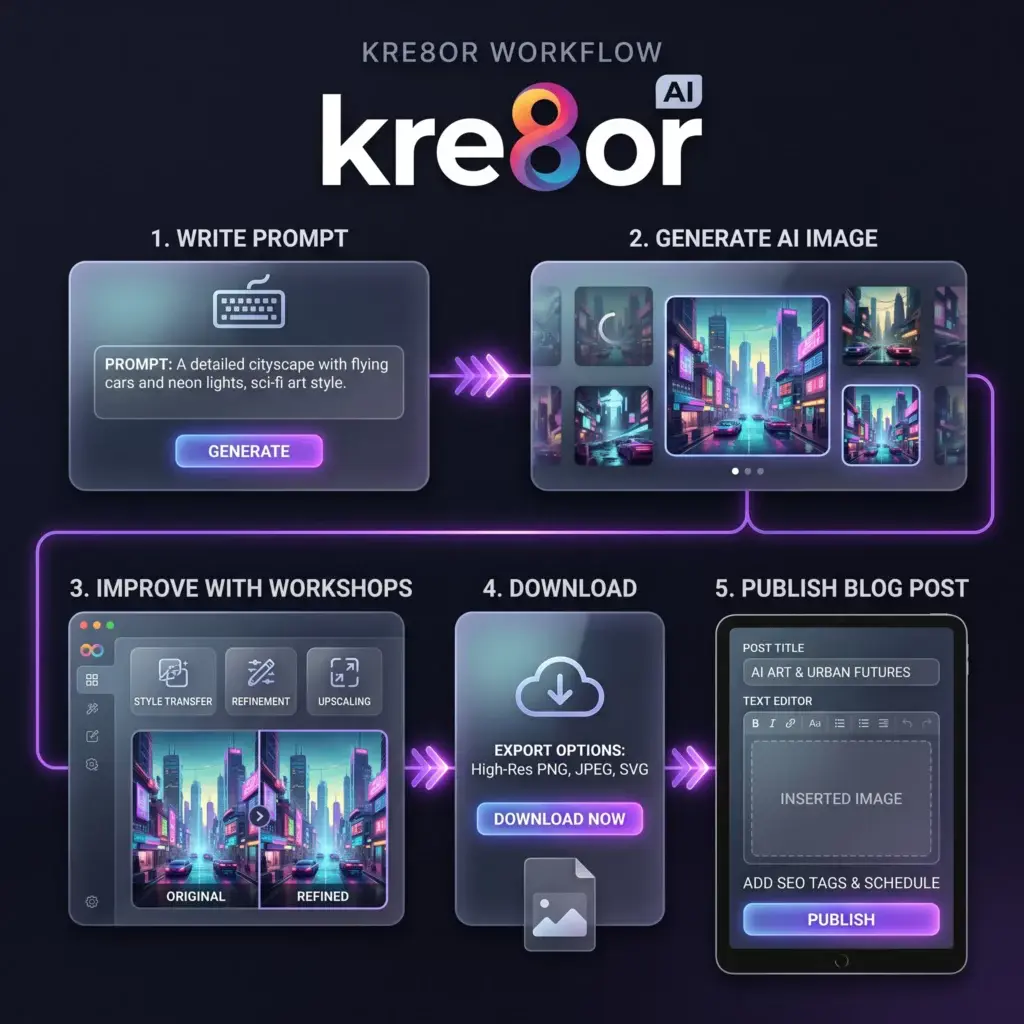
Creating images for your blog is straightforward.
Step 1 – Open Kre8or Studio
Start by launching Kre8or Studio, where all image creation begins.
Enter a prompt describing the image you’d like to create.
For example:
“Modern workspace with laptop, notebook, coffee cup, and glowing AI dashboard, minimalist style.”
Related Guide: Kre8or Studio Explained
Step 2 – Choose the Right Style
The style you choose affects the final appearance of your image.
Popular choices for bloggers include:
- Hyperrealism
- Minimalism
- Watercolor
- Flat Design
- Editorial Style
Experiment with different styles to match your website’s branding.
Related Guide: Kre8or Styles Explained
Step 3 – Generate Your Image
Kre8or creates your image in seconds.
If you’re not satisfied, adjust your prompt or try another style.
Step 4 – Improve It with Workshops
Once you’ve generated an image, you can refine it using Workshops.
Workshops analyze your image and suggest creative improvements like:
- Better lighting
- Enhanced composition
- Cinematic mood
- Color adjustments
Related Guide: Kre8or Workshops Explained
Step 5 – Download and Publish
Download your completed image and add it to your blog post.
You can also publish it to the Kre8or Gallery if you’d like to share it with the community.
Best Kre8or Styles for Bloggers
While every blog is different, these styles work especially well:
Hyperrealism
Ideal for:
- Technology
- Business
- Product reviews
- Marketing articles
Minimalism
Perfect for:
- Productivity blogs
- SaaS websites
- Modern brands
Watercolor
Excellent for:
- Lifestyle blogs
- Travel
- Personal stories
Editorial Style
Great for:
- News articles
- Professional publications
- Corporate content
Build a Consistent Brand with Character Creation
If your blog features tutorials, guides, or storytelling, recurring AI characters can make your content more memorable.
For example, you could create:
- A friendly AI assistant
- A business mentor
- A fantasy guide
- A mascot for your website
Keeping the same character across multiple posts helps reinforce your brand identity.
Related Guide: Kre8or Character Creation
Find Inspiration with the Remix System
Creative block happens to every blogger.
Instead of starting from scratch every time, browse the Kre8or Gallery and explore public creations that inspire new ideas.
The Remix System lets you build upon existing artwork while adding your own creative direction.
Related Guide: Kre8or Remix System Explained
Tips for Better Blog Images
To create more effective visuals:
- Match your website’s branding.
- Keep prompts clear and descriptive.
- Experiment with multiple styles.
- Use Workshops for final refinements.
- Save your best prompts for future projects.
- Maintain a consistent visual style across your website.
Need inspiration?
Check out:
Which Kre8or Plan Is Best for Bloggers?
If you’re publishing occasionally, the Spark plan is often enough.
For bloggers creating multiple articles every week, the Creator plan offers more credits and storage for a consistent publishing workflow.
Read our full Kre8or Pricing Explained guide to compare all available plans.
Frequently Asked Questions
Can I use Kre8or images on my blog?
Yes. Eligible paid plans include commercial rights, making them suitable for many blogging and business projects. Always review Kre8or’s current licensing terms before commercial use.
Which image style is best for blogs?
Hyperrealism and Minimalism are excellent choices for business and technology blogs, while Watercolor and Fantasy work well for lifestyle and creative websites.
Can I create Pinterest graphics with Kre8or?
Yes. Kre8or can generate visuals that can be adapted into Pinterest pins, social media graphics, and other promotional content.
Is Kre8or beginner-friendly?
Yes. Features like Studio, Workshops, and built-in styles make it approachable even if you’ve never used an AI image generator before.
If you’re just getting started with Kre8or, we recommend reading these guides next:
🔄 Kre8or Remix System Explained
💰 How to Make Money with Kre8or
🤝 Kre8or Affiliate Program Explained
💡 100 Amazing Kre8or Prompts You Can Copy Today
🚀 25 Kre8or Tips and Tricks Every Creator Should Know
Final Verdict
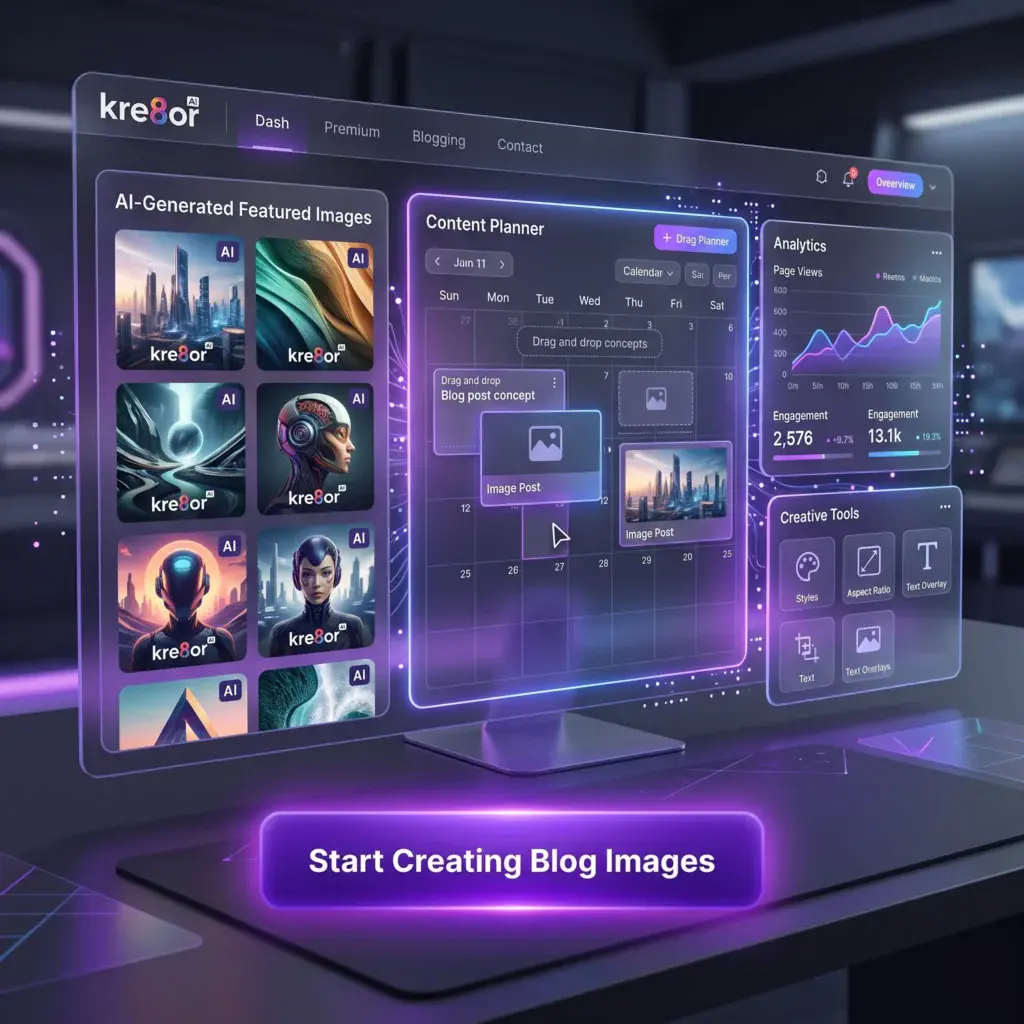
High-quality visuals are no longer optional—they’re an essential part of successful blogging.
Kre8or gives bloggers an easy way to create original images that support their content, strengthen their brand, and improve engagement without relying on generic stock photography.
From featured images and illustrations to Pinterest graphics and social media content, Kre8or provides the tools needed to create visuals that stand out.
🚀 Ready to Create Better Blog Images?
👉Start your free Kre8or account today and see how AI-generated visuals can elevate your blog.