

Introduction: Kre8or Is Not Just Another AI Image Generator
⭐⭐⭐⭐⭐ Overall Rating: 9.4 / 10
Best for
✅ Bloggers
✅ Marketers
✅ Small Businesses
✅ Designers
✅ Content Creators
✅ Agencies
Artificial intelligence is changing how creators produce images, marketing assets, and digital content. Among the growing number of AI creative platforms, Kre8or stands out by offering more than just an image generator. It combines AI image creation with tools like Studio, Workshops, Galleries, Challenges, and collaborative creative workflows, giving users an entire ecosystem instead of a single feature.
In this independent review, I’ll walk you through everything you need to know before deciding whether Kre8or is right for you. We’ll cover its core features, pricing, strengths, limitations, real-world use cases, and how it compares with popular alternatives such as Midjourney, Adobe Firefly, Canva AI, and Leonardo AI.
Whether you’re a blogger creating featured images, an online store owner designing product graphics, a marketer building campaigns, or simply curious about AI-powered creativity, this guide will help you understand what Kre8or offers and whether it’s worth your time and budget.
What You’ll Learn
By the end of this review, you’ll understand:
✔ What Kre8or is and who it’s designed for
✔ How Studio, Workshops, and Galleries work
✔ What makes Kre8or different from other AI image generators
✔ How the pricing and credit system works
✔ The biggest advantages and drawbacks
✔ Which creators will benefit the most
✔ Whether Kre8or is worth using
Ready to Explore Kre8or?
If you’d like to see the platform before reading the full review, you can explore Kre8or and its current plans directly.
Helpful Resources
If you’re completely new to Kre8or, these guides will help you get started:
Kre8or at a Glance
| Category | Details |
|---|---|
| Platform | AI Creative Suite |
| Best For | Bloggers, marketers, designers, businesses |
| Free Plan | Yes |
| AI Image Generation | ✅ |
| Studio Workspace | ✅ |
| Workshops | ✅ |
| Gallery | ✅ |
| Commercial Use | Yes (subject to current terms) |
| Overall Rating | ⭐ 9.4 / 10 |
What is Kre8or?
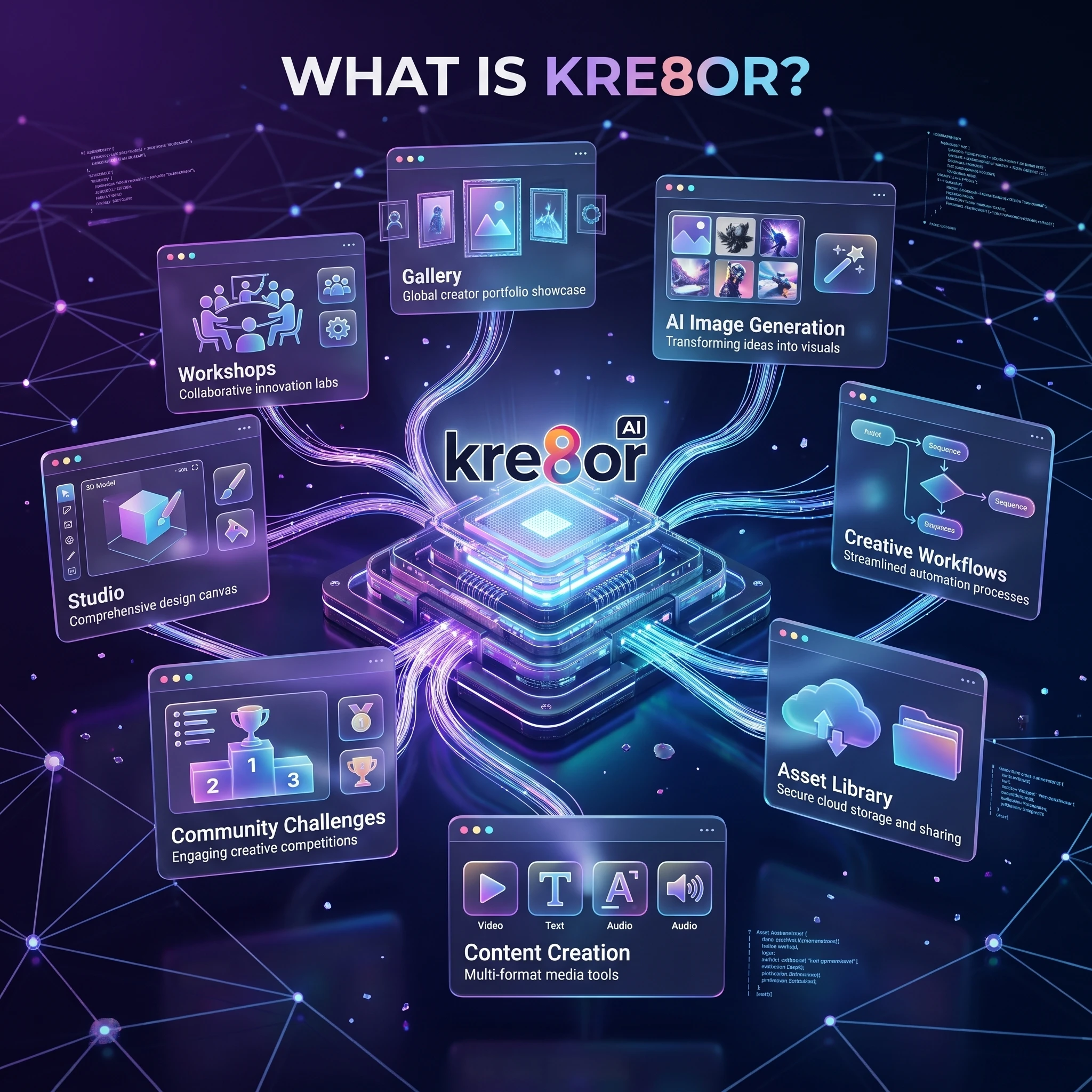
What Is Kre8or?
Kre8or is an AI-powered creative platform designed to help individuals and businesses generate, refine, and manage visual content from a single workspace. While many AI tools focus only on producing images from text prompts, Kre8or combines image generation with additional creative features that support the entire design process.
Instead of moving between multiple applications, users can explore ideas, improve existing images, organize projects, and experiment with different creative styles inside one platform.
This makes Kre8or useful for both beginners who want an easy starting point and experienced creators looking for a more structured workflow.
Why Kre8or Is Different
Many AI image generators stop once an image has been created.
Kre8or goes further by building an ecosystem around creativity.
Rather than asking, “How do I generate an image?”, the platform encourages users to think about the entire creative process—from the first concept to the finished visual.
That broader approach is one of the reasons many creators find Kre8or appealing for ongoing projects instead of one-off image generation.
💡 Quick Summary
Kre8or isn’t just an AI image generator—it’s a creative workspace designed to help you generate, organize, refine, and reuse visual content across multiple projects.
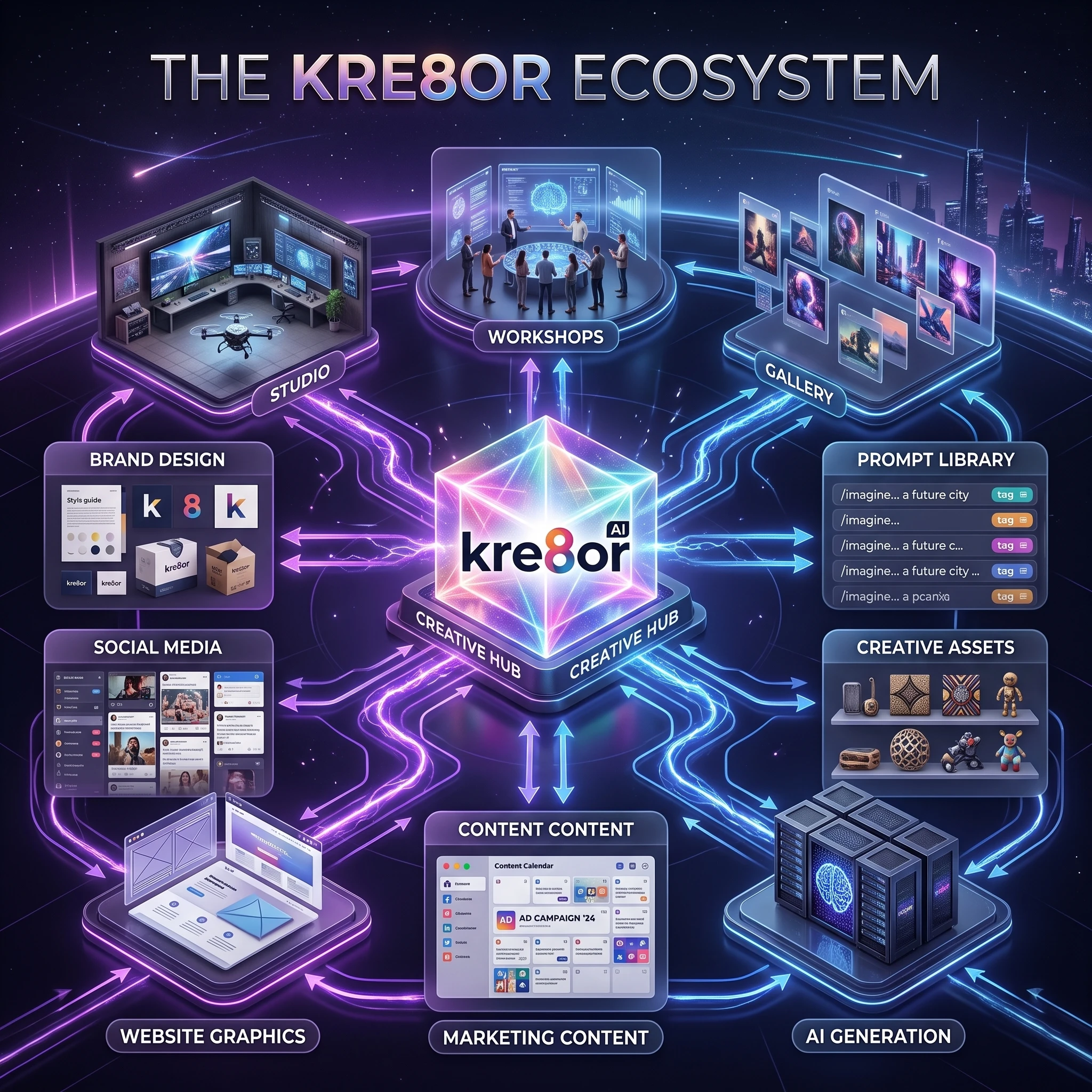
Core Features at a Glance
One of Kre8or’s strengths is that it combines several creative tools into a single environment instead of requiring users to switch between separate applications.
Some of its most useful features include:
- AI Image Generation for creating original visuals from text prompts.
- Studio for managing and refining creative projects.
- Workshops for guided image improvements and experimentation.
- Gallery for discovering community creations and inspiration.
- Challenges that encourage practice and creative exploration.
- Project Organization to keep assets and workflows in one place.
Each feature serves a different purpose, allowing users to move naturally from idea to finished project.
If you’d like a deeper look at each area, explore these dedicated guides:
Feature Overview
| Feature | Purpose | Best For |
|---|---|---|
| AI Image Generation | Create images from prompts | Everyone |
| Studio | Manage creative projects | Regular creators |
| Workshops | Guided editing and experimentation | Beginners & intermediate users |
| Gallery | Explore community creations | Inspiration |
| Challenges | Improve creative skills | Practice and learning |
| Project Management | Organize creative assets | Businesses and teams |
⭐ Who Will Benefit Most?
Kre8or isn’t designed for one type of creator.
It can be useful for:
- Bloggers producing featured images
- Digital marketers creating campaign assets
- Small businesses building branded graphics
- eCommerce sellers designing promotional visuals
- Content creators making social media graphics
- Freelancers delivering client work
- Designers exploring concepts before final production
This flexibility is one of the reasons Kre8or has attracted users from different industries rather than a single creative niche.
Ready to Explore the Platform?
Now that you know what Kre8or includes, let’s take a closer look at its individual tools and see how they fit into real creative workflows.
➡ Continue reading to explore Kre8or Studio, Workshops, Galleries, and the platform’s most useful features.
Kre8or Studio: The Creative Hub
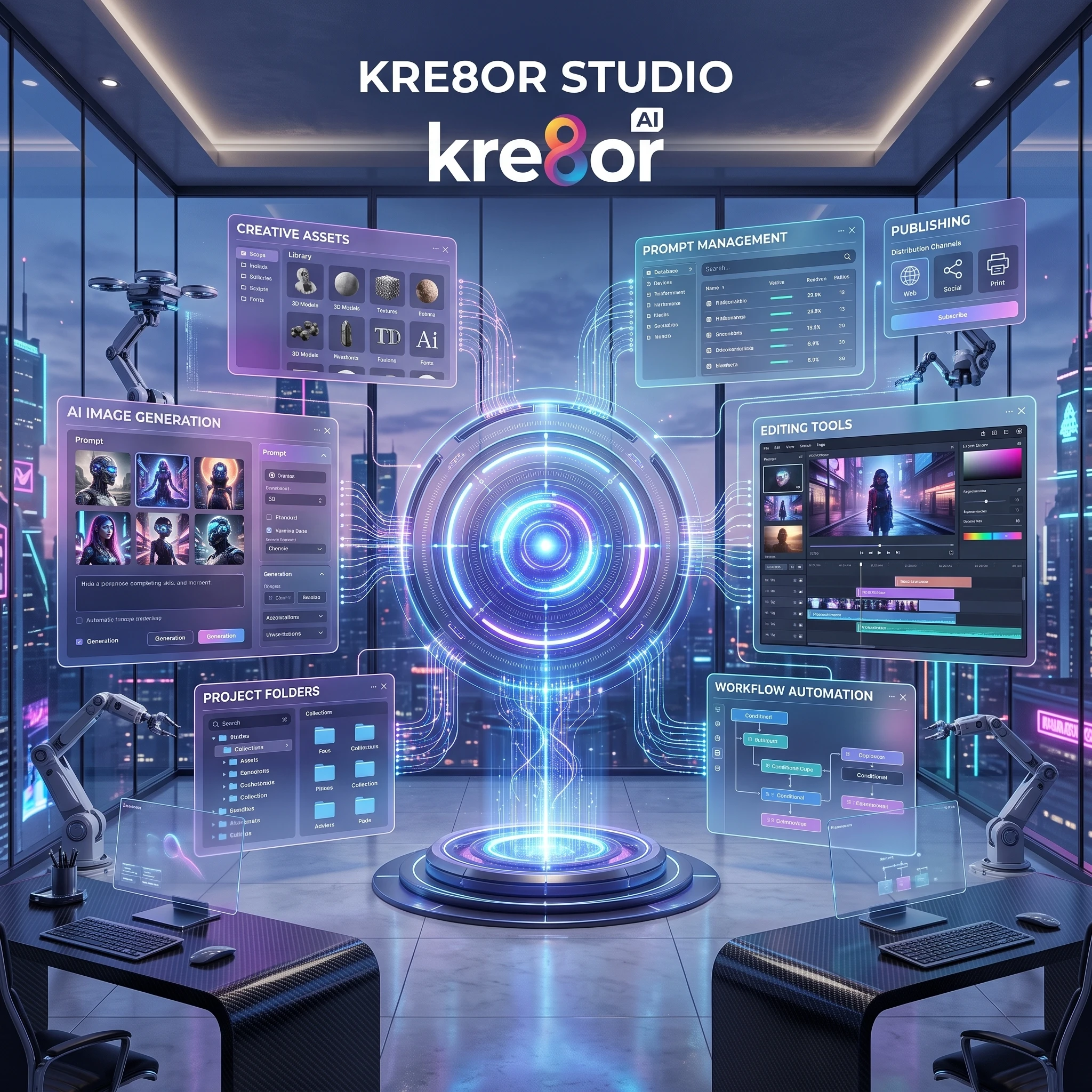
Kre8or Studio: The Heart of the Platform
If there’s one feature that defines the Kre8or experience, it’s Studio.
Rather than treating AI image generation as a single action, Studio provides a dedicated workspace where you can organize projects, refine ideas, manage creative assets, and build a repeatable workflow.
For creators producing content regularly, this becomes far more valuable than generating isolated images because everything stays connected inside one environment.
Whether you’re creating website graphics, social media content, product visuals, or marketing campaigns, Studio helps keep your work organized from concept to completion.
💡 Quick Summary
Think of Studio as your creative headquarters. Instead of jumping between multiple tools, it brings image generation, project organization, and creative refinement together in one workspace.
What You Can Do Inside Studio
Studio is designed to simplify everyday creative work.
Some of its most useful capabilities include:
- Organizing projects into dedicated workspaces
- Creating AI-generated images from prompts
- Revisiting previous projects without starting over
- Refining images through additional creative tools
- Keeping related assets together for faster editing
- Maintaining a more consistent visual style across projects
For creators producing content every week, this kind of organization saves both time and effort.
Why Studio Matters
Many AI image generators focus almost entirely on producing a single image.
Once the image is finished, the workflow often ends there.
Studio takes a different approach.
Instead of thinking about one image, it encourages you to think about creative projects.
That makes a noticeable difference for:
- Bloggers publishing weekly articles
- Marketing teams managing campaigns
- Agencies handling multiple clients
- Small businesses building consistent branding
- Freelancers juggling several projects at once
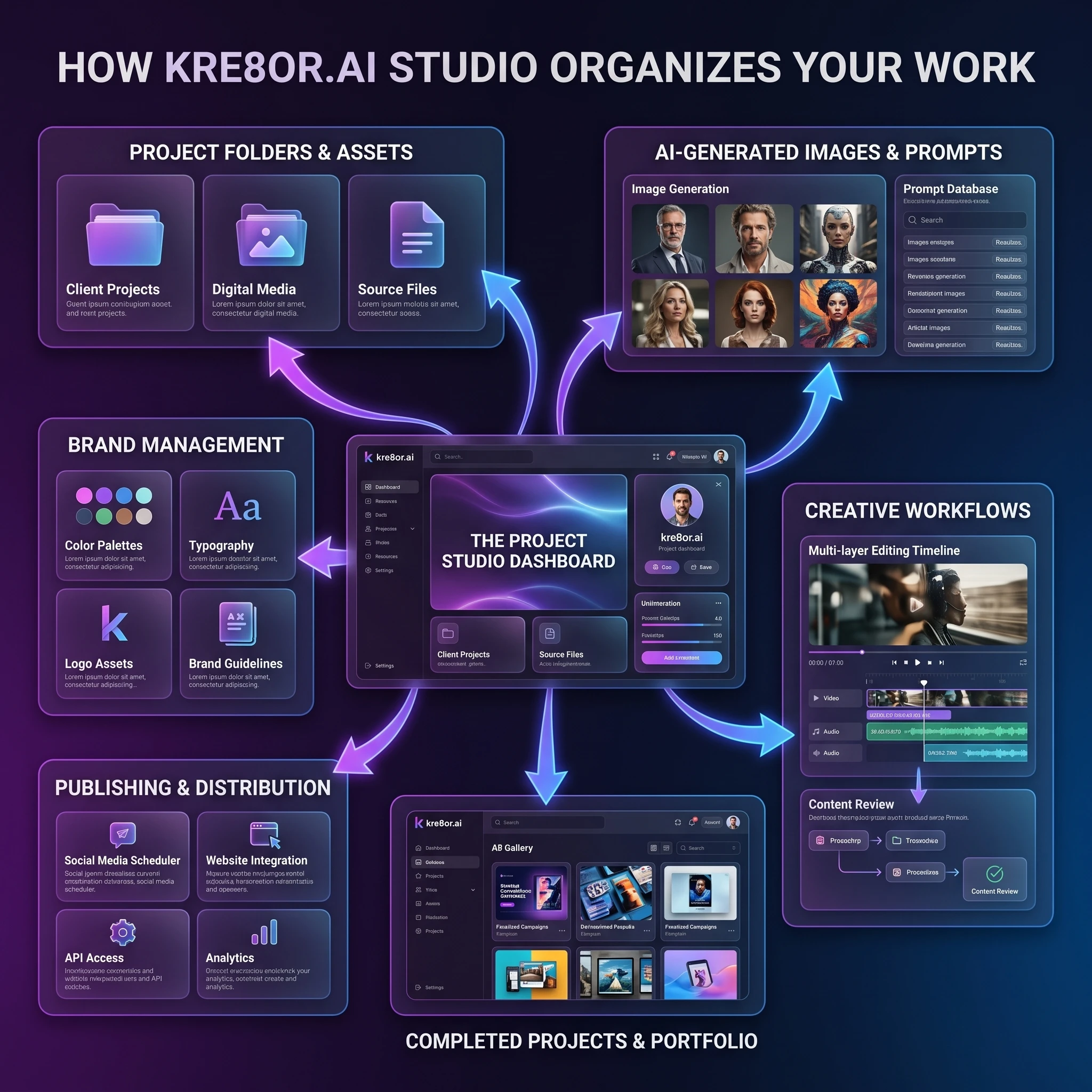
Studio vs Traditional AI Image Tools
| Traditional AI Image Generator | Kre8or Studio |
|---|---|
| Generate one image at a time | Manage complete creative projects |
| Limited organization | Dedicated project workspace |
| Basic history | Structured asset management |
| Separate editing tools | Integrated creative workflow |
| One-off creations | Long-term content production |
Real-World Example
Imagine you’re launching a new blog.
Instead of creating one featured image and moving on, Studio lets you organize everything related to that project in one place.
For example:
- Hero image
- Featured image
- Pinterest graphic
- Social media visuals
- Email banner
- Marketing graphics
Keeping these assets together makes future updates much easier and helps maintain a consistent visual identity.
Related Guides
If you’d like to explore Studio in more detail, you may also find these guides helpful:
- 👉 Kre8or Studio: Complete Guide
- 👉 How to Build a Consistent Brand with Kre8or
- 👉 How to Turn One Kre8or Image into a Full Content Campaign
- 👉 How to Create Website Hero Images with Kre8or
⭐ My Opinion
After spending time reviewing the platform, Studio stands out as one of Kre8or’s strongest features.
While many AI image generators focus almost entirely on producing individual images, Studio encourages a more organized approach to creative work. If you’re creating content on a regular basis—whether for a blog, a business, or client projects—that extra structure can make your workflow more efficient over time.
What’s Next?
Now that we’ve explored Studio, it’s time to look at another feature that sets Kre8or apart: Workshops.
Instead of simply generating new images, Workshops are designed to help you experiment, refine ideas, and improve existing creations through guided creative workflows.
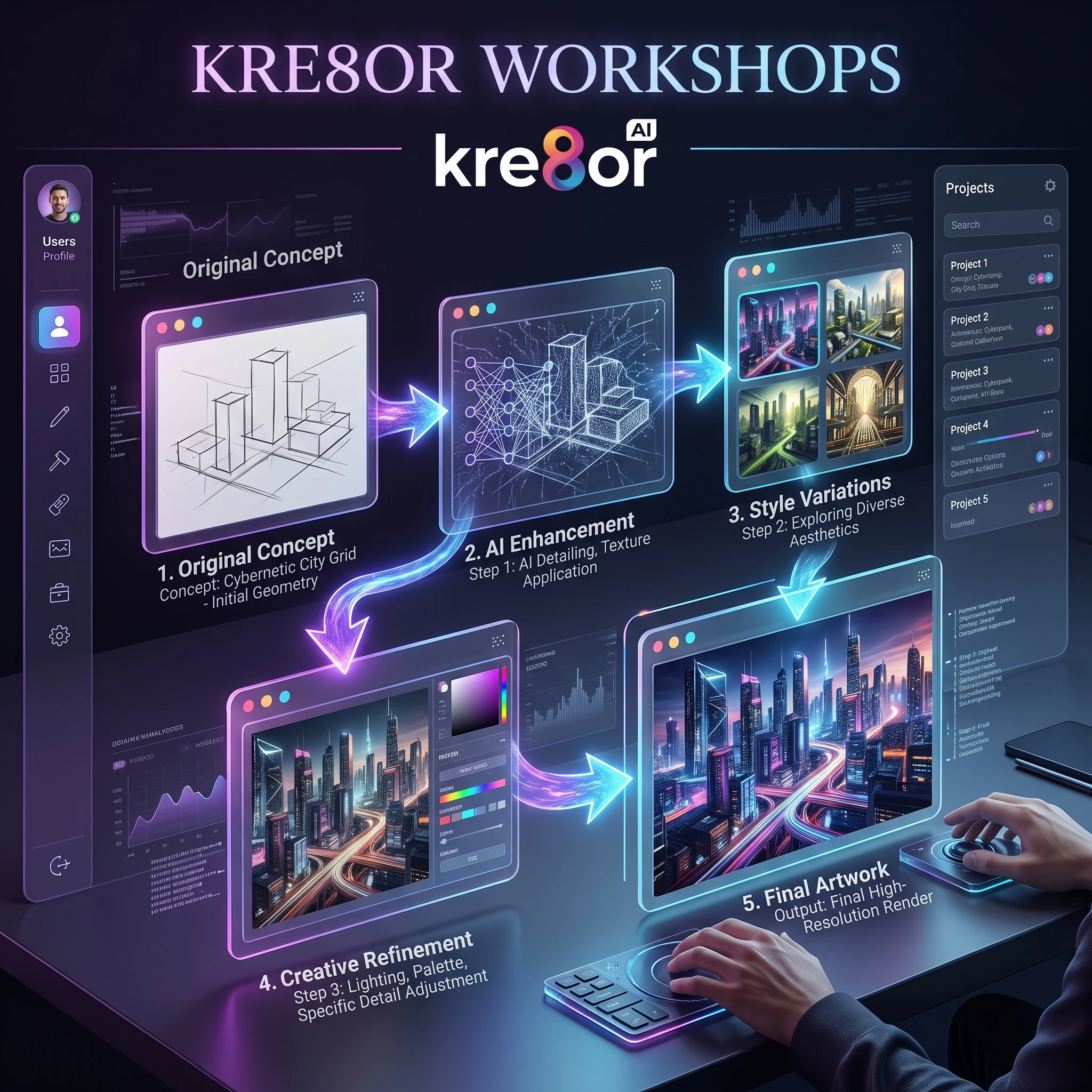
Kre8or Workshops: Refine Your Creative Ideas
While generating AI images is often the first step in the creative process, producing a great result usually takes more than a single prompt.
That’s where Kre8or Workshops become valuable.
Rather than simply creating another image from scratch, Workshops are designed to help you experiment, refine ideas, explore variations, and improve existing creations through guided workflows.
For beginners, this reduces much of the trial and error often associated with AI image generation. For experienced creators, it provides a structured way to iterate on concepts without losing momentum.
💡 Quick Summary
Workshops help transform good ideas into better ones by making experimentation, refinement, and creative iteration easier to manage.
Why Workshops Matter
One of the biggest misconceptions about AI image generation is that the perfect image appears after a single prompt.
In reality, most successful creators go through multiple rounds of adjustments.
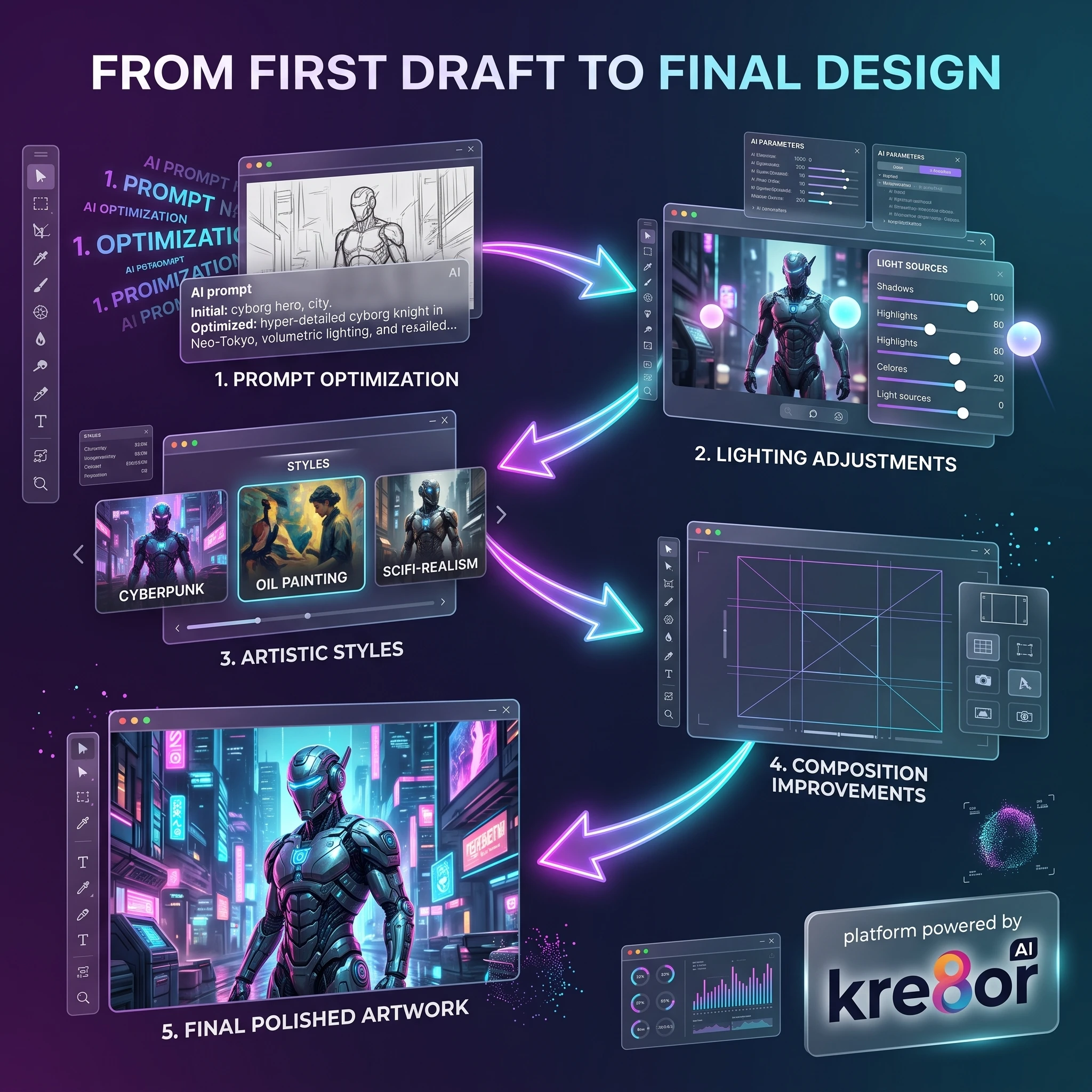
That process often includes:
- refining prompts
- testing different visual styles
- experimenting with lighting
- adjusting compositions
- improving overall consistency
Workshops provide a more organized environment for making those improvements, allowing creators to focus on refining ideas rather than starting over each time.
What Can You Use Workshops For?
Workshops can support many different creative tasks, including:
- Refining AI-generated artwork
- Exploring different artistic styles
- Improving composition
- Testing alternative color palettes
- Building more consistent branding
- Developing multiple concepts before selecting a final version
Instead of creating ten completely separate projects, creators can evolve one idea through several guided iterations.
Real-World Example
Imagine you’re designing a hero image for a website.
Your first AI-generated image has the right concept, but the lighting isn’t quite right.
Rather than discarding it and starting again, you can continue refining the existing idea—testing different styles, compositions, and visual adjustments until the result better matches your goals.
This type of iterative workflow is common in professional creative work and is one of the reasons Workshops stand out within the platform.
Workshop Benefits
| Benefit | Why It Matters |
|---|---|
| Guided Refinement | Improve ideas without restarting |
| Creative Exploration | Test multiple visual directions |
| Better Consistency | Maintain a stronger visual identity |
| Faster Iteration | Reach better results more efficiently |
| Learning Opportunity | Understand how small changes affect the final output |
Related Guides
If you want to learn more about Workshops, continue with these resources:
- 👉 Kre8or Workshops: Complete Guide
- 👉 How to Write Better AI Image Prompts
- 👉 100 Amazing Kre8or Prompts You Can Copy
- 👉 How to Build a Consistent Brand with Kre8or
⭐ My Opinion
One aspect I appreciate about Workshops is that they encourage a more thoughtful creative process.
Many AI tools focus almost entirely on generating images as quickly as possible. Workshops shift the emphasis toward improving and developing ideas, which better reflects how designers, marketers, and content creators often work in real projects.
That doesn’t necessarily make them essential for every user, but for anyone producing visuals on a regular basis, they can become a valuable part of the overall workflow.
What’s Next?
Now that we’ve explored Studio and Workshops, the next step is looking at Kre8or Gallery.
The Gallery isn’t just a place to browse finished artwork—it can also be a source of inspiration, creative learning, and discovering new styles that help improve your own projects.
Kre8or Gallery: Learn from the Community
One of the easiest ways to improve your AI image creation skills is by studying what other creators are producing.
That’s where the Kre8or Gallery becomes valuable.
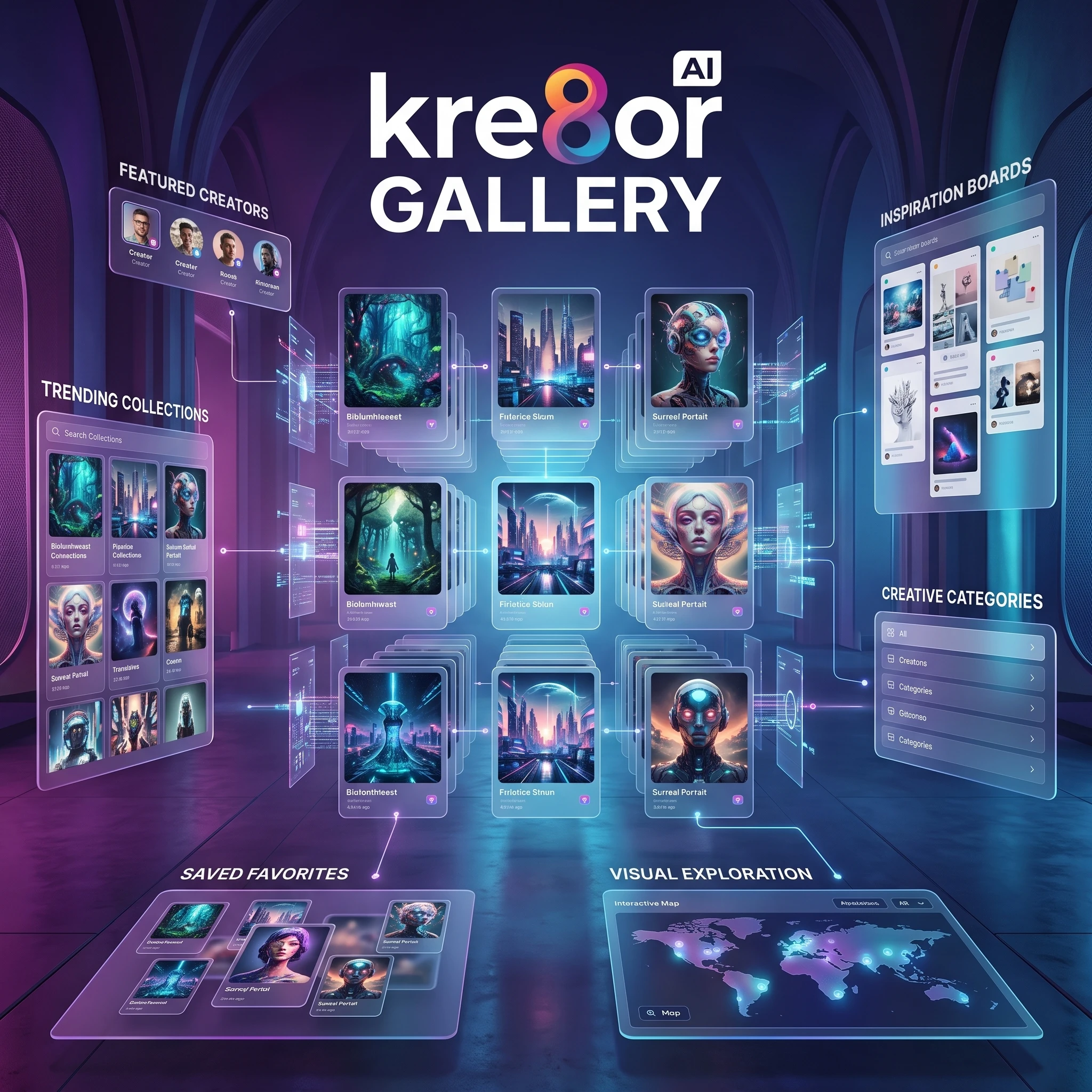
Rather than simply displaying finished images, the Gallery acts as a creative showcase where users can discover different artistic styles, explore new ideas, and gain inspiration for their own projects.
Whether you’re creating marketing graphics, website visuals, product mockups, or social media content, browsing successful examples can often spark new creative directions.
💡 Quick Summary
The Gallery is more than a collection of images—it’s a source of inspiration, creative learning, and visual exploration that helps creators discover new styles and approaches.
Why the Gallery Matters
Many creators eventually find themselves generating similar-looking images.
The Gallery helps break that pattern.
By exploring artwork from other users, you can discover:
- New artistic styles
- Different prompt ideas
- Color combinations
- Layout inspiration
- Creative techniques
- Design trends
Instead of beginning every project with a blank canvas, you start with inspiration from an active creative community.

How Creators Can Use the Gallery
The Gallery supports many different creative workflows.
For example, you can use it to:
- Gather inspiration before starting a project
- Explore different visual styles
- Study successful compositions
- Develop consistent branding ideas
- Discover creative directions you hadn’t considered
This makes it useful not only for beginners but also for experienced creators who want to keep their work fresh and visually engaging.
Real-World Example
Imagine you’re planning a seasonal marketing campaign for your business.
Instead of trying to imagine every design from scratch, you can browse the Gallery to identify visual styles that match your campaign goals.
After discovering a few concepts you like, you can adapt those ideas into your own original creative projects while maintaining your brand identity.
Gallery Benefits
| Benefit | Why It Matters |
|---|---|
| Inspiration | Discover new creative ideas |
| Style Exploration | Learn different artistic approaches |
| Creative Learning | Study successful image compositions |
| Faster Brainstorming | Reduce creative blocks |
| Community Engagement | Stay connected with other creators |
Related Guides
If you’d like to explore the Gallery in more detail, these guides provide additional insights:
- 👉 Kre8or Gallery: Complete Guide
- 👉 100 Amazing Kre8or Prompts You Can Copy
- 👉 How to Write Better AI Image Prompts
- 👉 How to Build a Consistent Brand with Kre8or
⭐ My Opinion
One feature I appreciate about the Gallery is that it encourages continuous learning.
Many AI image generators focus almost entirely on creating images, but the Gallery reminds users that creativity also comes from observation, experimentation, and inspiration.
Even experienced designers often browse the work of others before beginning a new project, making this feature a practical addition rather than just a showcase.
💡 Pro Tip: If you find yourself creating similar-looking images, spend a few minutes exploring the Gallery before starting your next project. Seeing different compositions, styles, and creative approaches can help generate fresh ideas and improve the quality of your own work.
Kre8or Characters: Create Consistent AI Personalities
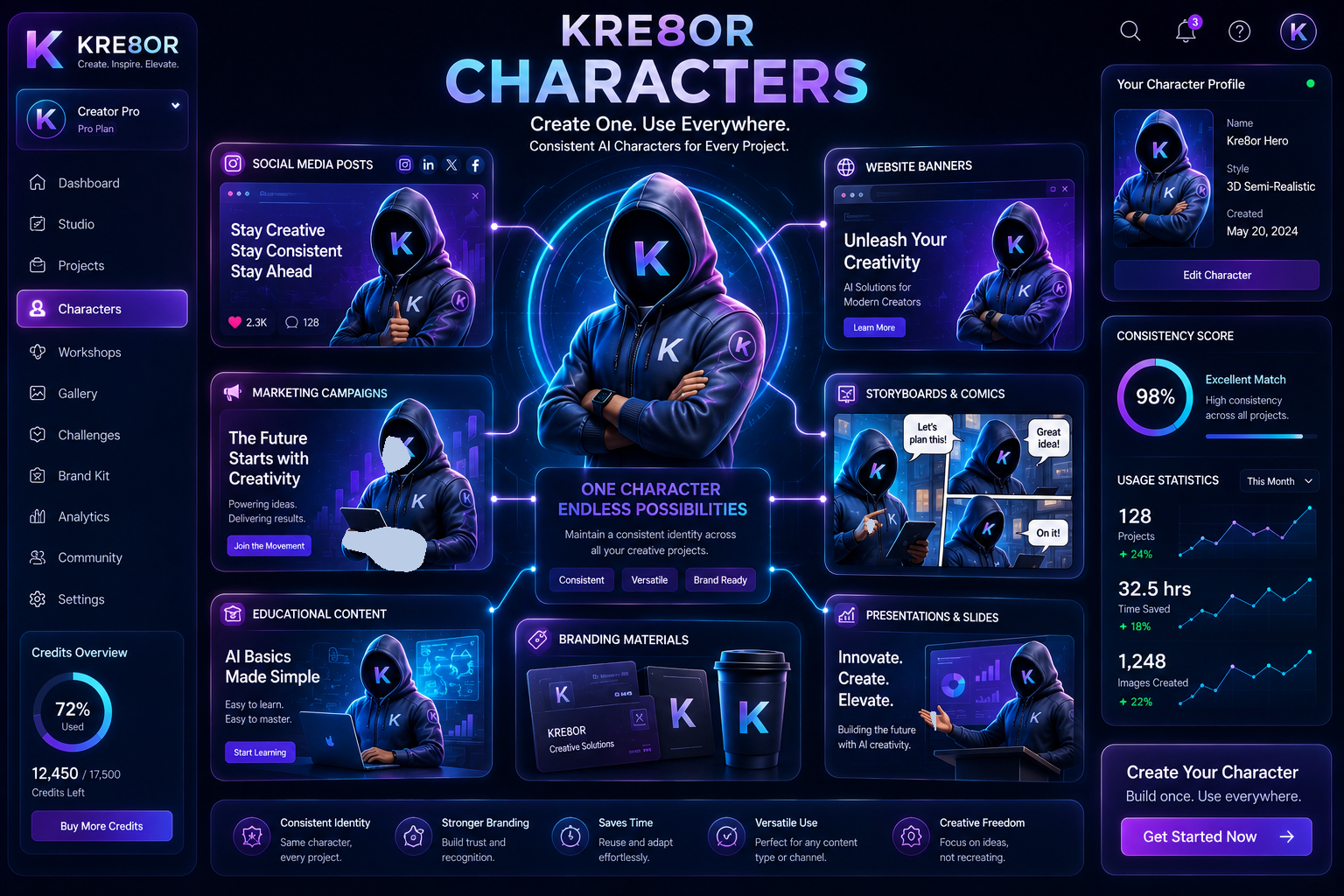
One of the biggest challenges with AI-generated artwork is maintaining consistency.
You might generate a fantastic character, only to discover that the next image looks completely different. Clothing changes, facial details shift, and the overall style becomes inconsistent.
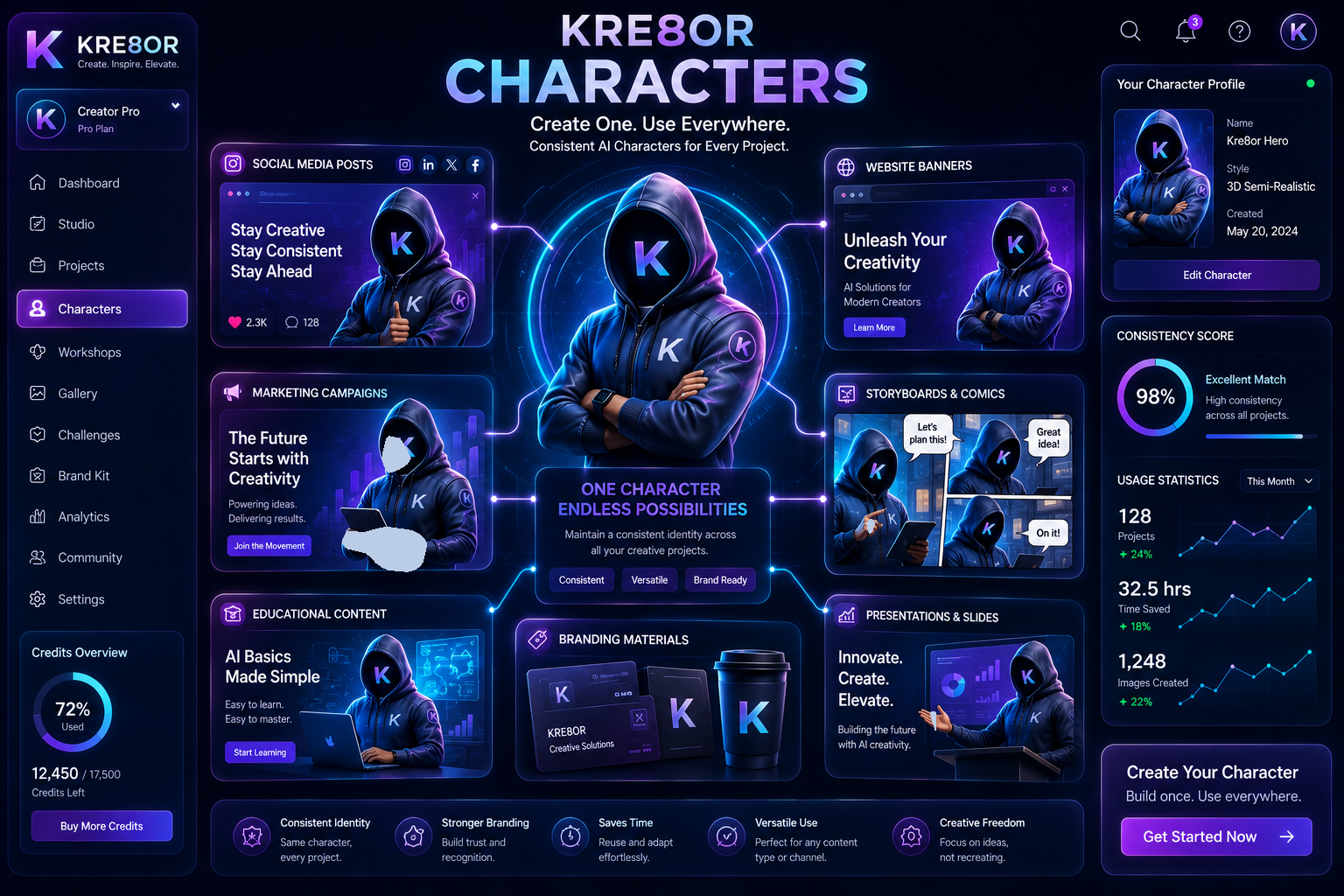
Kre8or Characters are designed to solve that problem by helping creators build recognizable AI characters that can be reused across multiple projects.
Instead of starting from scratch each time, you can develop a consistent visual identity that supports long-term creative work.
💡 Quick Summary
Kre8or Characters help creators maintain consistency across images, making them ideal for branding, storytelling, educational content, and ongoing creative projects.
Why Character Consistency Matters
For creators who publish regularly, consistency is just as important as creativity.
Imagine using a different mascot or spokesperson in every blog post, YouTube thumbnail, or social media campaign. Over time, that lack of consistency can weaken your visual identity.
By reusing the same AI-generated character across multiple projects, you can build familiarity with your audience and create a more recognizable brand.
This approach is especially useful for businesses, educators, and content creators who want a cohesive visual style.
Popular Uses for Kre8or Characters
Characters can be used in many different types of content, including:
- Blog illustrations
- Website hero graphics
- Social media campaigns
- Brand mascots
- Educational materials
- Storytelling and comics
- Children’s books
- Product explainers
- Email marketing graphics
- YouTube thumbnails
- Presentation slides
Character Benefits
| Benefit | Why It Matters |
|---|---|
| Consistency | Keep the same character across multiple projects |
| Branding | Build a recognizable visual identity |
| Storytelling | Create recurring characters for articles or videos |
| Marketing | Use familiar visuals in campaigns |
| Education | Develop engaging learning materials |
| Efficiency | Save time by reusing established designs |
Real-World Example
Imagine you run a technology blog.
Instead of creating a different illustration for every article, you develop a single AI character who appears throughout your content.
That character can introduce tutorials, explain new concepts, appear in social media posts, and even feature in your email newsletters.
Over time, readers begin to associate that visual style with your brand, creating a stronger and more memorable identity.
⭐ My Opinion
I believe Characters are one of Kre8or’s most valuable long-term features.
Generating a great image is useful, but creating a consistent visual identity is what helps businesses and creators build recognizable brands. Whether you’re publishing blog posts, producing educational content, or developing a recurring mascot, the ability to maintain continuity across projects adds real value beyond one-off AI artwork.
Related Guides
If you’d like to learn more about creating consistent AI characters, these resources may help:
- 👉 Kre8or Characters Guide
- 👉 How to Create Brand Mascots with Kre8or
- 👉 How to Build a Consistent Brand with Kre8or
- 👉 100 Amazing Kre8or Prompts You Can Copy
- 👉 Kre8or Studio Guide
💡 Pro Tip
Use the same character across your website, blog, social media, email campaigns, and marketing materials. Consistent visuals help people recognize your brand faster and make your content feel more professional.
What’s Next?
Now that we’ve explored how Kre8or helps maintain consistent characters and branding, let’s look at another feature that encourages creativity and continuous learning: Kre8or Challenges. These community-driven events are a fun way to experiment with new ideas, improve your skills, and discover fresh creative inspiration.
Kre8or Challenges: Learn by Creating
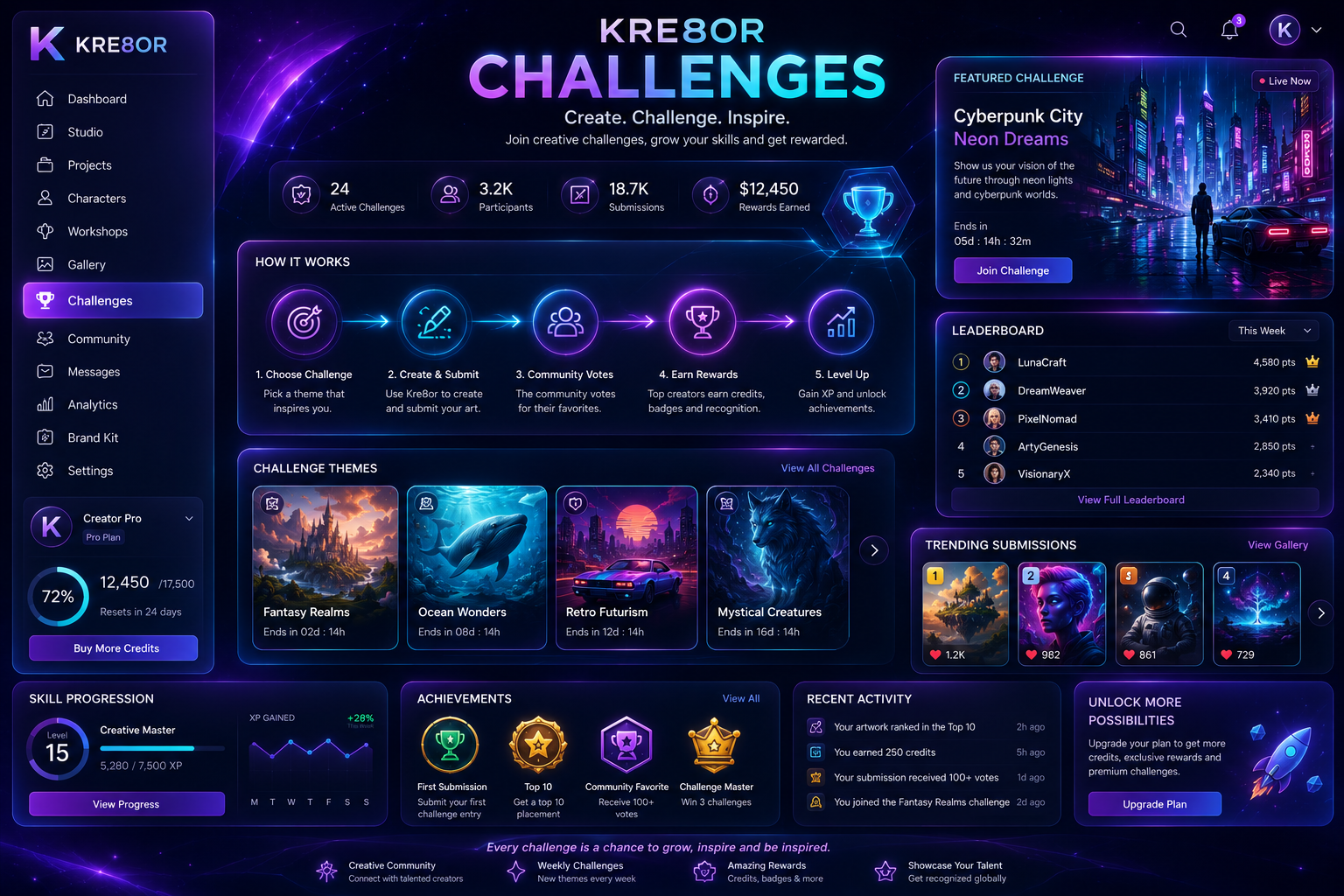
One of the best ways to improve with any creative platform is to keep creating.
Kre8or Challenges encourage users to step outside their comfort zone by participating in themed creative activities that inspire experimentation, new techniques, and different artistic styles.
Instead of opening the platform and wondering what to create next, Challenges provide a starting point that helps overcome creative blocks while encouraging regular practice.
For beginners, this creates an enjoyable way to build confidence. For experienced creators, it offers an opportunity to test new ideas and explore unfamiliar styles.
💡 Quick Summary
Kre8or Challenges transform practice into a creative habit by providing themed activities, inspiration, and opportunities to experiment with new ideas.
Why Challenges Matter
Creative improvement doesn’t happen by reading about design—it happens by creating.
Challenges give users a reason to:
- Try new prompt styles
- Experiment with different artistic directions
- Push creative boundaries
- Learn from community submissions
- Build confidence through regular practice
Rather than repeating the same types of images, creators are encouraged to explore fresh concepts that can improve their overall creative skills.
Who Benefits Most?
Challenges are particularly useful for:
- Beginners learning prompt writing
- Bloggers looking for fresh visual ideas
- Marketing teams testing campaign concepts
- Designers exploring new styles
- Content creators avoiding creative burnout
- Small businesses developing seasonal campaigns
Regardless of experience level, participating in creative challenges can help maintain momentum and keep inspiration flowing.
Challenge Benefits
| Benefit | Why It Matters |
|---|---|
| Creative Practice | Develop skills through regular creation |
| Inspiration | Discover new themes and ideas |
| Prompt Improvement | Learn how different prompts affect results |
| Community Learning | Observe how others approach the same challenge |
| Motivation | Reduce creative blocks and stay engaged |
| Portfolio Building | Create a diverse collection of work over time |
Real-World Example
Imagine you’ve been creating product graphics for several weeks.
Eventually, your work starts to look similar.
Joining a themed challenge focused on cinematic lighting, seasonal branding, or futuristic product photography pushes you to try techniques you might not normally consider.
Those experiments often lead to ideas that improve your everyday projects as well.
⭐ My Opinion
Challenges are one of those features that become more valuable over time.
At first glance they may seem like simple community events, but they actually encourage continuous learning and creative experimentation. That makes them useful not only for beginners, but also for experienced creators who want to avoid falling into repetitive design habits.
For anyone planning to use Kre8or regularly, participating in Challenges can be an enjoyable way to improve both technical skills and creative confidence.
Related Guides
Continue learning with these resources:
- 👉 Kre8or Challenges Guide
- 👉 100 Amazing Kre8or Prompts You Can Copy
- 👉 How to Write Better AI Image Prompts
- 👉 Kre8or Gallery
- 👉 How to Build a Consistent Brand with Kre8or
💡 Pro Tip
Don’t participate in Challenges just to finish them—use them to experiment. Try prompt styles, compositions, lighting, and color palettes you wouldn’t normally use. The skills you develop during Challenges often carry over into your everyday creative projects.
What’s Next?
Now that we’ve explored Kre8or’s core creative features—from Studio and Workshops to Gallery, Characters, and Challenges—it’s time to look at the practical side of using the platform.
In the next section, we’ll cover credits, ease of use, performance, and the overall user experience, helping you understand what it’s like to work with Kre8or on a day-to-day basis.
Credits, Ease of Use & Overall Experience
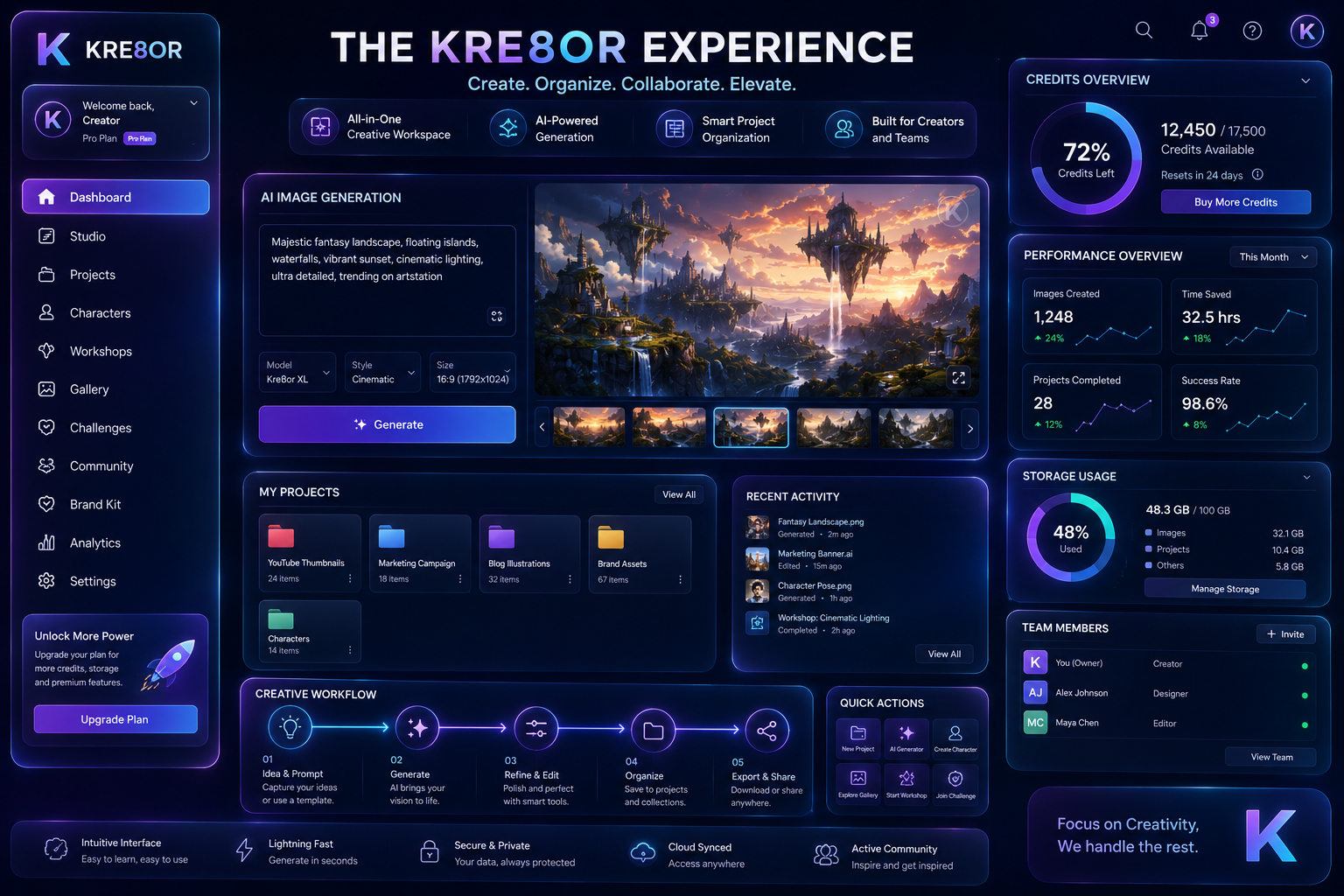
Features and pricing are important, but the overall experience of using a platform often determines whether you’ll continue using it over the long term.
Kre8or combines its creative tools with an interface designed to keep projects organized and make it easier to move from one task to the next. Rather than feeling like a collection of disconnected features, the platform aims to provide a unified creative workspace.
💡 Quick Summary
Kre8or is designed to be approachable for beginners while offering enough organization and flexibility for creators who work on projects regularly.
Is Kre8or Easy to Use?
One of Kre8or’s strengths is that the interface doesn’t overwhelm new users.
Instead of presenting dozens of complex settings immediately, the platform organizes its tools into logical sections such as Studio, Workshops, Gallery, and Characters.
This makes it easier to learn the platform gradually while still giving experienced creators access to more advanced workflows as they become familiar with the interface.
For most users, the learning curve comes from experimenting with AI prompts and creative techniques rather than navigating the dashboard itself.
How the Credit System Works
Kre8or uses a credit-based system for AI image generation.
Credits determine how much creative work can be completed within your chosen subscription plan.
The exact number of credits included depends on the plan you select, so it’s worth checking the latest details before subscribing.
Rather than focusing on the total number of credits alone, consider how often you create images. Someone generating a few visuals each month will have different needs than a creator producing content every day.
For the latest plan details and current credit allocations, see the Kre8or Pricing Guide.
💡 Pro Tip
Choose a plan based on your typical monthly workflow, not your busiest week. That usually results in better value and fewer unnecessary upgrades.
User Experience Ratings
| Category | Rating |
|---|---|
| Ease of Navigation | ⭐⭐⭐⭐⭐ |
| Interface Design | ⭐⭐⭐⭐⭐ |
| Beginner Friendliness | ⭐⭐⭐⭐⭐ |
| Workflow Organization | ⭐⭐⭐⭐⭐ |
| Learning Curve | ⭐⭐⭐⭐☆ |
| Overall User Experience | ⭐⭐⭐⭐⭐ |
Performance
Performance is another important consideration when choosing an AI creative platform.
While generation times naturally depend on the complexity of the task and overall platform demand, Kre8or is designed to support a smooth creative workflow by keeping projects, assets, and tools within the same environment.
Instead of constantly switching between different applications, creators can stay focused on developing and refining their ideas.
For many users, that streamlined workflow becomes just as valuable as the image generation itself.
Who Will Find Kre8or Easy to Learn?
Kre8or is particularly well suited for:
- Bloggers
- Content creators
- Marketing professionals
- Small businesses
- Freelancers
- Designers exploring AI workflows
- Beginners interested in AI image generation
Because the platform combines multiple creative tools under one roof, users can gradually expand their skills without constantly learning entirely new software.
⭐ My Opinion
One aspect I appreciate is that Kre8or doesn’t feel like a collection of separate AI tools stitched together.
Studio, Workshops, Gallery, Characters, and the other creative features work together in a way that encourages an organized workflow. That makes the platform approachable for beginners while still providing enough structure for creators who publish content regularly.
Related Guides
Continue exploring:
- 👉 Kre8or Pricing Guide
- 👉 Kre8or Studio Guide
- 👉 How to Write Better AI Image Prompts
- 👉 100 Amazing Kre8or Prompts
- 👉 Start Here
💡 Did You Know?
Many creators focus on image quality alone when choosing an AI platform. In practice, an organized workflow often saves more time than generating a single impressive image. Features like Studio, Characters, and Workshops can make ongoing creative projects much easier to manage.
What’s Next?
Now that we’ve explored the creative side of Kre8or, it’s time to answer one of the biggest questions potential users have:
How much does Kre8or cost, and which plan offers the best value?
In the next section, we’ll break down the pricing structure, credit system, and how to choose the right plan based on your workflow.
Kre8or Pricing: Which Plan Is Right for You?

Pricing is one of the first things many potential users want to understand before committing to a new creative platform.
Kre8or offers several subscription options designed for different levels of usage, from people who simply want to explore AI image generation to creators producing content every day.
Rather than asking “Which plan is cheapest?”, it’s often more helpful to ask:
“Which plan matches how I actually create content?”
Choosing the right plan depends less on price alone and more on how frequently you expect to generate, refine, and reuse creative assets.
💡 Quick Summary
The best value usually comes from choosing the plan that supports your regular workflow without making you constantly worry about credits or usage limits.
Who Each Plan Is Best For
Instead of focusing only on prices, think about how you expect to use the platform.
Free Plan
Ideal for:
- Exploring the interface
- Learning how Kre8or works
- Testing creative styles
- Trying AI image generation before upgrading
Entry-Level Paid Plan
Best for:
- Bloggers
- Freelancers
- Small business owners
- Regular social media creators
If you’re creating content consistently every month, this level usually provides enough flexibility without feeling restrictive.
Mid-Level Plan
Ideal for:
- Marketing professionals
- Agencies
- Content teams
- Businesses producing visual content regularly
For many creators, this is often the point where experimentation becomes easier because you’re less concerned about conserving credits.
Higher-Tier Plans
Designed for:
- Professional designers
- High-volume creators
- Agencies managing multiple clients
- Businesses with larger creative demands
These plans make more sense when AI-generated content becomes part of your everyday workflow rather than an occasional tool.
Pricing Overview
| Plan | Best For | Recommended |
|---|---|---|
| Free | Learning & testing | ⭐⭐⭐⭐☆ |
| Entry | Bloggers & freelancers | ⭐⭐⭐⭐⭐ |
| Mid | Businesses & marketers | ⭐⭐⭐⭐⭐ |
| Premium | Agencies & professionals | ⭐⭐⭐⭐☆ |
⭐ My Opinion
One thing I like about Kre8or’s pricing is that it gives users an opportunity to explore the platform before committing to a higher-tier subscription.
The most suitable plan depends on how often you create visual content. Someone generating a few images each month will have different needs than a business producing graphics every day.
Rather than automatically recommending the highest plan, it’s usually better to choose one that matches your actual workflow and upgrade only if your creative output increases.
Compare Every Plan
Instead of listing every pricing detail here, I’ve created a dedicated guide that explains:
- every subscription tier
- credits
- feature differences
- value for money
- who each plan is designed for
🚀 Ready to Try Kre8or?
If you’ve decided Kre8or fits your workflow, you can explore the latest plans and start creating today.
✔ Free plan available
✔ Flexible creator plans
✔ Upgrade whenever your needs grow
Pricing Tips
💡 Pro Tip: If you’re completely new to AI image generation, start with the free plan. Once you understand your typical monthly usage, it becomes much easier to choose a paid subscription that matches your creative workflow without paying for resources you don’t need.
Related Guides
Continue exploring with these resources:
- 💰 Kre8or Pricing Guide
- ⭐ FAQ
- 📚 Start Here
- ⚖️ Kre8or vs Midjourney
- ⚖️ Kre8or vs Adobe Firefly
- ⚖️ Kre8or vs Canva AI
What’s Next?
Now that we’ve covered the features and pricing, it’s time to answer the question every buyer eventually asks:
How does Kre8or compare to other popular AI creative platforms?
In the next section, we’ll compare Kre8or with leading alternatives like Midjourney, Adobe Firefly, Canva AI, Leonardo AI, and ChatGPT Image Generation to help you decide which platform best fits your needs.
How Kre8or Compares to Other AI Creative Platforms

The AI creative landscape has expanded rapidly over the past few years.
Today, creators can choose from dozens of platforms, each with its own strengths, workflow, and target audience.
Rather than asking “Which tool is best?”, the better question is:
Which platform best fits the way you create content?
Kre8or focuses on providing a structured creative ecosystem, while other platforms often specialize in a single area such as artistic image generation, graphic design, or conversational AI.
💡 Quick Summary
Kre8or is best suited for creators looking for an organized creative workflow rather than simply generating individual AI images.

Feature Comparison
| Feature | Kre8or | Midjourney | Firefly | Canva AI | Leonardo AI | ChatGPT Images |
|---|---|---|---|---|---|---|
| AI Image Generation | ✅ | ✅ | ✅ | ✅ | ✅ | ✅ |
| Creative Workspace | ✅ | Limited | Limited | ✅ | Limited | Limited |
| Guided Workflows | ✅ | ❌ | ❌ | Partial | Partial | ❌ |
| Project Organization | ✅ | Limited | Limited | Partial | Partial | ❌ |
| Community Inspiration | ✅ | ✅ | Limited | Limited | ✅ | ❌ |
| Beginner Friendly | ⭐⭐⭐⭐⭐ | ⭐⭐⭐ | ⭐⭐⭐⭐ | ⭐⭐⭐⭐⭐ | ⭐⭐⭐⭐ | ⭐⭐⭐⭐⭐ |
Who Should Choose Kre8or?
Kre8or is a strong choice if you:
- Want more than a simple AI image generator
- Create content every week
- Manage multiple creative projects
- Value an organized workflow
- Need marketing, website, and branding assets
- Prefer having several creative tools in one platform
When Another Platform May Be Better
No AI platform is perfect for every creator.
Depending on your goals, another tool may be a better fit.
For example:
Midjourney
Excellent for highly artistic image generation and stylized artwork.
Adobe Firefly
A strong option for creators already working inside Adobe Creative Cloud.
Canva AI
Ideal for users who mainly create presentations, social posts, and simple marketing materials.
Leonardo AI
Well suited for concept art, game assets, and illustration-focused workflows.
ChatGPT Image Generation
Useful when AI images are part of a broader workflow involving writing, brainstorming, coding, or research.
👉Kre8or vs ChatGPT Image Generation
⭐ My Opinion
One thing I appreciate about Kre8or is that it doesn’t try to compete solely on image quality.
Instead, it focuses on the broader creative process.
For many bloggers, marketers, freelancers, and businesses, that’s arguably more important than generating a single impressive image. Being able to organize projects, revisit ideas, and maintain a consistent workflow often saves more time than simply creating one great picture.
That doesn’t mean it’s automatically the right choice for everyone. If your work revolves around a specific artistic style or you’re deeply invested in another creative ecosystem, one of the alternatives may align better with your needs.
Related Comparisons
If you’d like a detailed side-by-side comparison, continue with these guides:
- ⚖️ Kre8or vs Midjourney
- ⚖️ Kre8or vs Adobe Firefly
- ⚖️ Kre8or vs Canva AI
- ⚖️ Kre8or vs Leonardo AI
- ⚖️ Kre8or vs ChatGPT Image Generation
Comparison Tip
💡 Pro Tip: Instead of choosing the platform with the longest feature list, choose the one that matches your creative workflow. A tool that fits your daily process will usually provide more long-term value than one with features you’ll rarely use.
What’s Next?
We’ve explored the platform’s features, creative tools, pricing, and how it compares with the competition.
Now it’s time to bring everything together by looking at Kre8or’s biggest strengths, its limitations, and whether it’s ultimately worth recommending.
Pros & Cons
No creative platform is perfect.
The right choice depends on how you work, how often you create content, and what kind of projects you produce.
After reviewing Kre8or’s features, pricing, and overall workflow, here are the areas where it stands out—and the situations where another platform may be a better fit.
✅ What I Like
✔ Studio provides a structured creative workspace.
✔ Workshops encourage experimentation instead of simply generating another image.
✔ The Gallery offers useful inspiration and community learning.
✔ Multiple creative tools are available within one ecosystem.
✔ Suitable for bloggers, marketers, freelancers, businesses, and creators.
✔ Beginner-friendly while still offering room to grow.
✔ The free plan allows new users to explore the platform before committing.
⚠ Things to Consider
• Like any AI creative platform, there is a learning curve.
• The best subscription depends on how frequently you create content.
• Some creators may still prefer specialist tools for highly specific artistic styles or workflows.
• Exploring all of Kre8or’s features takes time, especially if you’re new to AI-powered design.
Overall Ratings
| Category | Rating |
|---|---|
| Ease of Use | ⭐⭐⭐⭐⭐ |
| Features | ⭐⭐⭐⭐⭐ |
| Creative Workflow | ⭐⭐⭐⭐⭐ |
| Project Organization | ⭐⭐⭐⭐⭐ |
| Community & Inspiration | ⭐⭐⭐⭐☆ |
| Value for Money | ⭐⭐⭐⭐☆ |
| Overall Recommendation | ⭐⭐⭐⭐⭐ |
Is Kre8or Worth It?
For many creators, the answer is yes—but it depends on your goals.
If you’re looking for a platform that simply generates AI images, you’ll find plenty of alternatives.
However, if you want a platform that helps you organize projects, explore ideas, refine artwork, and build a more consistent creative workflow, Kre8or offers a broader experience than many standalone image generators.
It’s particularly well suited for people who create content regularly rather than occasionally.
Who I Recommend It For
Kre8or is an excellent choice for:
- Bloggers creating featured images and article graphics
- Marketing professionals producing campaigns
- Small businesses building branded content
- eCommerce sellers creating promotional visuals
- Freelancers working on client projects
- Agencies managing multiple brands
- Content creators producing graphics on a regular schedule
Who Might Prefer Another Tool
Another platform may be a better choice if:
- You only need occasional AI-generated images.
- You’re already deeply invested in another creative ecosystem.
- Your work focuses on a niche artistic style that a specialist platform handles better.
Final Verdict
After reviewing Kre8or’s core features, creative workflow, pricing structure, and overall user experience, I believe it offers a well-rounded environment for creators who want more than basic AI image generation.
Rather than concentrating solely on producing individual images, Kre8or encourages a complete creative workflow—from the first idea through refinement, organization, and ongoing project management.
That broader approach is what makes the platform stand out.
While no creative tool is perfect for every user, Kre8or is a strong option for bloggers, marketers, freelancers, businesses, and anyone producing visual content on a regular basis.
🚀 Ready to Explore Kre8or?
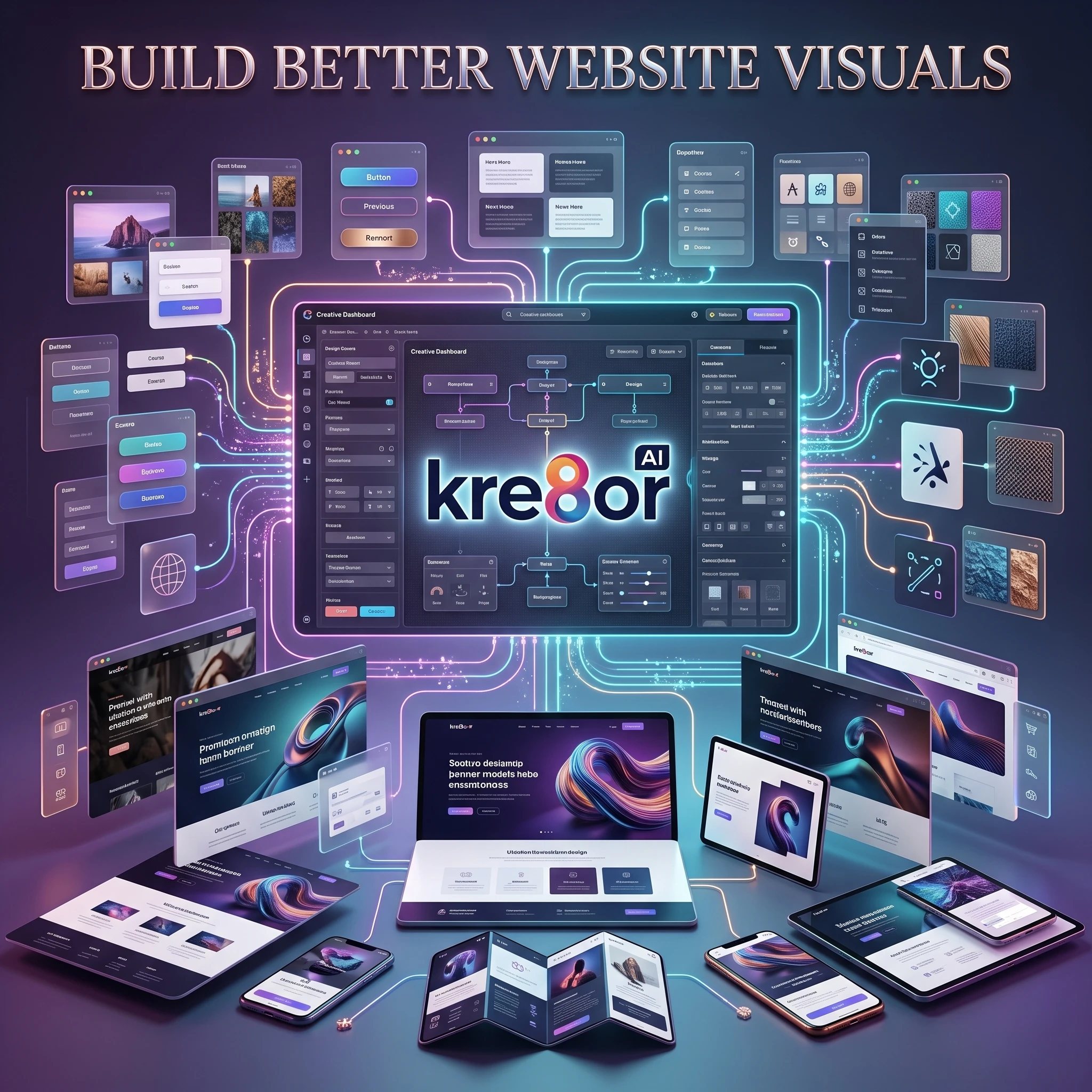
If you’ve decided Kre8or matches the way you create content, you can explore the platform and current plans below.
✔ Free plan available
✔ Beginner-friendly
✔ Complete creative workflow
✔ Flexible plans for individuals and businesses
Continue Exploring
If you’d like to learn more, these guides are a great next step:
🎨 How to Build a Consistent Brand
🖼️ How to Turn One Image into a Complete Content Campaign
Frequently Asked Questions About Kre8or
1. What is Kre8or?
Kre8or is an AI-powered creative platform that combines image generation with tools like Studio, Workshops, Gallery, Characters, and creative project management. It is designed to help creators, marketers, businesses, and designers build visual content more efficiently.
2. Is Kre8or free to use?
Yes. Kre8or offers a free plan that allows new users to explore the platform before deciding whether to upgrade to a paid subscription.
3. Is Kre8or worth it?
If you regularly create visual content, Kre8or offers much more than a basic AI image generator. Its combination of project organization, creative tools, and workflow features makes it a strong option for bloggers, marketers, businesses, and content creators.
4. Who should use Kre8or?
Kre8or is well suited for:
- Bloggers
- Freelancers
- Small businesses
- Marketing teams
- Designers
- eCommerce sellers
- Agencies
- Content creators
5. Can beginners use Kre8or?
Yes. The interface is designed to be beginner-friendly, while still providing enough flexibility for experienced users.
6. What makes Kre8or different?
Unlike many AI image generators that focus only on creating images, Kre8or also includes Studio, Workshops, Gallery, Characters, and creative workflow tools that help organize projects.
7. Does Kre8or support commercial use?
Commercial use depends on Kre8or’s current licensing terms and subscription plan. Always review the latest licensing information before using AI-generated content commercially.
8. Does Kre8or work for businesses?
Yes. Many businesses use AI-generated visuals for websites, social media, advertising, presentations, branding, and product marketing.
9. Is Kre8or good for bloggers?
Absolutely. Bloggers can use Kre8or to create featured images, infographics, social media graphics, email banners, and other visual content.
10. Can Kre8or create marketing images?
Yes. It can be used to create marketing graphics, promotional visuals, advertisements, banners, landing page graphics, and branding assets.
11. What is Kre8or Studio?
Studio is the platform’s central workspace where creators organize projects, generate images, refine ideas, and manage creative assets.
12. What are Kre8or Workshops?
Workshops provide guided creative workflows that help users refine AI-generated images and experiment with different creative styles.
13. What is the Kre8or Gallery?
The Gallery showcases community creations and serves as a source of inspiration for discovering new styles, compositions, and creative ideas.
14. What are Kre8or Characters?
Characters help creators maintain consistent AI-generated designs across multiple projects, making them useful for branding, storytelling, education, and marketing.
15. What are Kre8or Challenges?
Challenges encourage users to experiment with themed creative activities, improve their skills, and discover new techniques while engaging with the community.
16. How does the Kre8or credit system work?
Kre8or uses credits for AI image generation. The number of available credits depends on your subscription plan. Your dedicated Pricing Guide contains the latest details.
17. Which Kre8or plan should I choose?
The best plan depends on how often you create content. Casual users may find the free or entry-level plans sufficient, while businesses and professional creators often benefit from higher-tier plans.
18. Is Kre8or better than Midjourney?
That depends on your goals. Midjourney excels at artistic image generation, while Kre8or focuses on providing a broader creative workflow with additional organizational tools.
19. Can I create consistent branding with Kre8or?
Yes. Features like Studio and Characters make it easier to maintain a consistent visual identity across multiple projects.
20. Does Kre8or replace graphic design software?
Not entirely. Kre8or is an excellent tool for generating and refining creative assets, but some advanced design workflows may still benefit from traditional design software.
21. Can I use Kre8or for social media?
Yes. Kre8or is well suited for creating social media graphics, promotional images, story visuals, and campaign assets.
22. Is Kre8or suitable for eCommerce?
Yes. Many online sellers use AI-generated images for product marketing, promotional banners, advertisements, and store graphics.
23. How often is Kre8or updated?
Kre8or continues to evolve with new features and improvements. Checking the official announcements or release notes is the best way to stay informed about updates.
24. Where can I learn more about Kre8or?
This site includes dedicated guides covering Studio, Pricing, Workshops, Gallery, Characters, Comparisons, and many other topics to help you get the most from the platform.
25. Should I try Kre8or?
If you’re looking for an AI creative platform that combines image generation with project organization and workflow tools, the free plan is a practical way to explore what Kre8or offers before deciding on a paid subscription.
Related Guides
I’ve been bouncing between a few different AI image platforms like Pollio.ai lately, and I have to admit I’m getting a bit tired of the usual “generate, download, and forget” cycle. The way Kre8or turns creations into a living ecosystem with remixes and workshops sounds like a refreshing change, especially since I’ve always felt like my best prompts just disappear into a void.
I’m really curious how the “Workshops” feature actually feels in practice compared to just tweaking prompts manually, and whether it genuinely helps bridge the gap for people who aren’t natural artists. Also, since the remix economy relies heavily on community activity, have you noticed enough engagement on the platform yet to make those credit rewards feel meaningful, or is it still in that early quiet phase?
Thanks for the great question! I think you’ve highlighted one of the biggest differences between Kre8or and many other AI image generators.
Regarding Workshops, I see them less as a replacement for prompt writing and more as a creative assistant. Instead of repeatedly tweaking prompts and hoping for a better result, Workshops analyze the image you’ve already created and suggest specific improvements—such as lighting, composition, mood, or style. For beginners, that can make the creative process feel much more approachable, while experienced users can use it as a quick way to explore different creative directions.
As for the remix economy, I’d say it’s still in the early stages, which is expected for a newer platform. The concept itself is what I find interesting because it gives creators a reason to publish their work instead of keeping it private. As the community grows, features like remix credits, creator profiles, and challenges have the potential to become much more valuable through increased participation.
One thing I’ll be watching over the coming months is how quickly the community expands and how active remixing becomes. I’ll continue updating this review as the platform evolves so readers have the latest information.
Out of curiosity, what has been your favorite feature in Pollio.ai so far? I’m always interested in seeing how different AI platforms approach creativity and workflow.