
Kre8or vs Canva AI: Which AI Design Tool Is Better?
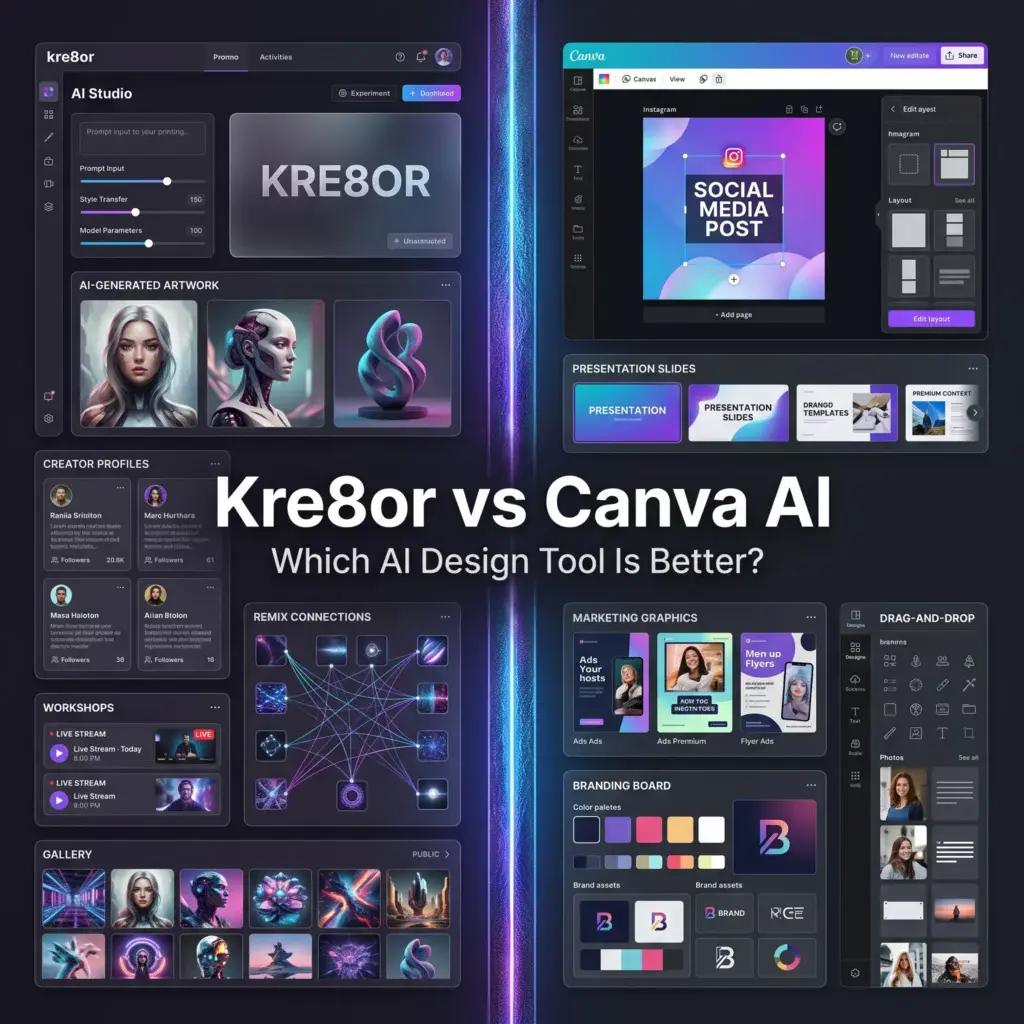
Introduction
Artificial intelligence has transformed the way creators produce visual content.
Today, bloggers, marketers, entrepreneurs, and businesses can generate professional-quality graphics in minutes instead of hours.
Two popular options taking very different approaches are Kre8or and Canva AI.
Although both help users create visual content, they’re designed for completely different workflows.
Canva AI extends Canva’s design platform by helping users quickly generate graphics, presentations, social media posts, and marketing materials.
Kre8or, on the other hand, focuses on AI-powered image creation within a creative ecosystem that includes Studio, Workshops, public Galleries, creator profiles, remixing, and community challenges.
If you’re new to Kre8or, our Kre8or AI Review explains how the platform works before diving into this comparison.
The important question isn’t:
Which platform has AI?
Both do.
The better question is:
Which platform fits the way you create content?
🚀 Ready to Try Kre8or?
The best way to understand Kre8or is to experience it yourself.
Create a free account and explore:
✅ Studio
✅ Workshops
✅ Public Gallery
✅ Character Creation
✅ Design Challenges
👉 Create Your Free Kre8or Account
📌 At a Glance
| Looking for… | Best Choice |
|---|---|
| Marketing graphics | ⭐ Canva AI |
| AI artwork | ⭐ Kre8or |
| Social media templates | ⭐ Canva AI |
| Creative community | ⭐ Kre8or |
| Beginner-friendly design | ⭐ Canva AI |
| Character creation | ⭐ Kre8or |
| Creator profiles | ⭐ Kre8or |
| Guided image improvements | ⭐ Kre8or |
| Brand kits | ⭐ Canva AI |
| Creative ecosystem | ⭐ Kre8or |
Quick Comparison
| Feature | Kre8or | Canva AI |
|---|---|---|
| AI Image Generation | ✅ | ✅ |
| Graphic Design Templates | ❌ | ✅ |
| Public Gallery | ✅ | ❌ |
| Creator Profiles | ✅ | ❌ |
| Workshops | ✅ | ❌ |
| Remix System | ✅ | ❌ |
| Design Challenges | ✅ | ❌ |
| Brand Kits | ❌ | ✅ |
| Social Media Templates | ❌ | ✅ |
| Marketing Design | Limited | ✅ |
Philosophy: Creative Platform vs Design Platform

Although both platforms use AI, they solve very different problems.
Canva AI
Canva AI is built around graphic design.
Its goal is helping users create:
- Social media posts
- Presentations
- Flyers
- Posters
- Marketing graphics
- Business documents
- Brand assets
AI simply makes the design process faster.
Everything revolves around ready-made layouts, templates, and editing tools.
Kre8or
Kre8or begins with AI image creation.
Rather than focusing on templates, it helps creators develop original artwork that can evolve through:
- Studio
- Workshops
- Gallery
- Creator Profiles
- Remixing
- Design Challenges
Instead of designing inside a template, creators build unique visuals from scratch.
If you’re interested in learning how Studio works, our How to Use Kre8or Studio guide walks through the complete creation process.
AI Image Generation
Both platforms generate AI images.
The creative experience, however, feels very different.
Canva AI
Canva AI focuses on generating visuals that fit naturally into marketing materials.
Users can quickly create:
- Social graphics
- Presentation images
- Website visuals
- Promotional artwork
- Advertising assets
Because the AI integrates directly into Canva’s editor, it’s easy to continue designing immediately.
Kre8or
Kre8or treats AI image generation as the centerpiece of the platform.
Creators can:
- Generate original artwork
- Refine images through Workshops
- Develop recurring characters
- Explore multiple artistic styles
- Publish work publicly
If you’re interested in building consistent visual identities, our Kre8or Character Creation guide explains how recurring characters and styles can be maintained across projects.
Winner
🏆 Depends on your goals
If you’re creating marketing materials inside templates, Canva AI has a clear advantage.
If you’re creating original AI artwork, Kre8or provides a much richer creative workflow.
Marketing Workflow
This is where the platforms differ most.
Canva AI
Everything happens inside one design workspace.
Generate.
Edit.
Resize.
Publish.
The workflow is optimized for businesses and marketers producing visual content quickly.
Kre8or
Kre8or focuses less on publishing finished marketing graphics and more on helping creators produce unique visual assets that can later be used across blogs, websites, YouTube channels, and social media.
Its structured workflow through Studio and Workshops encourages originality rather than template-based design.
For bloggers, marketers, and content creators, our Kre8or for Bloggers, Kre8or for Social Media Managers, and Kre8or for Small Businesses guides demonstrate how original AI artwork can strengthen a brand beyond standard template graphics.
Winner
🤝 Depends on your workflow
Community & Collaboration
Although both platforms allow people to create visual content, the way they encourage collaboration is very different.
Canva AI
Canva has built its reputation around team collaboration.
Users can:
- Share projects
- Edit designs together
- Leave comments
- Create shared Brand Kits
- Organize workspaces for teams
For businesses, agencies, and marketing departments, this collaborative workflow is one of Canva’s biggest strengths.
The collaboration happens around design projects rather than the AI-generated artwork itself.
Kre8or
Kre8or approaches collaboration from a creator’s perspective.
Instead of collaborating on marketing documents, creators collaborate on artwork.
Users can:
- Publish creations to the public Gallery
- Build public creator profiles
- Remix other creators’ work
- Participate in Design Challenges
- Discover new artistic styles through the community
The emphasis is on creative inspiration rather than team productivity.
If you’d like to explore how creators share and discover artwork, our Kre8or Gallery Explained guide covers the Gallery in detail, while Kre8or Remix System Explained shows how community remixing encourages collaboration.
Winner
🏆 Depends on your needs
Choose Canva AI for team-based business collaboration.
Choose Kre8or for creator-focused collaboration and artistic inspiration.
Original Artwork vs Templates
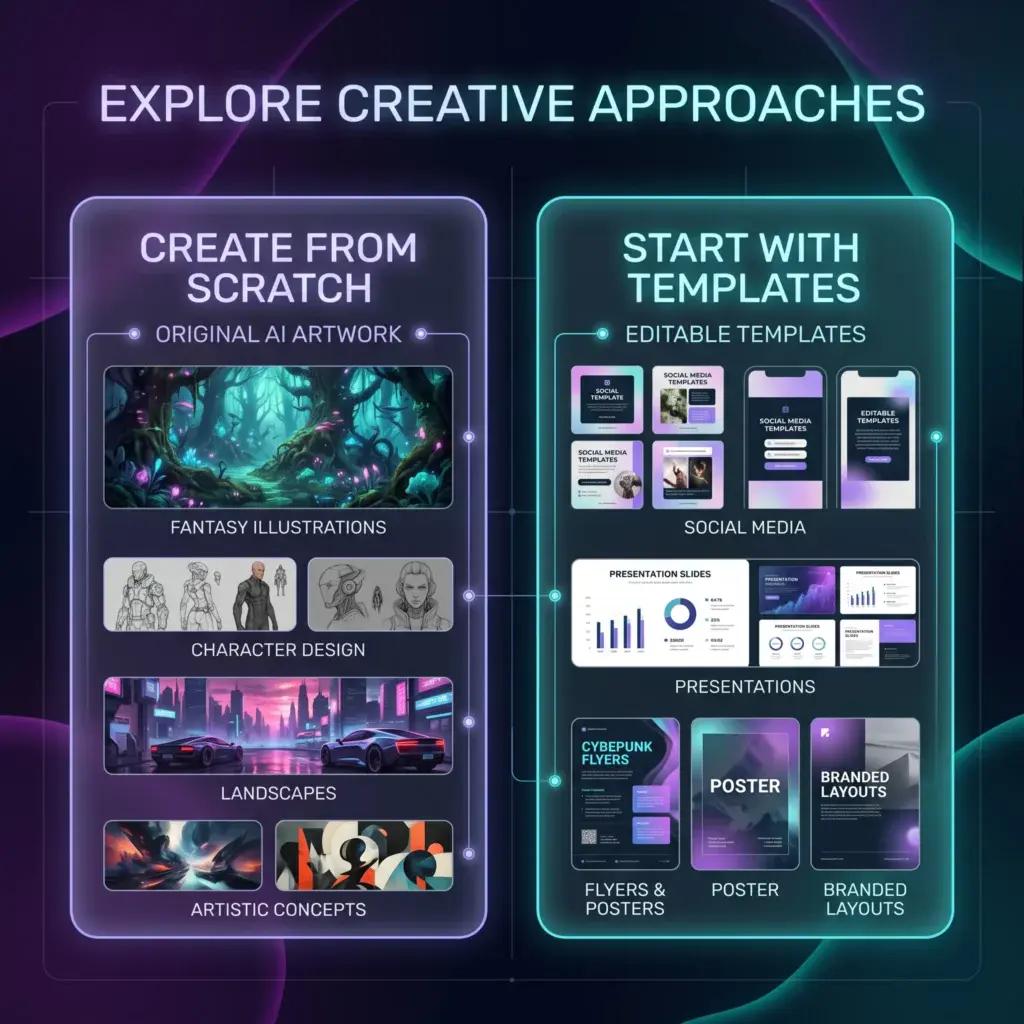
This is arguably the biggest difference between these platforms.
Canva AI
Canva is built around templates.
Whether you’re creating:
- Instagram posts
- Facebook ads
- Presentations
- Flyers
- Posters
- Business cards
- Brochures
everything begins with a professionally designed layout.
AI helps speed up the design process, but templates remain central to the workflow.
Kre8or
Kre8or begins with a blank canvas.
Creators generate completely original AI artwork before deciding how they’ll use it.
Rather than adapting templates, users create:
- Characters
- Landscapes
- Product visuals
- Fantasy scenes
- Illustrations
- Creative concepts
Studio and Workshops then help refine those creations into polished artwork.
If you’re interested in creating consistent visual identities, our Kre8or Character Creation guide explains how recurring characters and artistic styles can be maintained across multiple projects.
Winner
🏆 Kre8or
For creators who value originality over templates.
Branding & Visual Identity
Consistency matters for businesses, creators, and marketers alike.
Canva AI
Canva excels at maintaining brand consistency.
Its Brand Kit features allow users to save:
- Logos
- Brand colors
- Fonts
- Templates
- Design elements
This makes it easy for teams to produce consistent marketing materials.
Kre8or
Kre8or approaches branding differently.
Instead of focusing on logos and templates, it helps creators build a recognizable visual identity through:
- Character Creation
- Artistic styles
- Studio
- Workshops
- Public creator portfolios
For personal brands, storytellers, YouTubers, and bloggers, that visual consistency can become a defining part of their creative identity.
Winner
🤝 Tie
Canva AI wins for traditional business branding.
Kre8or wins for creative identity and original artwork.
Ease of Use
Both platforms are beginner-friendly, but in different ways.
Canva AI
Canva has one of the easiest learning curves in the design industry.
Its drag-and-drop editor, ready-made templates, and AI-assisted tools make it accessible to almost anyone.
Many users can produce professional-looking marketing graphics within minutes.
Kre8or
Kre8or keeps image creation organized through Studio while reducing trial and error with Workshops.
Although understanding features like Galleries, Challenges, and Remixing takes a little time, the core image creation workflow is approachable even for beginners.
If you’re just getting started, our 25 Kre8or Tips and Tricks Every Creator Should Know guide will help you become productive much faster.
Winner
🏆 Canva AI
For absolute beginners focused on graphic design.
Commercial Use
Both Canva AI and Kre8or are used by businesses, freelancers, and content creators.
Whether you’re producing:
- Marketing graphics
- Website images
- Blog illustrations
- Product visuals
- Promotional artwork
it’s important to understand each platform’s licensing terms.
Both platforms provide commercial usage options through eligible paid plans, although licensing terms may change over time.
Before using AI-generated content commercially, always review the latest licensing information provided by each platform.
If you’re comparing Kre8or’s plans, our Kre8or Pricing Explained guide explains credits, storage, rendering options, and commercial rights in greater detail.
Winner
🤝 Tie
Who Should Choose Each Platform?
Choosing between Canva AI and Kre8or depends largely on what you create.
Choose Canva AI if you:
✔ Create marketing graphics every day.
✔ Need presentations, flyers, and social media posts.
✔ Work with a team.
✔ Use brand kits and templates.
✔ Want a fast drag-and-drop design workflow.
Choose Kre8or if you:
✔ Want original AI-generated artwork.
✔ Prefer creating from scratch instead of using templates.
✔ Enjoy creative experimentation.
✔ Want public creator profiles.
✔ Like participating in Design Challenges.
✔ Value a creative community where artwork continues to evolve through remixing and collaboration.
Related Reading
Interested in learning more about Kre8or? These guides expand on many of the features discussed throughout this comparison:
- ⭐ Kre8or AI Review — a complete overview of the platform and its creator ecosystem.
- 💳 Kre8or Pricing Explained — compare plans, credits, and commercial features.
- 🏆 Kre8or Challenges Explained — learn how competitions work and how creators participate.
- 💎 How Kre8or Credits Work — understand the platform’s internal reward system.
- 👤 Kre8or Character Creation — Build consistent AI characters and visual styles.
Pros & Cons
Both Kre8or and Canva AI help creators produce visual content, but they approach the process from very different directions.
Canva AI focuses on making graphic design faster through templates and automation.
Kre8or focuses on helping creators produce original AI artwork within a community-driven creative ecosystem.
The better choice depends on how you create.
Kre8or
Pros
✅ Original AI Artwork
Kre8or is designed for creators who want to generate unique images instead of starting with pre-made templates.
Whether you’re creating fantasy scenes, characters, landscapes, or marketing visuals, every project begins with original AI generation.
✅ Dedicated Creative Studio
Instead of building inside a drag-and-drop editor, creators work inside Studio, where prompts, artistic styles, composition, and rendering settings are organized into a focused creative environment.
Our How to Use Kre8or Studio guide explains how this workflow helps creators produce more consistent results.
✅ Workshops Help Improve Images
One of Kre8or’s standout features is Workshops.
Rather than generating endless variations, Workshops analyze an existing image and recommend creative improvements for:
- Lighting
- Composition
- Mood
- Style
- Background
- Overall presentation
This makes refinement feel guided rather than experimental.
✅ Creative Community
Unlike most design platforms, Kre8or encourages creators to publish their work, receive feedback, remix artwork, and participate in community Challenges.
This transforms image generation into an ongoing creative experience.
✅ Strong Character Consistency
For creators building stories, brands, YouTube channels, or recurring marketing campaigns, Kre8or makes it easier to maintain consistent visual identities.
Our Kre8or Character Creation guide explores this process in detail.
Cons
❌ Limited Traditional Design Tools
Unlike Canva AI, Kre8or isn’t designed for building presentations, brochures, or marketing documents.
Its focus remains on original image creation.
❌ Smaller Community
As a newer platform, Kre8or’s creator community is still growing.
❌ Fewer Business Templates
Users looking for thousands of ready-made layouts may find Canva AI offers a broader library.
Canva AI
Pros
✅ Huge Template Library
Canva offers thousands of professionally designed templates for:
- Instagram posts
- Facebook ads
- YouTube banners
- Flyers
- Presentations
- Posters
- Business cards
- Marketing materials
This dramatically reduces design time.
✅ Excellent for Teams
Canva AI integrates seamlessly into collaborative workflows.
Businesses can:
- Share projects
- Build Brand Kits
- Leave comments
- Edit together
- Maintain consistent branding
✅ Beginner Friendly
Its drag-and-drop editor is one of the easiest design tools available.
Even users with no design experience can create polished graphics quickly.
✅ Complete Marketing Platform
Beyond AI image generation, Canva includes:
- Presentation tools
- Document creation
- Video editing
- Social media scheduling
- Print products
- Brand management
This makes it a comprehensive solution for many businesses.
Cons
❌ Less Focus on Original Artwork
Canva AI excels at creating marketing materials but isn’t primarily designed for producing highly original AI artwork.
❌ Limited Creator Community
Although Canva supports collaboration, it doesn’t include public creator profiles, remix systems, or creative challenges that encourage artistic growth.
❌ Templates Can Feel Familiar
Because many users start with the same layouts, finished designs may look less distinctive than artwork created from scratch.
Decision Scorecard
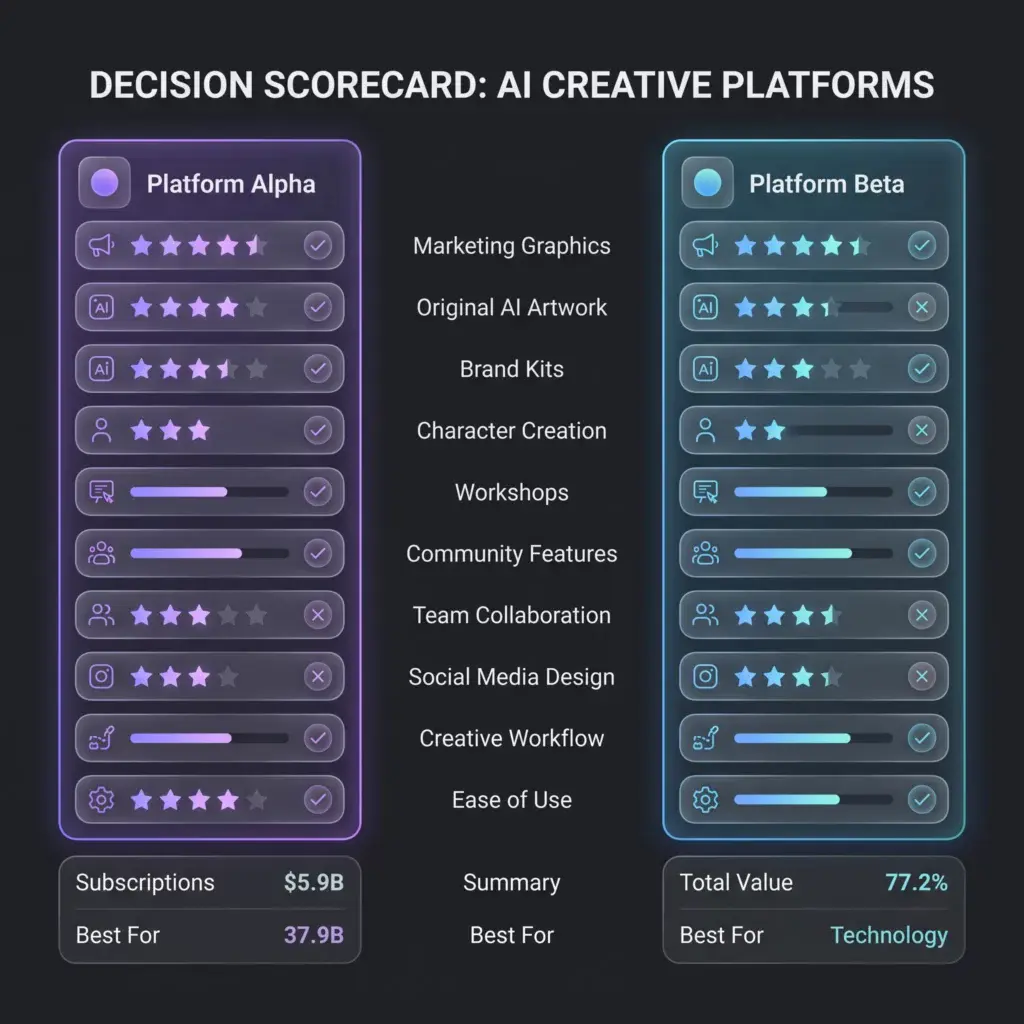
If you’re still deciding, here’s a quick recommendation based on your priorities.
| If your priority is… | Recommended Platform | Why |
|---|---|---|
| Social media graphics | Canva AI | Ready-made templates and quick editing. |
| Business branding | Canva AI | Brand Kits and team collaboration. |
| Presentations | Canva AI | Comprehensive presentation tools. |
| Original AI artwork | Kre8or | Built specifically for creative image generation. |
| Character consistency | Kre8or | Easier to maintain recurring visual identities. |
| Creative community | Kre8or | Gallery, creator profiles, and remixing. |
| Guided image refinement | Kre8or | Workshops simplify creative improvements. |
| Marketing templates | Canva AI | Extensive template library. |
| Creative growth | Kre8or | Community, Workshops, and Design Challenges encourage long-term development. |
| Team collaboration | Canva AI | Designed for shared business workflows. |
Best Platform by User Type
The right platform depends on the type of work you do every day.
📱 Social Media Managers
Winner: Canva AI
Canva’s templates, scheduling features, and Brand Kits make it an excellent choice for managing multiple social media campaigns.
📝 Bloggers
Winner: Kre8or + Canva AI
Many bloggers will benefit from combining both platforms.
Use Kre8or to create unique featured images and illustrations.
Use Canva AI to add text overlays, resize graphics, and prepare images for publishing.
Our Kre8or for Bloggers guide explains how this workflow helps content stand out.
📺 YouTube Creators
Winner: Kre8or
Original thumbnails and custom branding can help channels stand apart from competitors.
See our Kre8or for YouTube Creators guide for practical examples.
🛍️ Etsy Sellers
Winner: Kre8or
Original product visuals and lifestyle artwork can help listings feel more distinctive than template-based graphics.
Learn more in Kre8or for Etsy Sellers.
💼 Small Businesses
Winner: Canva AI
Businesses producing brochures, presentations, promotional graphics, and branded marketing materials every day will appreciate Canva’s productivity-focused workflow.
🎨 Creative Entrepreneurs
Winner: Kre8or
Artists, storytellers, content creators, and personal brands looking to build a recognizable creative identity may prefer Kre8or’s original artwork and community-driven ecosystem.
Frequently Asked Questions
Is Kre8or better than Canva AI?
Neither platform is universally better.
Canva AI excels at graphic design, templates, and business marketing materials.
Kre8or focuses on original AI artwork, guided creativity, and creator-focused community features.
Can I use Kre8or images inside Canva?
Yes.
Many creators generate original artwork in Kre8or and then import those images into Canva to add text, branding, layouts, or marketing elements.
This combination provides both originality and design flexibility.
Which platform is easier for beginners?
For graphic design, Canva AI has one of the easiest learning curves available.
For AI image generation, Kre8or’s Studio and Workshops help simplify the creative process.
Which platform is better for branding?
Traditional business branding is Canva’s strength through Brand Kits and templates.
Creative branding based on original artwork, recurring characters, and unique visual identity is an area where Kre8or stands out.
Can businesses use both platforms together?
Absolutely.
Many businesses can benefit from using Kre8or to create unique AI artwork and Canva AI to prepare those visuals for websites, presentations, advertising, and social media.
Which platform is better for content creators?
If your work depends on producing original visuals that help differentiate your content, Kre8or offers significant advantages.
If your priority is creating polished marketing materials quickly, Canva AI is an excellent choice.
Final Recommendation
After comparing both platforms, one thing becomes clear:
Kre8or and Canva AI are designed for different creative workflows.
Neither platform replaces the other.
Instead, they solve different problems.
If your daily work revolves around creating presentations, social media graphics, flyers, business documents, and marketing materials, Canva AI is one of the most complete design platforms available today.
If your focus is creating original AI artwork, developing a recognizable visual identity, and participating in a creative community, Kre8or offers a unique experience that goes well beyond image generation.
When Using Both Makes Sense
For many creators, the smartest workflow isn’t choosing one platform.
It’s combining them.
Bloggers
Use Kre8or to:
- Create unique featured images
- Generate illustrations
- Build consistent visual branding
- Design custom graphics
Then use Canva AI to:
- Add headlines
- Resize images
- Create Pinterest pins
- Design social media graphics
Our Kre8or for Bloggers guide shows exactly how this workflow can make blog content more engaging.
YouTube Creators
Generate original thumbnail artwork and channel graphics in Kre8or.
Finish layouts, text overlays, and branding elements inside Canva AI.
For more ideas, explore our Kre8or for YouTube Creators guide.
Small Businesses
Create original promotional artwork in Kre8or.
Then use Canva AI for:
- Brochures
- Presentations
- Product catalogs
- Social campaigns
- Business documents
This combination provides originality while maintaining a professional marketing workflow.
Social Media Managers
Many social media teams could benefit from both platforms.
Use Kre8or to create unique campaign visuals.
Use Canva AI to resize those visuals across multiple platforms, add branding, and prepare them for publishing.
Our Kre8or for Social Media Managers guide explains this workflow in greater detail.
Why Kre8or Feels Different
Most design platforms begin with a template.
Kre8or begins with an idea.
Instead of asking:
“Which template should I customize?”
Kre8or encourages creators to ask:
“What can I create from scratch?”
That difference shapes the entire experience.
Every image can continue evolving through:
- Studio
- Workshops
- Gallery
- Creator Profiles
- Remixing
- Design Challenges
Rather than simply designing graphics, creators build an ongoing portfolio of original work.
Final Verdict
Canva AI remains one of the best platforms available for graphic design.
Its template library, Brand Kits, collaboration features, and marketing tools make it an excellent choice for businesses, marketers, and anyone producing professional visual content at scale.
Kre8or takes a different path.
Rather than focusing on layouts and templates, it centers the creative process around original AI-generated artwork and a community-driven ecosystem where creators can publish, remix, improve, and showcase their work.
If your goal is producing marketing materials as efficiently as possible, Canva AI is an outstanding choice.
If your goal is creating original visuals that help your brand stand out, Kre8or provides a more creative and community-focused experience.
For many creators, the ideal solution is not choosing one over the other—but combining Kre8or’s originality with Canva’s publishing and design tools.
🏆 Overall Winner by Category
| Category | Winner |
|---|---|
| Marketing Graphics | 🏆 Canva AI |
| Social Media Templates | 🏆 Canva AI |
| Presentations | 🏆 Canva AI |
| Brand Kits | 🏆 Canva AI |
| Team Collaboration | 🏆 Canva AI |
| Original AI Artwork | 🏆 Kre8or |
| Guided Creative Workflow | 🏆 Kre8or |
| Character Creation | 🏆 Kre8or |
| Community Features | 🏆 Kre8or |
| Public Creator Profiles | 🏆 Kre8or |
| Design Challenges | 🏆 Kre8or |
| Creative Ecosystem | 🏆 Kre8or |
🚀 Ready to Explore Kre8or?
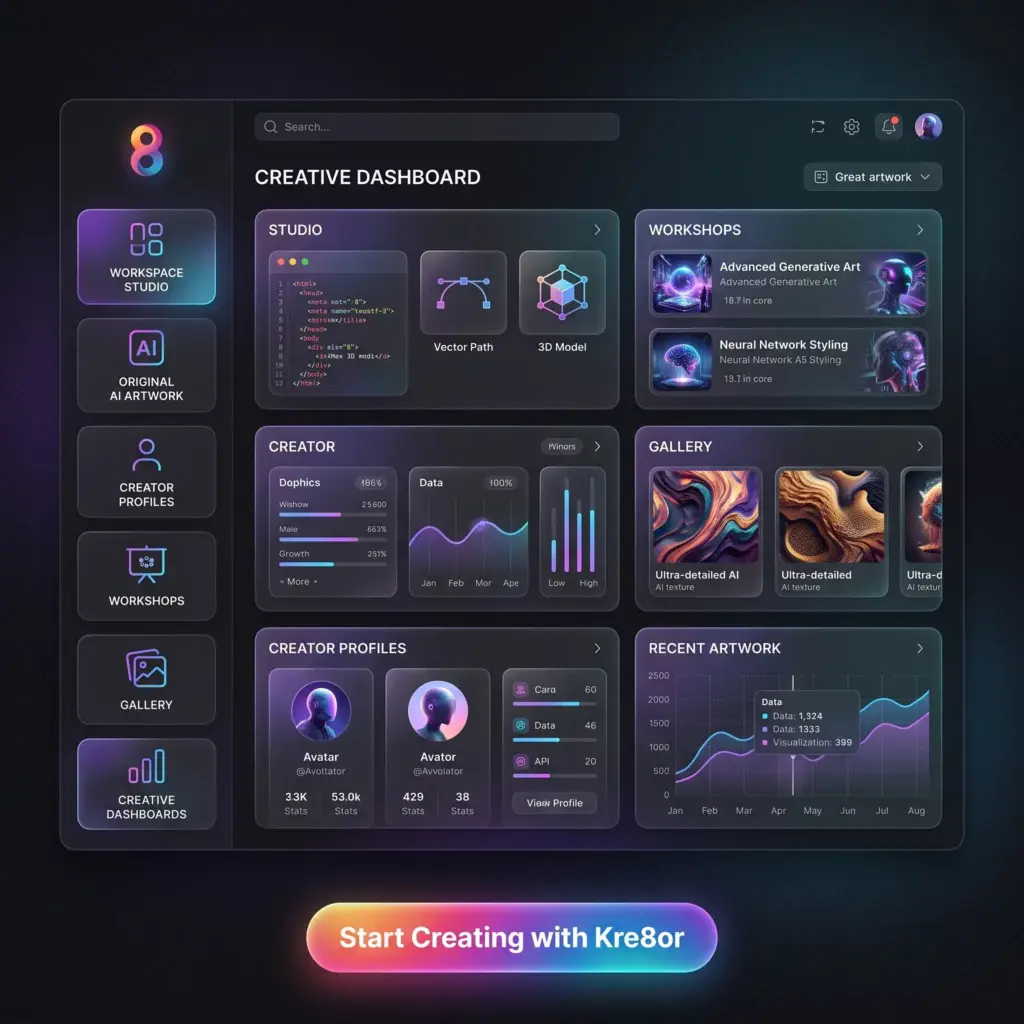
The best way to understand Kre8or is to experience how it fits into your own creative workflow.
With a free account, you can:
✅ Generate original AI artwork
✅ Experiment with different artistic styles
✅ Refine images using Workshops
✅ Publish creations to the Gallery
✅ Build your creator profile
✅ Participate in Design Challenges
Whether you’re a blogger, YouTuber, entrepreneur, marketer, or designer, spending a little time inside the platform is the fastest way to see how it differs from template-based design tools.
👉 Create Your Free Kre8or Account Today
Continue Comparing AI Platforms
Still exploring your options? These in-depth comparisons may also help:
- ⭐ Kre8or vs Midjourney
- ⭐ Kre8or vs Leonardo AI
- ⭐Kre8or vs ChatGPT Image Generator
- ⭐ Kre8or vs Ideogram
- ⭐ Kre8or vs Adobe Firefly
Learn More About Kre8or
If you’d like to explore Kre8or further, these guides cover every major feature of the platform:
- ⭐ Kre8or AI Review — A complete overview of the platform.
- 🛠️ How to Use Kre8or Studio — Learn the core creation workspace.
- ✨ Kre8or Workshops Explained — Discover guided image improvements.
- 🖼️ Kre8or Gallery Explained — See how creators share and discover artwork.
- 🔄 Kre8or Remix System Explained — Learn how collaborative creativity works.
- 👤 Kre8or Character Creation — Build consistent AI characters.
- 🏆 Kre8or Challenges Explained — Compete in themed design competitions.
- 💳 Kre8or Pricing Explained — Compare plans, credits, and commercial rights.
- 💎 How Kre8or Credits Work — Understand the reward system.
- 💰 How to Make Money with Kre8or — Explore monetization opportunities.
- ❓ Kre8or FAQ — Answers to the most common questions.