
Quick Summary
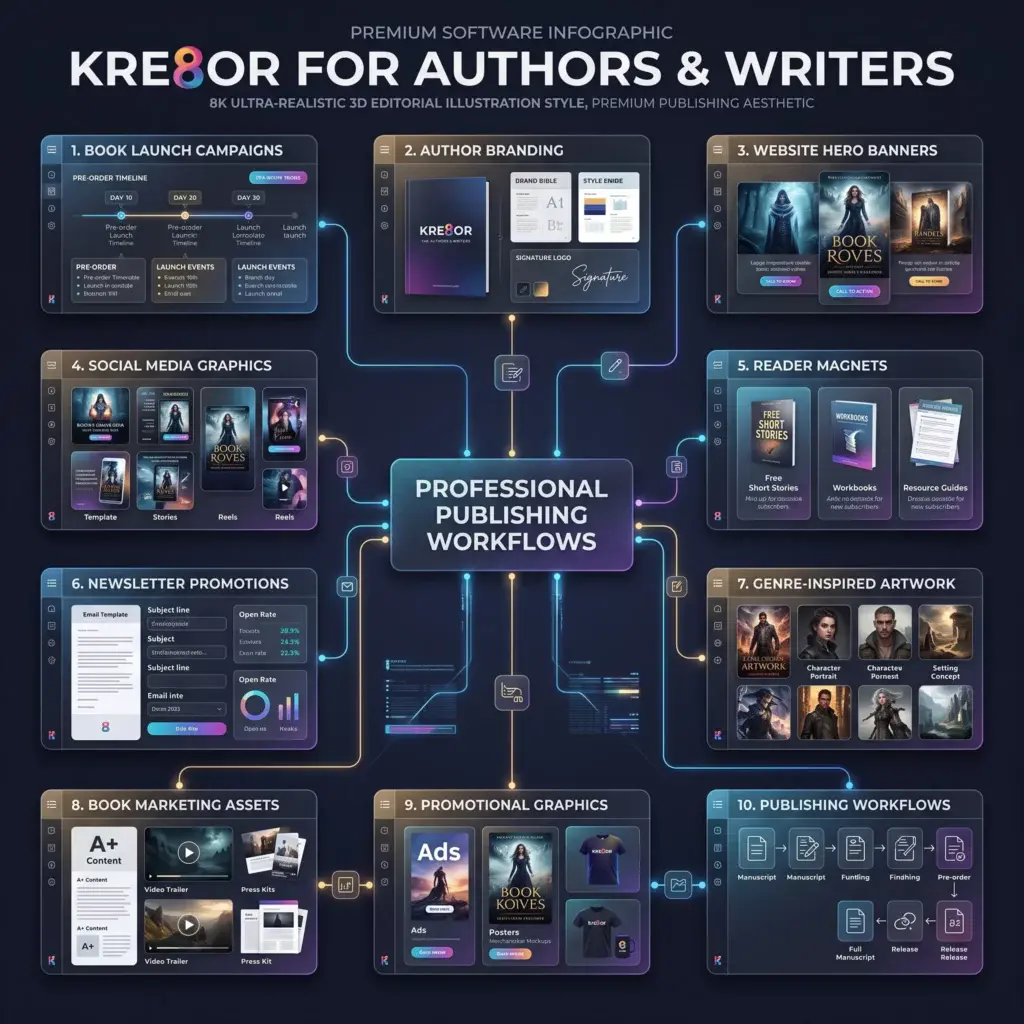
Kre8or can help authors and writers build a recognizable visual brand, support book launches, create website and newsletter graphics, develop reader magnets, and maintain a consistent promotional presence between releases.
How to Use Kre8or for Authors & Writers
Why Authors Need More Than a Book Cover
A professional cover is essential, but a complete author platform requires many additional assets: launch announcements, website banners, email headers, social graphics, event promotions, reader magnets, blog images, media-kit artwork, and evergreen backlist campaigns.
Kre8or can help authors create those supporting visuals without asking a cover designer to produce every individual post. It works best when the generated artwork extends the established cover and author brand rather than competing with it.
Use Kre8or Across the Author Marketing Funnel
| Stage | Reader Goal | Useful Assets |
|---|---|---|
| Discovery | Capture attention | Social posts, blog graphics, quote cards, ads |
| Interest | Explain the book | Genre visuals, character inspiration, theme graphics |
| Conversion | Encourage purchase or signup | Launch graphics, reader magnets, landing-page banners |
| Retention | Keep readers engaged | Newsletter art, bonus-content graphics, series campaigns |
| Advocacy | Encourage sharing | Review graphics, book-club kits, milestone posts |
Create a Cohesive Book Launch Campaign
A launch usually needs multiple waves of content: announcement, cover reveal, preorder, countdown, release day, reviews, interviews, events, and post-launch reminders. Generate a coordinated set rather than isolated one-off graphics.
- Cover-reveal backgrounds
- Preorder announcement graphics
- Release countdown visuals
- Launch-day hero banners
- Review and testimonial frames
- Book signing and virtual event artwork
- Bestseller or milestone graphics
- Backlist cross-promotion
Example Genre Prompt
Atmospheric promotional artwork for a gothic mystery novel, stormy coastal manor, windswept cliffs, antique brass key, deep navy and muted silver palette, cinematic fog, sophisticated literary-book marketing aesthetic, dramatic negative space for headline added later, no people, no text, not a book cover.
Build an Author Website That Feels Professional
Use Kre8or to create homepage hero imagery, genre-specific banners, blog illustrations, event graphics, newsletter signup backgrounds, and visual dividers. Keep navigation clear and let book covers remain the primary sales objects.
Create Better Reader Magnets
Reader magnets can include a free chapter, novella, checklist, workbook, reading guide, character dossier, map, bonus scene, or resource list. Supporting graphics make the offer feel intentional and valuable.
Conversion tip: Use one visual promise, one clear headline, and one call to action. Avoid cluttering signup graphics with every feature of the free resource.
Support Newsletters and Social Media
Between releases, authors can publish writing updates, research insights, character inspiration, setting mood boards, book recommendations, event reminders, reader questions, review highlights, and seasonal reading content.
Batch-create several visuals at once and resize them for email, Instagram, Pinterest, Facebook, LinkedIn, and blog use.
Workflow
Prompt Formula for Authors
[marketing asset] + [genre] + [setting or symbol] + [emotional tone] + [palette] + [lighting] + [editorial style] + [negative space placement] + no people + no text + not a book cover
Common Mistakes
- Replacing a professionally designed cover with generated artwork.
- Using visuals that signal the wrong genre.
- Changing the visual style every week.
- Embedding long quotes or titles directly inside generated images.
- Using copyrighted characters, logos, or recognizable living artists’ styles.
- Promoting only on release day instead of building a campaign.
Frequently Asked Questions
Can Kre8or create book covers?
It may assist with ideation, but a professional book cover requires typography, market positioning, genre knowledge, licensing clarity, and technical print specifications. Use a qualified cover designer for the final product.
Can authors use generated graphics commercially?
Check Kre8or’s current licensing and commercial-use terms before publication, advertising, or merchandise use.
Is it useful for nonfiction?
Yes. Nonfiction authors can create diagrams, conceptual illustrations, workbook graphics, presentation imagery, and educational campaigns.
Can I create character visuals?
Yes, but keep them consistent with the text and avoid presenting one interpretation as mandatory when readers may prefer to imagine characters themselves.
How do I avoid confusing readers?
Keep book covers, title typography, palette, and author branding consistent. Use generated imagery as supporting material, not as a replacement identity.
Related Guides
Ready to Create Better Visual Content?
Use Kre8or to develop original branded graphics, campaign concepts, website visuals, and reusable creative workflows.
Try Kre8or Free