
Best for LinkedIn professionals
Fast summary before you begin.
How to Use Kre8or for LinkedIn Marketing
🚀 Create Better Visual Content with AI
LinkedIn has become one of the most valuable platforms for professionals, freelancers, agencies, consultants, and businesses that want to build authority online.
The challenge is not only creating useful content. It is getting people to stop scrolling long enough to notice it.
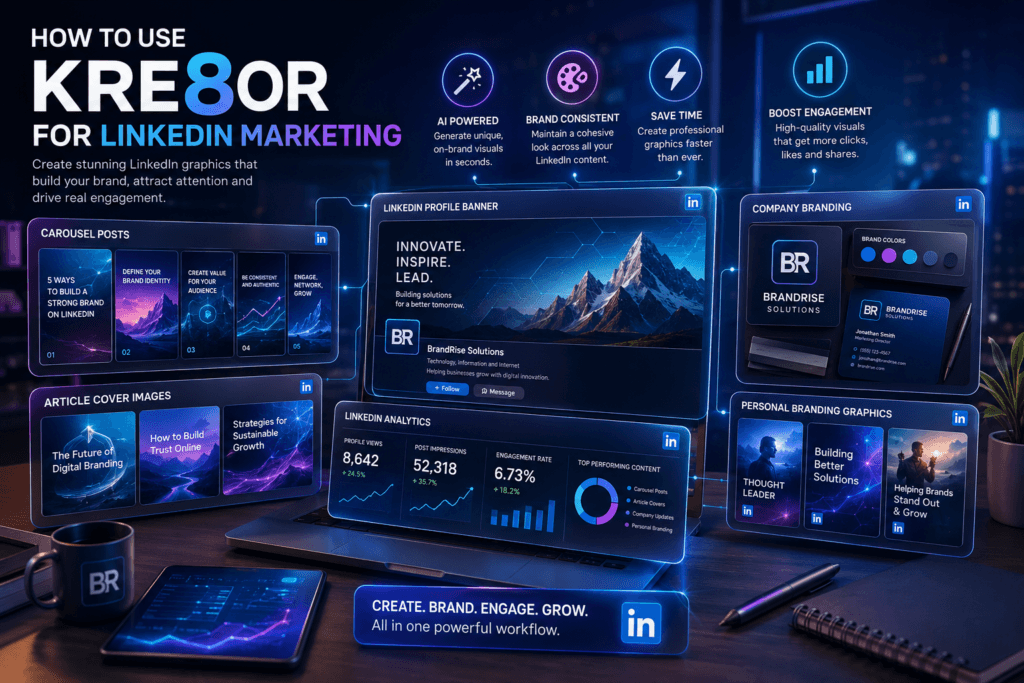
Kre8or can help you create original AI-generated visuals for banners, carousels, article covers, company announcements, and branded posts without relying on generic stock photography.
If you would like to follow along, create a free Kre8or account and start experimenting with your own ideas.
👉 Create Your Free Kre8or Account
Why LinkedIn Graphics Matter
LinkedIn is a professional platform where first impressions matter. A strong visual can help your content look more polished before someone even begins reading.
Professional graphics can strengthen credibility, improve brand recognition, and make educational content easier to understand.
- Capture attention in a busy feed
- Build credibility
- Increase post engagement
- Explain complex ideas visually
- Strengthen brand recognition
Create Better Profile and Company Banners
Your banner is one of the first things visitors notice. Create a wide visual that reflects your expertise, industry, or services.
Keep the composition clean and leave enough negative space for your profile photo, headline, and LinkedIn interface elements.
- Digital marketing
- Artificial intelligence
- Consulting
- Finance
- Real estate
- Creative services
Create Eye-Catching Post Graphics
Not every post needs a complicated infographic. Sometimes one strong visual paired with a useful insight is enough to attract attention.
The image should support the message rather than distract from it.
- Industry tips
- Business advice
- Product launches
- Customer success stories
- Event announcements
- Hiring posts
Create Professional Carousel Posts
Carousel content works well for educational posts because it breaks larger ideas into smaller sections.
Use consistent colors, lighting, and illustration style across every slide so the carousel feels like one complete presentation.
- Step-by-step tutorials
- Business frameworks
- Marketing strategies
- Case studies
- Checklists
Practical Creative Workflow
Build a Consistent Personal Brand
Consistency helps people recognize your content over time. Reuse similar color palettes, visual themes, lighting, and composition.
You do not need every image to look identical. The goal is to make every visual feel connected to the same brand.
- Color palette
- Background style
- Illustration style
- Lighting
- Composition
Create Graphics for Company Announcements
Businesses regularly publish product launches, hiring news, event promotions, milestones, and partnership announcements.
A custom graphic can make these updates feel more important and professional.
- New services
- Hiring
- Company milestones
- Events and webinars
- Awards
- Partnerships
Common LinkedIn Design Mistakes
Simple, focused visuals usually look more professional than designs filled with unnecessary details.
- Generic stock photography
- Overcrowded graphics
- Too much text inside images
- Weak color contrast
- Ignoring mobile layouts
Improve Your Results with Better Prompts
Describe the subject, purpose, mood, color palette, lighting, composition, and the space you need for real text. Generate multiple versions and compare them before choosing a final direction.
Frequently Asked Questions
Can Kre8or create LinkedIn banners?
Yes. Kre8or can help generate wide visual concepts for personal profiles and company pages.
Can I create LinkedIn carousel graphics?
Yes. Create a consistent set of visuals, then arrange them into a carousel using your preferred layout tool.
Is Kre8or useful for personal branding?
Yes. Consistent colors, illustration styles, backgrounds, and themes can help create a recognizable presence.
Related Kre8or Guides
- ⭐ Kre8or AI Review
- ⭐ Kre8or Studio Explained
- ⭐ How to Build a Consistent Brand
- ⭐ 100 Amazing Kre8or Prompts
Final Thoughts
Kre8or can make the creative side of this workflow faster, but the strongest results still come from clear goals, honest messaging, consistent branding, and careful human review.
Start with one useful campaign, test several visual concepts, and save the prompts that best match your brand.
🚀 Ready to Start Creating?
Create original branded visuals, organize your strongest ideas, and build a repeatable workflow with Kre8or.
Try Kre8or Free