
How to Write Better AI Image Prompts for Kre8or (With 50 Examples)
🚀 Create Better AI Images Today
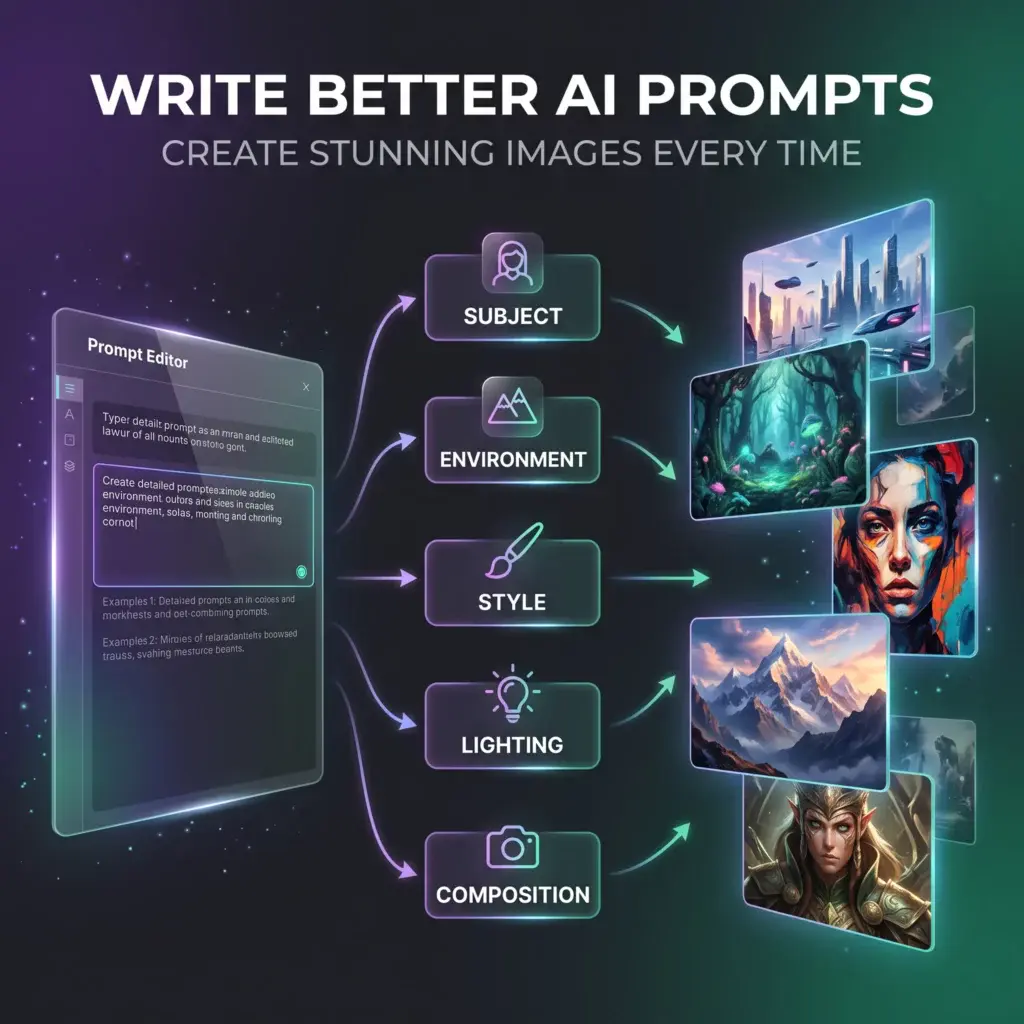
The quality of your AI artwork depends less on luck and more on how you write your prompts.
Whether you’re creating fantasy art, realistic photography, marketing graphics, or social media content, learning a few simple prompt-writing techniques can dramatically improve your results.
If you’d like to follow along, create a free Kre8or account and test every example in this guide.
👉 Create Your Free Kre8or Account
Introduction
One of the biggest myths about AI image generation is that longer prompts always create better images.
They don’t.
The best prompts are clear, descriptive, and focused.
Instead of trying to describe everything at once, think about guiding the AI like a creative director.
In this guide you’ll learn:
- A simple prompt formula that works
- The biggest mistakes beginners make
- Tips for improving image quality
- 50 prompts you can copy and customize
If you’re new to the platform, start with our How to Use Kre8or Studio guide before diving into these examples.
The 5-Part Prompt Formula
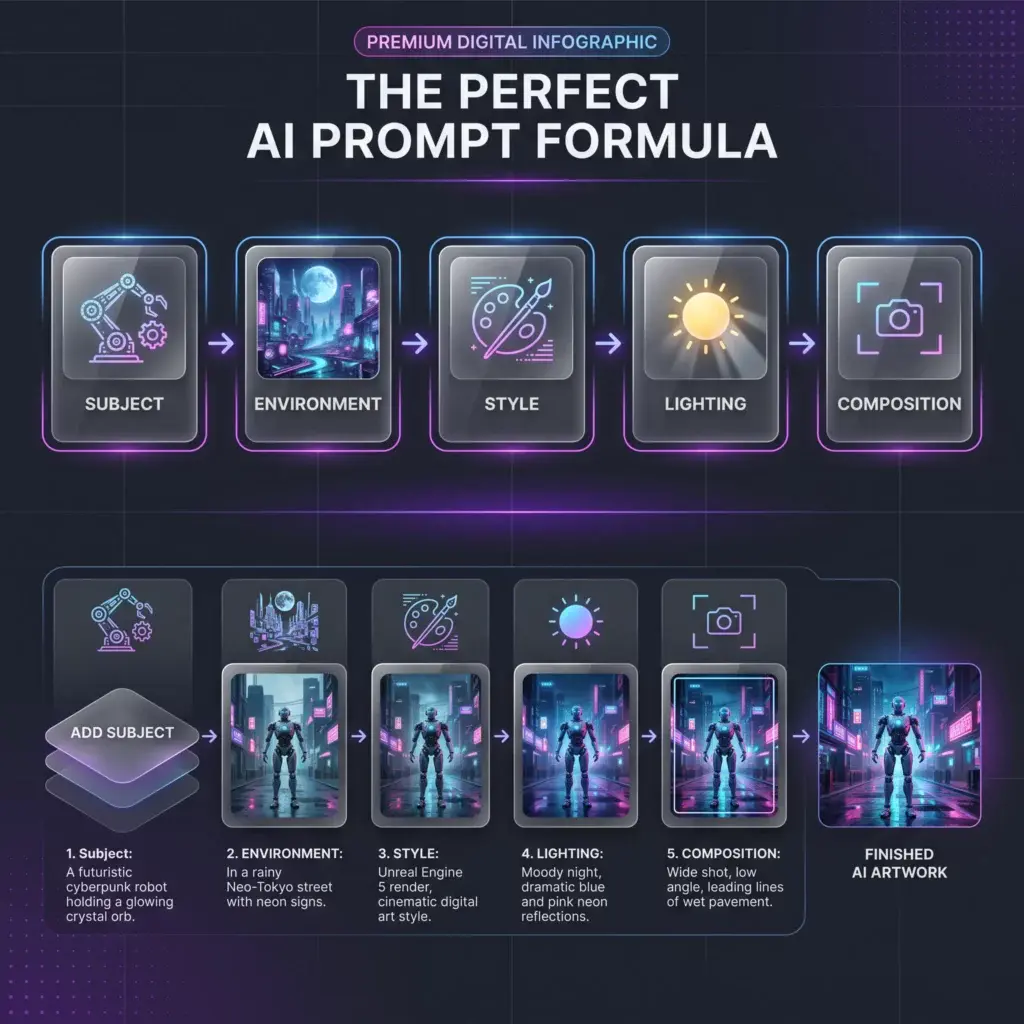
Almost every great prompt follows the same structure.
Subject → Environment → Style → Lighting → Composition
For example:
A futuristic motorcycle parked in a neon-lit cyberpunk city, cinematic realism, blue neon reflections after rain, low-angle wide shot.
This simple framework works for nearly every type of AI image.
5 Tips for Better Prompts
1. Start With One Clear Subject
Instead of:
A city
Try:
A futuristic city skyline at sunset with glowing skyscrapers.
2. Describe the Environment
Environment creates context.
Examples:
- Ancient castle on a cliff
- Cozy coffee shop
- Tropical beach at sunrise
- Modern office overlooking a city
3. Choose a Style
Some popular styles include:
- Hyperrealistic
- Cinematic
- Anime
- Fantasy
- Watercolor
- Oil Painting
- Cyberpunk
- Minimalist
Need inspiration? Browse our 100 Amazing Kre8or Prompts You Can Copy Today.
4. Think About Lighting
Lighting changes everything.
Try:
- Golden hour
- Soft morning light
- Neon reflections
- Studio lighting
- Dramatic shadows
- Moonlight
5. Add Camera Direction
Professional-looking prompts often include:
- Close-up
- Wide-angle
- Low angle
- Bird’s-eye view
- Macro shot
- Shallow depth of field
Common Mistakes
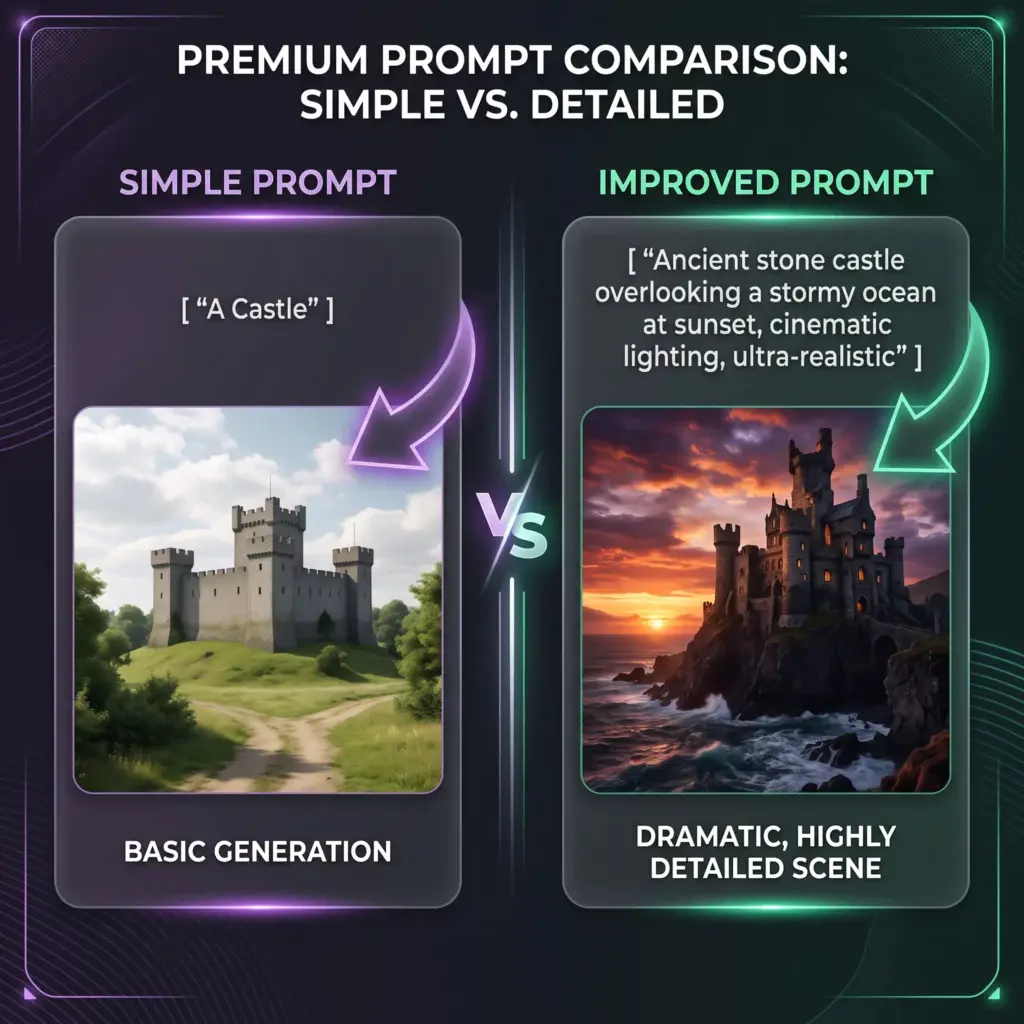
❌ Too vague
Instead of:
A castle
Try:
An ancient stone castle overlooking a stormy ocean during sunset.
❌ Too many ideas
Focus on one subject instead of combining ten different concepts.
❌ Forgetting mood
Words like mysterious, peaceful, dramatic, and epic often improve the final image.
❌ Ignoring composition
Tell the AI how you want the scene framed.
50 Prompt Examples
Fantasy
1.
A majestic emerald dragon flying above medieval castle ruins during sunset, cinematic fantasy, dramatic clouds.
2.
A glowing enchanted forest filled with magical flowers and ancient trees, fantasy realism.
3.
A powerful wizard standing inside a library filled with floating books and glowing crystals.
4.
A floating kingdom above the clouds connected by golden bridges.
5.
A crystal cave illuminated by glowing blue gemstones.
6.
A legendary phoenix rising from fire beneath a dramatic sunset.
7.
A medieval knight standing before a giant castle during heavy rain.
8.
A magical tree larger than a mountain surrounded by waterfalls.
Portraits
9.
A futuristic cyberpunk hacker inside a neon-lit apartment.
10.
A confident entrepreneur inside a luxury office overlooking the skyline.
11.
A samurai beneath blooming cherry blossoms.
12.
A Viking warrior during a snowstorm.
13.
A realistic astronaut walking across Mars.
14.
A fantasy queen inside a royal palace.
15.
A detective walking through a rainy noir city.
16.
A superhero overlooking a futuristic skyline.
Business & Marketing
17.
A luxury wristwatch on black marble with premium studio lighting.
18.
A gourmet coffee advertisement with warm café lighting.
19.
A luxury beachfront villa during golden hour.
20.
A sleek laptop on a modern workspace.
21.
A modern technology startup office.
22.
A premium hotel suite overlooking the city.
23.
A gourmet restaurant interior with elegant lighting.
24.
A productivity desk setup for remote work.
Nature
25.
Northern Lights above a frozen lake.
26.
A tropical waterfall inside a lush rainforest.
27.
A peaceful Japanese garden during spring.
28.
A mountain lake reflecting snowy peaks.
29.
A lavender field beneath a colorful sunset.
30.
A dramatic volcanic eruption at night.
31.
A secluded beach with crystal-clear water.
32.
A dense autumn forest with morning mist.
Sci-Fi
33.
A futuristic city filled with flying vehicles.
34.
A massive orbital space station above Earth.
35.
A glowing AI laboratory.
36.
A Mars colony at sunset.
37.
A futuristic hover bike racing through a cyberpunk city.
38.
A digital metaverse city made of glowing light.
39.
A friendly household robot inside a smart home.
40.
A mysterious portal connecting different worlds.
Creative Concepts
41.
A giant whale swimming through the clouds.
42.
A violin transforming into galaxies.
43.
A tree whose branches become books.
44.
A human mind expanding into a universe.
45.
A giant hourglass floating through space.
46.
A floating island covered in waterfalls.
47.
A futuristic underwater city.
48.
A library inside the clouds.
49.
A crystal dragon soaring through the night sky.
50.
A glowing phoenix circling an ancient temple at sunrise.
Improve Before You Regenerate
Many creators immediately rewrite their prompts when the first result isn’t perfect.
A better approach is to improve the existing image.
Kre8or’s Workshops can help refine:
- Lighting
- Composition
- Mood
- Background
- Artistic style
Instead of starting over, you can gradually evolve an image into exactly what you envisioned.
Learn more in our Kre8or Workshops Explained guide.

Final Thoughts
Great AI artwork starts with great prompts.
You don’t need to write long paragraphs.
You need to communicate your idea clearly.
As you create more images, save your best prompts, experiment with different styles, and build your own prompt library.
Over time, you’ll discover combinations that consistently produce outstanding results.
🚀 Ready to Practice?
The best way to improve is by creating.
Open Kre8or, copy one of the prompts above, and start experimenting.
👉 Create Your Free Kre8or Account
Continue Learning
If you found this guide useful, you may also like: