
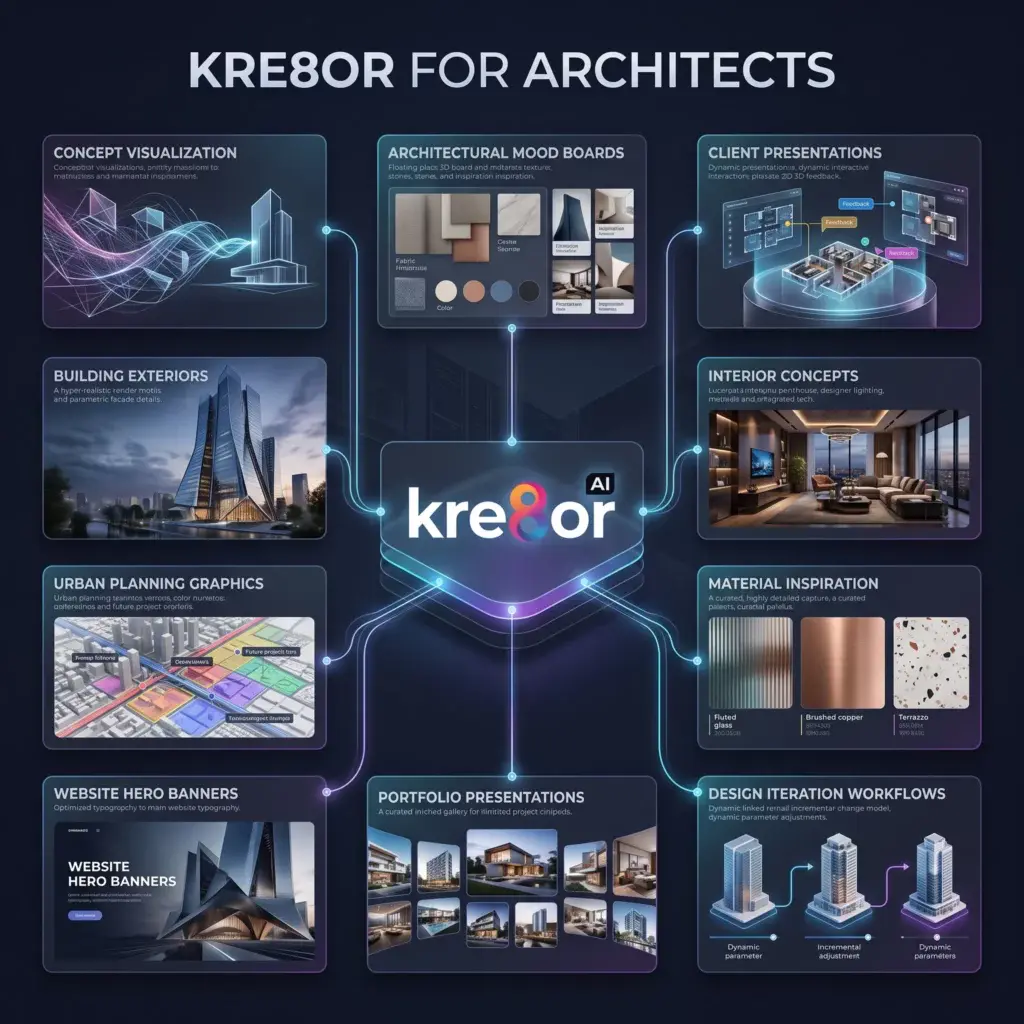
Quick Summary
Architecture is built on ideas long before construction begins.
How to Use Kre8or for Architects
Architecture is built on ideas long before construction begins.
Clients often need help visualizing a concept, understanding a design direction, or comparing different architectural styles before making decisions. While technical CAD drawings and BIM models remain essential, conceptual imagery can bridge the gap between technical plans and client imagination.
Kre8or gives architects a fast way to create original visual concepts for presentations, mood boards, websites, social media, competitions, and marketing materials.
Rather than replacing architectural software, Kre8or complements your workflow by helping communicate ideas more effectively during the early design stages.
Why Architects Can Benefit from AI Visuals
Architects regularly prepare materials for:
- Client meetings
- Project proposals
- Design competitions
- Portfolio updates
- Website content
- Social media
- Presentation boards
- Planning concepts
- Marketing campaigns
- Brand development
Creating high-quality conceptual visuals helps clients understand your design intent before technical drawings become the primary focus.
Create Architectural Concept Visualizations
One of Kre8or's strongest use cases is exploring creative directions.
Generate concept artwork for:
- Modern homes
- Luxury villas
- Commercial buildings
- Hotels
- Mixed-use developments
- Office interiors
- Public spaces
- Landscape concepts
- Sustainable architecture
- Urban planning
Producing several concept variations allows clients to compare different design approaches before detailed development begins.
Build Professional Mood Boards
Mood boards help communicate atmosphere, materials, and design language.
Use Kre8or to explore:
- Material palettes
- Lighting concepts
- Interior finishes
- Exterior materials
- Landscape inspiration
- Furniture styles
- Color palettes
- Architectural details
These visuals can become valuable discussion tools during the early stages of a project.
Create Client Presentations
Client presentations should feel polished and easy to understand.
Develop visuals for:
- Cover slides
- Project introductions
- Design concepts
- Site analysis
- Inspiration boards
- Lifestyle imagery
- Environmental context
- Vision statements
Professional presentation graphics often improve client engagement and help communicate complex ideas more clearly.
Workflow
Improve Your Architecture Portfolio
Your portfolio demonstrates your creative thinking as much as your completed projects.
Use Kre8or to create supporting visuals for:
- Project covers
- Concept pages
- Design studies
- Vision boards
- Competition entries
- Proposal documents
- Marketing brochures
- Studio branding
A consistent presentation style strengthens your professional identity.
Design Website & Marketing Graphics
Architecture firms also need strong marketing.
Create visuals for:
- Homepage hero banners
- About pages
- Service pages
- Blog articles
- Social media
- LinkedIn posts
- Recruitment campaigns
- Award announcements
Maintaining a premium visual style across every platform reinforces your firm's brand.
Common Mistakes
Avoid these common problems:
- Presenting AI concepts as final construction documents
- Inconsistent visual styles
- Unrealistic structural details
- Overcrowded presentation boards
- Using generated text inside images
- Skipping technical review
Kre8or works best for conceptual communication. Final architectural decisions should always be supported by professional drawings, engineering, and project documentation.
Frequently Asked Questions
Can architects use Kre8or for client presentations?
Yes. Kre8or is excellent for creating concept visuals, mood boards, cover graphics, presentation imagery, and architectural inspiration that supports client discussions.
Can Kre8or replace CAD or BIM software?
No. Kre8or complements professional architectural software by generating conceptual visuals and marketing assets. Technical design, documentation, and construction drawings should continue to be created in dedicated architecture software.
Can architecture firms use Kre8or for marketing?
Absolutely. Firms can create website banners, portfolio graphics, social media content, recruitment campaigns, and branding materials while maintaining a consistent visual identity.
Can I create architectural mood boards?
Yes. Mood boards are one of the best use cases for Kre8or. You can quickly explore materials, lighting, color palettes, landscape concepts, and design styles before finalizing a project direction.
Is Kre8or useful for competitions?
Yes. It can help communicate the overall vision of a proposal with polished conceptual artwork that supports presentation boards and design narratives.
Related Guides
Ready to Create Better Visual Content?
Use Kre8or to develop original branded graphics, campaign concepts, website visuals, and reusable creative workflows.
Try Kre8or Free